


Patient List App
создатель Divye Chhabra
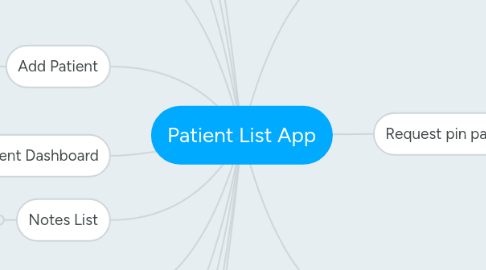
1. Dashboard
1.1. Icon sets required
1.2. Header showing Current user Logged in
2. Add/Edit Lists Screen
2.1. Service to fetch all lists
2.1.1. Web application for Admin role to have List creation master screen
2.2. Service for 'Done' button
3. My Lists
3.1. Service to Fetch lists mapped to current user
4. Patient List
4.1. Service to fetch patients mapped to list
4.1.1. Scripts received, some fields missing
4.2. Add patient button to launch Add Patient Page which will have drop down for my lists and will be pre-selected with current list.
5. Add Patient
5.1. Same screen as one launched from Patient list but when launched from dashboard the my list drop down is not filed
5.1.1. Service required to get my lists
5.1.2. Service to search by MRN
5.1.3. Service to add patient to List
6. Selected Patient Dashboard
6.1. Header data from previous screen no service required
7. Notes List
7.1. Service to Fetch all notes for patient
8. Add Note
8.1. Service to fetch Note Titles
8.1.1. Web application for Admin role note title master creation screen
8.2. Service to Save note
9. Radiology List
9.1. Service to fetch List of Radiology tests mapped to application
9.1.1. Web application for Admin role mapping screen for available radiology tests and number of episodes to fetch
10. Radiology report
10.1. Service to fetch report
11. Laboratory List
12. Laboratory Result
13. Login Screen design
13.1. Background image required
13.2. WebService for logging in
14. Request pin page
14.1. First name, LastName, Job Title and Email captured. Email validation required Only NHS mail
14.2. Background image required
14.3. Webservice for sending PIN request to Admi role
14.4. Web application fro Admin role to include inbox for pin requests, which on approval responds with a mail to requesting consultant
14.5. SMTP Server for mail sending required
14.5.1. SMTP server should be accessible from intranet, if not on intranet then public internet access required for this server