


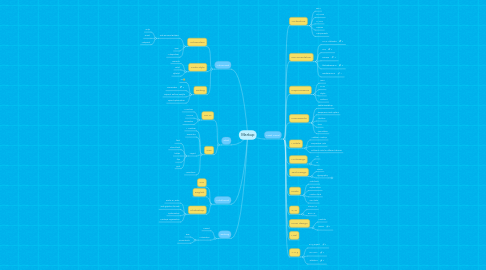
1. Advanced
1.1. Automation
1.1.1. Task Runners/Builders
1.1.1.1. Gulp
1.1.1.2. Grunt
1.1.1.3. Webpack
1.1.2. npm
1.1.3. Autoprefixer
1.2. Code Style
1.2.1. csscomb
1.2.2. eslint
1.2.3. stylelint
1.3. Debug
1.3.1. IE :)
1.3.2. DevToolBar
1.3.3. Repaint, Reflow, Restyle
1.3.4. Speed optimisation
2. Start
2.1. HTML
2.1.1. 1. Practice!
2.1.2. HTML5
2.1.3. Semantics
2.2. CSS
2.2.1. 1. Practice!
2.2.2. Semantics
2.2.3. Layout
2.2.3.1. float
2.2.3.2. inline-block
2.2.3.3. tables
2.2.3.4. flex
2.2.3.5. grid
2.2.4. Animations
3. Additional
3.1. GIT
3.2. English
3.3. Photoshop
3.3.1. Raster & Vector
3.3.2. Web graphics formats
3.3.3. Optimisation
3.3.4. Mockups organisation
4. Testing
4.1. Manual
4.2. Automation
4.2.1. E2E
4.2.2. ScreenShots
5. Next Level
5.1. Arcitecture
5.1.1. BEM
5.1.2. SMACSS
5.1.3. MVCSS
5.1.4. OOCSS
5.1.5. Components
5.2. Documentation
5.2.1. HTML Attributes
5.2.2. CSS
5.2.3. Caniuse
5.2.4. htmlreference.io
5.2.5. cssreference.io
5.3. Preprocessors
5.3.1. LESS
5.3.2. SASS
5.3.3. Stylus
5.3.4. PostCSS
5.4. Frameworks
5.4.1. Twitter Bootstrap
5.4.2. Responsive Grid System
5.4.3. Skeleton
5.4.4. Ionic
5.4.5. Foundation
5.5. Mobile
5.5.1. "Rubber" markup
5.5.2. Responsive Web
5.5.3. Different code for different devices
5.6. UX/Design
5.6.1. UX
5.6.2. UI
5.7. Text Design
5.7.1. Basics
5.7.2. Typography
5.7.2.1. Ководство Лебедева
5.8. Fonts
5.8.1. Web fonts
5.8.2. Optimisation
5.8.3. Custom fonts
5.8.4. Icon fonts
5.9. SVG
5.9.1. Inline SVG
5.9.2. BG SVG
5.10. Form design
5.10.1. Controls
5.10.2. Basics
5.11. Mail
5.12. A11y
5.12.1. a11y project
5.12.2. WAI-ARIA
5.12.3. Validators