

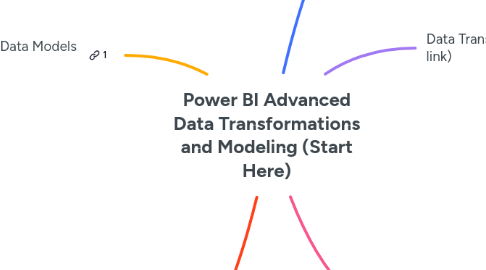
1. Designing Advanced Data Models (click attached link)
1.1. Includes the following:
1.1.1. Organising the data model
1.1.1.1. How to lay things out in the model view (waterfall concept)
1.1.2. Setting up complex models
1.1.2.1. Creating tables using DAX
1.1.2.2. Resolving model relationship problems
1.1.3. Handling absent lookup tables
1.1.4. Measure tables/groups
1.1.5. Intermediary tables
1.1.5.1. Tables added to model that have relationships but are used to solve modelling problems and don't belong to core data model
1.1.6. Supporting tables
1.1.6.1. Static tables added to model with no relationships to support dynamic measures
1.1.7. What If parameters
1.1.8. Enhancing lookup tables
2. Optimising models (click attached link)
2.1. Includes the following:
2.1.1. Active vs inactive relationships
2.1.2. Relationship cardinality and direction
2.1.3. Optimising data model size
3. Query Editor Best Practices (click attached link)
3.1. Includes the following:
3.1.1. Organising queries
3.1.2. Using groups
3.1.3. Renaming and removing columns
3.1.4. Troubleshooting broken queries
4. Data Transformation (click attached link)
4.1. Includes the following:
4.1.1. Column transformations
4.1.2. Row transformations
4.1.3. Filtering out unwanted rows
4.1.4. Creating date table
5. Advanced Transformation and Querying Techniques (click attached link)
5.1. Includes the following:
5.1.1. Staging queries
5.1.2. Appending queries
5.1.3. Merging or joining queries
5.1.4. Unpivoting queries
5.1.5. Columns from examples
5.1.6. Custom & conditional columns
5.1.7. Creating and using parameters
5.1.8. Custom functions