

Chapter 4: Images
por Clorens Ah
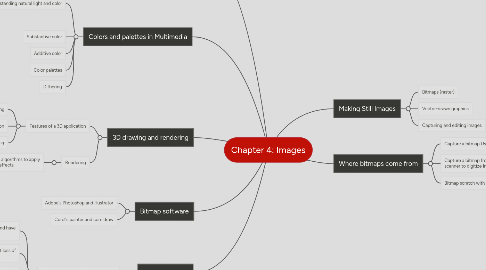
1. Bitmap software
1.1. Adobe's Photoshop and illustrator
1.2. Corel's painter and coreldraw
2. Vector drawing
2.1. Vector-drawn images versus bitmaps
2.1.1. Vector images use less memory space and have a smaller file size
2.1.2. Vector object are easily scalable without loss of resolution of image quality
2.1.3. Vector images cannot be used for photorealistic images.
2.1.4. Bitmaps are not easily scalable and resizable
2.1.5. Bitmaps can be converted to vector images using autotracing
3. 3D drawing and rendering
3.1. Features of a 3D application
3.1.1. Modeling
3.1.2. Extrusion
3.1.3. Lathing
3.2. Rendering
3.2.1. Use of intricate algorithms to apply user-specified effects
4. Colors and palettes in Multimedia
4.1. Understanding natural light and color
4.1.1. Additive color
4.1.2. Subtractive color
4.1.3. Color models