

Time Tracking
저자: 성진 정
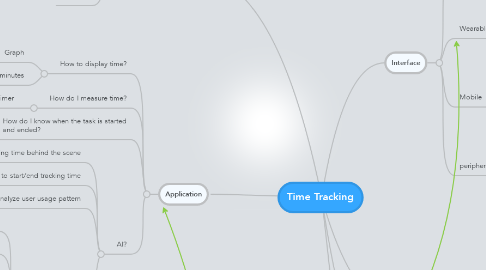
1. Application
1.1. How to display time?
1.1.1. Graph
1.1.2. Number of hours/minutes
1.2. How do I measure time?
1.2.1. Timer
1.3. How do I know when the task is started and ended?
1.3.1. Monitoring the process to check what application is used by a user
1.4. AI?
1.4.1. Tracking time behind the scene
1.4.2. Suggest to start/end tracking time
1.4.3. Analyze user usage pattern
1.4.4. Voice command
1.4.4.1. Start Timer
1.4.4.2. End Timer
1.4.4.3. Resume Timer
1.4.4.4. Stop Timer
1.4.4.5. accurate enough?
1.4.4.6. Task Name
2. Where can I use?
2.1. Office
2.2. Home
2.3. Outdoor
3. Cost of developing new interface
3.1. new h/w device
3.2. software
4. Interface
4.1. PC
4.1.1. Dock
4.1.1.1. Always visible
4.1.2. Statusbar
4.1.2.1. add-on module of other application
4.1.3. Toolbar
4.2. Wearable Devices
4.2.1. biosensor
4.2.1.1. heartbit
4.2.1.2. body temperature
4.2.2. band
4.2.3. glasses
4.3. Mobile
4.3.1. Notification
4.3.2. Push
4.4. peripherals
4.4.1. mouse
4.4.2. keyboard
4.4.3. touchpad
4.4.4. indicator of doing a task?