

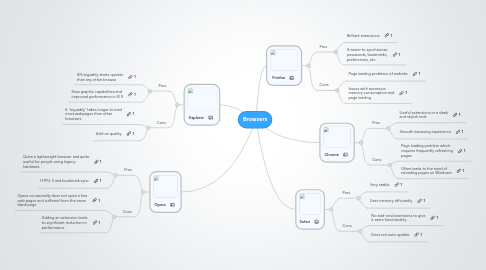
1. Opera
1.1. Pros
1.1.1. Quite a lightweight browser and quite useful for people using legacy hardware.
1.1.2. HTML 5 and bookmark sync
1.2. Cons
1.2.1. Opera occasionally does not open a few web pages and suffered from the same blank page
1.2.2. Adding an extension leads to significant reduction in performance
2. Explorer
2.1. Pros
2.1.1. IE9 arguably starts quicker than any other browse
2.1.2. New graphic capabilities and improved performance in IE 9
2.2. Cons
2.2.1. It “arguably” takes longer to load most webpages than other browsers
2.2.2. Add-on quality
3. Firefox
3.1. Pros
3.1.1. Brilliant extensions
3.1.2. It easier to synchronize passwords, bookmarks, preferences, etc
3.2. Cons
3.2.1. Page loading problems of website
3.2.2. Issues with excessive memory consumption and page loading
4. Safari
4.1. Pros
4.1.1. Very stable
4.1.2. Uses memory efficiently
4.2. Cons
4.2.1. No add-ons/extensions to give it extra functionality
4.2.2. Does not auto update
5. Chrome
5.1. Pros
5.1.1. Useful extensions or a sleek and stylish look
5.1.2. Smooth browsing experience
5.2. Cons
5.2.1. Page loading problem which requires frequently refreshing pages
5.2.2. Often leads to the need of reloading pages on Windows