


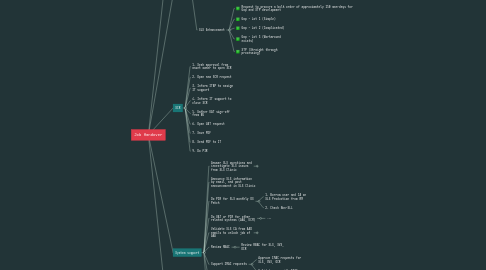
1. Done
1.1. New Product - Lot 1: TF, Corp Card, Esso, AVAL
1.2. New Product - Lot 2: Solar, TF, DLC, SBLC
1.3. New Product - Lot 3: Flexi Lane
1.4. ...
2. Backlog
2.1. Credit Products
2.1.1. Deactivate Loan, OD, LG of Flexi
2.1.2. Chang Project code and project code of some credit types under Flexi
2.1.3. Create BRMS rules and SLS credit type for BTL
2.1.4. Change BRMS standard price of Esso Fleet Card 70%
2.1.5. Create BRMS rules and SLS credit for 7-11 (Change tenor)
2.2. SLS Enhancement
2.2.1. Request to procure a bulk order of approximately 150 man-days for Gap and STP development
2.2.2. Gap - Lot 1 (Simple)
2.2.3. Gap - Lot 2 (Complicated)
2.2.4. Gap - Lot 3 (Workaround exists)
2.2.5. STP (Straight through processing)
3. SCR
3.1. 1. Seek approval from asset owner to open SCR
3.2. 2. Open new SCR request
3.3. 3. Inform ITBP to assign IT support
3.4. 4. Inform IT support to close SCR
3.5. 5. Gather UAT sign-off from BU
3.6. 6. Open UAT request
3.7. 7. Save PDF
3.8. 8. Send PDF to IT
3.9. 9. Do PIR
4. System support
4.1. Answer SLS questions and investigate SLS issues from SLS Clinic
4.1.1. Answer SLS questions
4.1.1.1. SLS Steps
4.1.1.1.1. Pre-approval Process
4.1.1.1.2. Step 1: Initial / Prepare data for NCB
4.1.1.1.3. Step 2: Check NCB
4.1.1.1.4. Step 3: Prepare data for prescreen
4.1.1.1.5. Step 4: Complete Full App (BDM)
4.1.1.1.6. Step 5: Appraisal Process
4.1.1.1.7. Step 6: Complete Full App (ZM)
4.1.1.1.8. Step 7: Credit Decision (UW1)
4.1.1.1.9. Step 8: Customer Acceptance (Pre-approval result)
4.1.1.1.10. Step 9: Request Appraisal (BDM)
4.1.1.1.11. Step 10: Appraisal Process
4.1.1.1.12. Step 11: Credit Decision (Final approval)
4.1.1.1.13. Step 12: Request to Get Customer Accept
4.1.1.1.14. Post-approval Process
4.1.1.1.15. Step: Operation (Post-approval)
4.1.1.1.16. Step 13: Check Doc - Pool List
4.1.1.1.17. Step 14: Check Doc
4.1.1.1.18. Step 15: Check Data - Pool List
4.1.1.1.19. Step 16: Check Data
4.1.1.1.20. Step 17: Generate Agreement - Pool List
4.1.1.1.21. Step 18: Create/Update Customer Profile - Pool List
4.1.1.1.22. Step 19: Create/Update Customer Profile
4.1.1.1.23. Step 20: Generate Agreement
4.1.1.1.24. Step 21: Confirm Agreement Sign Fee
4.1.1.1.25. Step 22: Confirm Mortgage Registration
4.1.1.1.26. Step 23: Reviewed Signed Agreement
4.1.1.1.27. Step 24: Review Perfection
4.1.1.1.28. Step 25: Operation Complete - Pool Box
4.1.1.1.29. Step 26: Operation Complete
4.1.2. Investigate SLS issues
4.1.2.1. Error
4.1.2.1.1. Check basic information
4.1.2.1.2. Error: 500
4.1.2.1.3. Error 404 Page not found
4.1.2.1.4. LDAP authentication filed (Login Failed. Username or password Incorrect)
4.1.2.1.5. Prepare data for hadoop timeout...
4.1.2.1.6. Check KYC/CDD Rating Failed javax.transaction...: Transaction is ended due to timeout
4.1.2.1.7. Error: Save Credit Facility Propose failed. cause : org.hibernate....: could not execute statement
4.1.2.1.8. Error: 209 ตอน UW ส่งงานกลับประเมิน
4.1.2.1.9. Error: Incomplete proposed credit/collateral
4.1.2.2. Issue
4.1.2.2.1. App คู่
4.1.2.2.2. NCB
4.1.2.2.3. BRL
4.1.2.2.4. Income Factor
4.1.2.2.5. A-Score
4.1.2.2.6. Prescreening
4.1.2.2.7. Existing Line
4.1.2.2.8. Propose Line
4.1.2.2.9. Proposed Collateral
4.1.2.2.10. ECM
4.1.2.2.11. เรียกเอกสารไม่ได้ เนื่องจาก ECM มีปัญหา ให้แจ้ง IT เพื่อตรวจสอบ
4.2. Announce SLS information by email, and post announcement in SLS Clinic
4.3. Do PIR for SLS monthly OS Patch
4.3.1. 1. Borrow user and CA on SLS Production from RM
4.3.2. 2. Check Non-SLL
4.4. Do UAT or PIR for other related systems (AAG, ECM)
4.4.1. ...
4.5. Validate SLS CA from AAD emails to unlock job of AAG
4.5.1. 1. Search and check CA status
4.5.2. 2. Reply email
4.5.2.1. Solution #1 (Status = After approved by UW2): "พบว่าเคสนี้อยู่ใน Step หลังการอนุมัติโดย UW2 แล้ว ดังนั้นสามารถ Unlock ได้โดยไม่มีผลกับ Flow งานของ SLS"
4.5.2.2. Solution #2 (Status = UW1): "พบว่าเคสนี้อยู่ใน Step ของ UW1 ดังนั้นแนะนำให้ Submit CA ไปที่ UW2 และให้ UW2 ทำการ Return to AAD เพื่อ Unlock"
4.5.2.3. Solution #3 (Status = Resubmit/Appeal and Full App): "พบว่าเคสนี้เป็นกรณี Resubmit/Appeal ที่อยู่ใน Step: Full App ดังนั้นจึงแนะนำให้ Unlock เพื่อแก้ไขแล้วให้ RM ทำการ Retrieve Job ใหม่ให้เสร็จใน Step: Full App เท่านั้น โดยห้าม Submit CA ไป Step ถัดไปก่อนจะทำเสร็จ"
4.6. Review RBAC
4.6.1. Review RBAC for SLS, SVS, OCR
4.7. Support IMAC requests
4.7.1. Approve IMAC requests for SLS, SVS, OCR
4.7.2. Validate user with ITIA
4.8. SLS Master Table
4.8.1. User management
4.9. Related systems
4.9.1. Ang-Bao
4.9.2. IMAC
4.9.3. SCR
4.9.4. SLS - SIT/UAT/PRD
4.9.5. ECM
4.9.6. OCR
4.9.7. SVS
5. Project status update
5.1. Bi-weekly meeting with Head of Commercial Credit
5.1.1. Executive summary
5.2. Monthly meeting with Chief Commercial Banking
5.2.1. 1. Receive slide of SME from PMO
5.2.2. 2. Prepare slide
5.2.3. 3. Submit to asset owner to review
5.2.4. 4. Submit to PMO
5.3. Team meeting with Head of SME Process
5.3.1. Backlog