
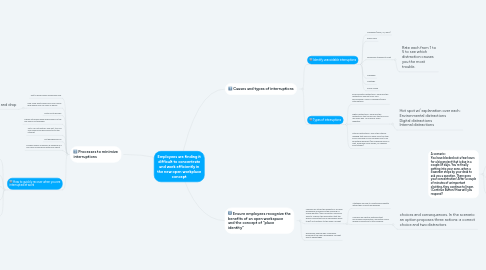
Employees are finding it difficult to concentrate and work efficiently in the new open workplace ...


1. Processes to minimize interruptions
1.1. Get to work before everybody else.
1.2. Find a few spots away from your office desk where you can work in peace
1.2.1. Drag and drop
1.3. Install a site blocker
1.4. Clearly let people know which hours of the day you’re not available
1.5. Put a “do not disturb” sign out, turn off your phone and disconnect from the internet
1.6. put headphones on
1.7. Answer emails as quickly as possible in a one hour morning and afternoon sprint
1.8. How to quickly recover when you are interrupted at work
1.8.1. How much leeway do employees have to modify their personal workspace?
1.8.2. Once you see that an unavoidable interruption is coming your way, make sure you leave your work somewhere in the middle, in a state from which you can quickly take off.
1.8.2.1. To recover after an interruption, leave a chunk of work halfway done. Leave a sentence undone, a piece of code written halfway through, a half‑drawn circle on your design, or whatever else you need to.
1.8.3. Where and what are the resources pertaining to employee success, development and wellbeing?
1.8.4. Who do employees contact if they cannot locate a specific topic or need further clarification? What is the protocol for this process?
1.8.5. To recover after an interruption, leave a chunk of work halfway done. Leave a sentence undone, a piece of code written halfway through, a half‑drawn circle on your design, or whatever else you need to.
1.8.5.1. Once you see that an unavoidable interruption is coming your way, make sure you leave your work somewhere in the middle, in a state from which you can quickly take off.
2. Causes and types of interruptions
2.1. Identify unavoidable interruptions
2.1.1. Messages (email, IM, apps)
2.1.2. Phone calls
2.1.3. coworkers stopping to chat
2.1.3.1. Rate each from 1 to 5 to see which distraction causes you the most trouble.
2.1.4. Managers
2.1.5. Meetings
2.1.6. Social media
2.2. Types of interruptions
2.2.1. Environmental distractions: These are the distractions you get from your surroundings. Noise. Coworkers/family. Interruptions.
2.2.2. Digital distractions: These are the distractions that come from the tools you use every day. Your phone. Apps. Websites.
2.2.2.1. Hot spot w/ explanation over each: Environmental distractions Digital distractions Internal distractions
2.2.3. Internal distractions: This is the internal nagging that pulls you away from the task you’re focused on and compels you to do something different (like checking email or chat, browsing social media, or cleaning your kitchen).
3. Ensure employees recognize the benefits of an open workspace and the concept of “place identity”
3.1. Learners will study the benefits of an open workspace and explore the meaning of “place identity” (the connection someone feels to a space; the perception that the space is important and a meaningful place to be) as it pertains to the open concept
3.1.1. Strategies on how to create place identity within their current workspaces
3.1.2. Learners will identify methods that encourage collaboration, innovation and a deeper connection to the company
3.1.2.1. choices and consequences. In the scenario an option proposes three actions: a correct choice and two distractors
3.2. Employees explore why companies implement the open workspace concept and its advantages
4. A scenario: You have blocked out a few hours for a big project that is due in a couple of days. You're finally getting into your zone, when a coworker stops by your desk to ask you a question. There goes your concentration! After a couple of minutes of unimportant chatting, they continue to linger. (Continue Button) How will you respond?
4.1. Turn toward your monitor and say, "If there's nothing else, I really need to finish this project" then throw your headphones on.
4.1.1. Consequence: This response comes across as insensitive and annoyed. [Return to slide question when user selects 'Try Again' button]
4.2. Smile and say, "I’m in the middle of something right now, but I'd love to chat tomorrow.”
4.2.1. Consequence: This response greets them with kindness, but also lets them know you are busy, but would like to chat when you can give them your full attention.
4.3. Begin carelessly typing and avoid making eye contact in the hopes they will catch on that you are in the middle of something.
4.3.1. Consequence: While you hope they would pick up on your body language, this response is disrespectful and uncaring. [Return to slide question when user selects 'Try Again' button]