


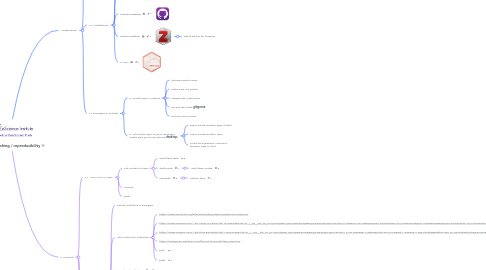
1. I. Preparation
1.1. I.1. Creating accounts
1.1.1. The place in the cloud where we will keep our work organized
1.1.2. The one in charge of our bibliography
1.2. I.2. Installations
1.2.1. R
1.2.2. RStudio
1.2.3. GitHub Desktop
1.2.4. Zotero Desktop
1.2.4.1. install add-in for browser
1.2.5. LATEX
1.3. I.3 The Repo on GitHub
1.3.1. a. Create repo on Github
1.3.1.1. choose simple name
1.3.1.2. make sure it is public
1.3.1.3. always add a README
1.3.1.4. Do not deal with **gitignore**
1.3.1.5. Choose one license
1.3.2. b. **Clone** the repo to your computer (make sure you have GitHub **desktop**)
1.3.2.1. never inside another app's folder
1.3.2.2. never inside another repo
1.3.2.3. could be anywhere, choose a location easy to find
2. II. Content
2.1. II.1. Bibliography
2.1.1. Create collection in ZOTERO
2.1.1.1. name it: **eScienceWinterBib**
2.1.2. Add content to collection
2.1.2.1. https://archive.org/details/exploratorydataa0000tuke_7616
2.1.2.2. https://www.amazon.com/-/es/Adam-G-Petrie/dp/1516554280/ref=sr_1_8?__mk_es_US=%C3%85M%C3%85%C5%BD%C3%95%C3%91&crid=21T3RBYDX7612&keywords=introduction+to+regression&qid=1660835038&sprefix=introduction+to+regression%2Caps%2C225&sr=8-8
2.1.2.3. https://www.amazon.com/-/es/Chris-Brunsdon/dp/1446272958/ref=sr_1_10?__mk_es_US=%C3%85M%C3%85%C5%BD%C3%95%C3%91&crid=14AGM5SZZ89MA&keywords=gis+in+R&qid=1660966114&s=books&sprefix=gis+in+r%2Cstripbooks%2C239&sr=1-10
2.1.2.4. https://guylipman.medium.com/the-art-of-wordle-f861204a1f99
2.1.2.5. pdf1
2.1.2.6. pdf2
2.1.3. download the collection
2.2. II.2. Your LOCAL repo
2.2.1. Put content in repo
2.2.1.1. add these data
2.2.1.2. draftCode
2.2.1.2.1. add these codes
2.2.1.3. needed?
2.2.1.3.1. citation files
2.2.1.4. Download Collection
2.2.2. commit
2.2.3. push