


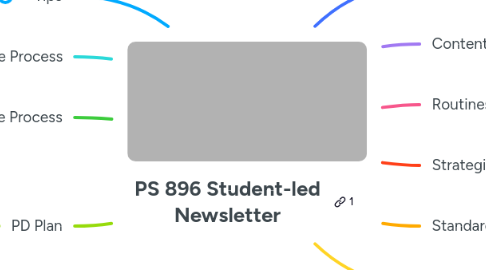
1. Tips
1.1. Think like an editor
1.2. Edit in camera as much as possible
1.2.1. Shoot in sequence
1.2.2. Start stop in short clips (5sec)
1.2.3. Rehearse before kids speak
2. Upper Grade Process
2.1. phones will be better quality and easier
2.2. let the kids talk to each other on video
2.2.1. Give them essential questions in their hands
2.2.2. Imagine you're an influencer trying to teach people about volcanoes, and how they can teach themselves about them.
2.3. Get a gimbal per grade
2.4. PBL Video Goals
2.4.1. Most complex
2.4.2. Writing
2.4.3. Research
2.5. Options
2.5.1. Give the table caption the role of director
2.5.2. Show how you are successful
2.5.3. Explain how you are learning the objective.../essential idea
2.5.4. whoever finishes first gets to do the video
2.5.5. Take 5 photos of evidence that supports your statement.
3. Lower Grade Process
3.1. Film longer clips of action
3.2. Take still photos or short videos (5-10 sec max) of authentic work
3.3. Get close shots of students speaking to what they learned
3.4. Add teacher narration
3.5. Optional: add music
3.6. Optional: student narration
4. PD Plan
4.1. Practice in April & May
4.2. June Workshop
4.3. Fall review
5. Core purpose of the Newsletters
5.1. Unit
5.2. Trips/events
5.3. Pictures/Evidence
5.4. What's coming up or continuing
5.5. Tutorials/ How to
6. Content Objectives
6.1. record the process
6.2. goal/objectives
6.3. action and artifacts
6.4. student reflection/perspective
7. Routines
7.1. Key moments/Details
7.2. Shoot with phones or iPad
7.3. 10 sec or less each shot
7.4. Model 896 templates on TikTok or IG Templates
7.5. Editing Options
7.5.1. iMovie
7.5.1.1. Can be on all Laptops/Ipads/iPhones
7.5.1.2. Can set up templates
7.5.2. Capcut
7.5.2.1. works on android/iPhones/iPads
7.5.2.2. works on laptops
7.5.2.3. kids love it
7.5.2.4. would take some time to install
7.6. 1 topic per month (examples)
7.6.1. How to: Math: show process (2 strategies + reflection)
7.6.2. Culminating activity
7.6.3. Field trip
7.6.4. Full description of 1 thing
7.6.5. everyone do (example) lunar ny
7.6.6. event or trip
7.6.7. pbl/ show a process
7.6.8. show off features of the school (make a checklist)
7.6.9. bulletin boards
7.7. Monthly Crew (grades 2-5)TBD
7.7.1. Camera
7.7.2. Hosts
7.7.3. Director (make sure it all gets done)
7.7.4. Writer (decide on the style and approach)
8. Strategies
8.1. Less is more!
8.2. Tues/Wed gets most interaction
8.3. Coordinated blurbs + Teacher Choice???
8.3.1. is everyone in sync enough to share the blurbs
8.4. MINIMAL EDITING/Collaborate on the monthly
9. Standard content
9.1. Intro: Class ___ news!
9.1.1. Student on camera
9.1.2. Title over image or video
9.1.3. Narration over photos/videos
9.1.4. Name the month, name the theme
9.2. Name the subject/goals
9.2.1. Title over images/video
9.2.2. Or student on camera
9.3. Substance, action and artifacts
9.3.1. Photos of action
9.3.2. Videos of action
9.3.2.1. Student explaining what they’re doing
9.3.2.2. B-roll: Fly on the wall details of work
9.3.2.2.1. Close/mid/wide
9.3.3. Optional narration (voice over)
9.3.4. Optional student on camera explaining
9.3.4.1. Or narrator over images/video
9.4. Class reflection interview questions
9.4.1. why are you…?
9.4.2. what did you learn?
9.4.3. Use photos of the real Process if you have them
9.5. Closing
9.5.1. Student says what’s coming up
9.5.2. Student on cam says goodbye see you next t month, etc.
9.5.3. Title on screen.
10. Styles
10.1. All photos with titles and music
10.2. All photos with narration
10.3. Fly on the wall clips with real sound
10.3.1. Kid perspective videos 10 second shots
10.4. Student hosts tour of an activity
10.4.1. Optional music
10.4.2. Intro the activity “this is…”
10.4.3. Show details with video or photos
10.4.4. Share 1-3 learning goal/ purpose/ reflection