
Website Portfolio with Next JS

Project Mindmap for Website Personal Portfolio

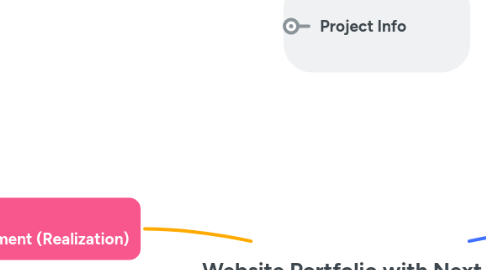
1. Stage 1: Research & Planning
1.1. Decide on project goals
1.1.1. Showcase Skills & Portfolio
1.1.2. Mobile-friendly & SEO optimized
1.1.3. Form Contact & Show Certificate
1.2. Research design inspirations
1.2.1. Dribble
1.2.2. Behance
1.2.3. GitHub
1.3. Plan website structure
1.3.1. Home
1.3.2. About
1.3.3. Skills
1.3.4. Services
1.3.5. Projects
1.3.6. Qualifications
1.3.7. Contact
1.4. Set up Notion to track tasks, timeline, and progress
2. Stage 3: Development (Realization)
2.1. Initialize project with Typescript
2.2. Install & configure essential tools
2.2.1. Lucide & Simple Icons
2.2.2. Next Themes
2.2.3. Resend
2.2.4. Notion Database
2.3. Build reusable components
2.3.1. Button
2.3.2. NavBar
2.3.2.1. Dark Mode Toggle
2.3.2.2. Change Language
2.3.2.2.1. ID (Indonesia)
2.3.2.2.2. EN (English)
2.3.3. Footer
2.4. Code main sections
2.4.1. Home
2.4.1.1. Social Media Icon
2.4.1.2. Introduction + CTA Button
2.4.1.3. Photo
2.4.2. About
2.4.2.1. Photo
2.4.2.2. Biodata
2.4.3. Skills
2.4.3.1. Skill Icon
2.4.3.2. Deskripction + Level Skill
2.4.4. Services
2.4.4.1. Card + Modal
2.4.4.1.1. Website Developer
2.4.4.1.2. Website Builder
2.4.4.1.3. Website Designer
2.4.5. Projects
2.4.5.1. Card + Modal
2.4.6. Qualifications
2.4.6.1. Timeline
2.4.6.1.1. Education
2.4.6.1.2. Experience
2.4.6.2. Card
2.4.6.2.1. Certificate
2.4.7. Contacts
2.4.7.1. Card + Form
3. Stage 4: Deployment & Review
3.1. Test responsiveness, performance & theme toggle
3.2. Run Lighthouse audit (accessibility, SEO, performance)
3.3. Deploy to Vercel
3.4. Final Review
3.4.1. Check typos
3.4.2. Broken links
3.4.3. Design tweaks
3.5. Launch announcement
4. Project Info
4.1. Project Stakeholders
4.2. Project Plan Outline
4.3. Documentation
4.4. Ganttchart
5. Stage 2: Design & Asset Preparation
5.1. Choose color palette & fonts
5.1.1. Pallete
5.1.1.1. Primary
5.1.1.1.1. Primary Color
5.1.1.1.2. Primary Darken
5.1.1.1.3. Primary Lighten
5.1.1.1.4. Primary Subtle
5.1.1.2. Dark
5.1.1.2.1. Dark First
5.1.1.2.2. Dark Second
5.1.1.2.3. Dark Third
5.1.1.2.4. Dark Fourth
5.1.1.3. Light
5.1.1.3.1. Light First
5.1.1.3.2. Light Second
5.1.1.3.3. Light Third
5.1.1.3.4. Light Fourth
5.1.1.4. State
5.1.1.4.1. Success
5.1.1.4.2. Warning
5.1.1.4.3. Info
5.1.1.4.4. Error
5.1.2. Fonts
5.1.2.1. Quicksand (heading)
5.1.2.2. Spline Sans (body)
5.2. Create UI mockups in Figma
5.3. Prepare content
5.3.1. Biodata
5.3.2. Service Details
5.3.3. Project Description
5.3.4. Photo
5.3.5. Certificate
5.4. Setup & Integration
5.4.1. Contact Form with Resend
5.4.2. Notion as Database Projects
5.4.3. Next Themes
5.4.4. Icon
5.4.4.1. Lucide Icons
5.4.4.2. Simple Icons