Hermes AI Setup using OpenAI Codex in Telegram

Начать. Это бесплатно
или регистрация c помощью Вашего email-адреса
Hermes AI Setup using OpenAI Codex in Telegram создатель Mind Map: Hermes AI Setup using OpenAI Codex in Telegram

1. Introduction to Hermes Agent

1.1. Overview

1.2. Where It Runs

1.3. Messaging Platforms

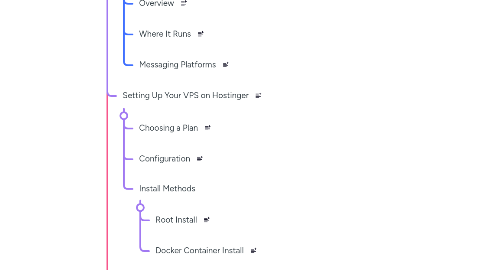
2. Setting Up Your VPS on Hostinger

2.1. Choosing a Plan

2.2. Configuration

2.3. Install Methods

2.3.1. Root Install

2.3.2. Docker Container Install

3. Onboarding Your Hermes Agent

3.1. Step 1: Choose an Inference Provider

3.2. Step 2: Choose a Model

3.3. Step 3: Set Up Telegram Bot

3.3.1. Create Bot

3.3.2. Copy Bot Token

3.4. Step 4: Authorize Telegram Account

3.4.1. Get User ID

3.4.2. Set Home Channel

3.5. Step 5: Save Setup Info

4. Connecting Hermes to GitHub Repo

4.1. Setup Workflow

4.2. Personal Access Token

4.3. Saving API Keys Safely

5. Building Your First Skill and Cron

5.1. Create Daily Backup Cron

5.2. Behind the Scenes

5.3. Permission Levels in Telegram

6. Using Hermes via Telegram vs CLI

6.1. CLI

6.2. Telegram

7. Security Best Practices

7.1. API Key Hygiene

7.2. VPS Hardening

8. Maintenance and Scaling

8.1. Maintenance Rules

8.2. Scaling Agents