Activity in EmTech
作者:Matthew Angelo Gange
1. Online Platforms for ICT Content Development
1.1. Social Media Platforms
1.2. Blogging Platforms
2. How to create a blog site & make a post with WordPress
2.1. Log in/sign up
2.2. Make a website for your blog
2.3. Customize & edit your blog
2.4. Make a post
2.5. Add a welcome message
2.6. Add a category
2.7. Publish the blog post
3. Cloud Computing (definition with 8 advantages & disadvantages)
3.1. the practice of using a network of remote servers hosted on the Internet to store, manage, and process data, rather than a local server or a personal computer.
3.1.1. Cost efficiency
3.1.2. High speed
3.1.3. Excellent accessibility
3.1.4. Manageability
3.1.5. Vulnerable to attacks
3.1.6. Downtime
3.1.7. Network connectivity dependency
4. Ways to Create a Website for Web Page Creation
4.1. WYSIWYG
4.2. MS Word
4.3. Jimdo
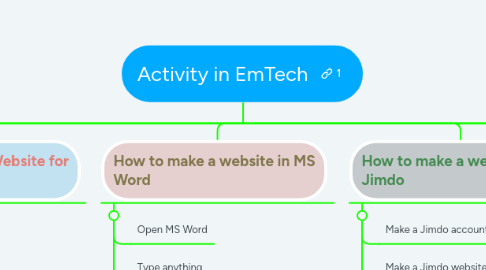
5. How to make a website in MS Word
5.1. Open MS Word
5.2. Type anything
5.3. Save the document as an htm file
6. How to make a website with Jimdo
6.1. Make a Jimdo account
6.2. Make a Jimdo website
6.3. Choose a template for your site
6.4. Edit your site
7. Online Collaborative Tools
7.1. Facebook
7.2. Trello
7.3. WordPress
7.4. Google Drive
7.5. Yammer
7.6. MS Office Online
8. How to use Trello
8.1. Create a Trello account
8.2. Create a new organization
8.3. Add members to the organization
8.4. Create a new board
8.5. Add a list for tasks
8.6. Create a Trello account
9. Multimedia Content
9.1. Videos
9.2. Sound/music/audio
9.3. Online games
9.4. Online tests
9.5. Courseware
9.6. Podcasts
9.7. Vodcasts
10. How to insert YouTube videos on your blog post with WordPress
10.1. Search a video on YouTube
10.2. Click on the share button
10.3. Click on the embed button
10.4. Copy the embed code
10.5. Create a new WordPress post then click on the Text tab
10.6. Paste the embed code
10.7. Go back to the Visual tab then add text content on the top or bottom of the video
10.8. Preview & publish the content

