


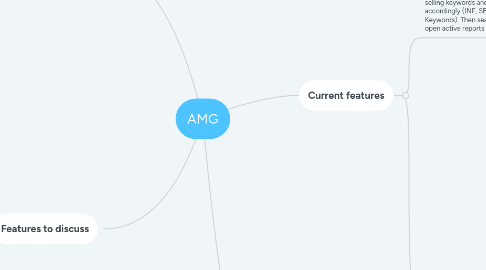
1. Currently not working
1.1. AVG price
1.1.1. 1) Groups items by SHOP market 2) Grouped items are assigned to item type (T-shirts, bottles etc.) 3) Average price, total item count, total count of specific item prices is displaued
1.2. Item count
1.2.1. 1) Groups items by SHOP market 2) Grouped items are assigned to item type (T-shirts, bottles etc.) 3) total item count, total count of specific item prices is displayed
1.3. NEW TOP
1.3.1. Principle is the same as KEYWORDS but the difference is that it's more detailed 1) Each keyword is searched in SHOP + MARKET 2) If the keyword is found in specific active shop market SHOP column displays where it's found (UK, if found -> Cookera UK) 3) If keyword has asins that matches specific item type X is displayed otherwise - 4) If specific item is active whether we have it in all asins report or not that cell is market in yellow
2. Features to discuss
2.1. Manual helper
2.1.1. Tool that allows user to add specific keyword to the list so that the AMG would know it's the same item and thus reduce the keyword list (make it more accurate)
2.2. All asins database
2.2.1. When unique asins are found in the open active report, they are added to all asins database for futher relisting
2.3. Active asins
2.3.1. Searches for asins in open active report and makes table where: 1) Keyword is matched to SHOP MARKET 2) Displays how many asins are in specific market --------------------- Helps to find which market has most keyword asins listed (main keyword market)
2.4. Display INF/SEMI INF Keywords in full name instead of the keyword
2.5. Display INF/SEMI INF keyword list from open active report (difference from the current workflow is that listed items can have 0 sales)
3. Upcomming features
3.1. Design downloader
3.1.1. 1) Makes NEW TOP list to view the current situation of active/prepared files 2) Allows user to select keyword count, offset in Filter tab, item type to check for 3) Design file names are matched with keywords and files are downloaded 4) Downloaded files are grouped by date - item name/keyword
3.2. Automatic weekly update. As for now I have to do everything manually. It sucks
4. Current features
4.1. KEYWORDS. Uses sales data to find best selling keywords and sorts them accordingly (INF, SEMI INF, SAFE Keywords). Then search for keywords in open active reports
4.1.1. Sales data. Uses old data from sales reports + exports current OMS orders from 2020-11-19
4.1.2. Infridgements. Takes infridgement keywords from amazon expansion manager
4.1.2.1. INF KEYWORDS. Try to fully match infridgement keyword with full item name (not keyword)
4.1.2.2. SEMI INF KEYWORDS. Splits inf keyword by space character and puts them into a group that does not respect inf words order, then try to match with full item names (not keywords) that are left from INF keyword reduction
4.1.2.3. SAFE KEYWORDS. All items that are left from reduction of INF and SEMI INF keywords
4.1.3. Keywords: Reduces item name (makes keyword), matches keyword trough all other keywords and sums sales
4.1.3.1. Reduction: 1) Takes 5 (or 7 if INF or SEMI INF) words from each (INF, SEMI INF, SAFE) list separated by space (!) 2) Removes everything after design name (i.e. Nicolas cage C25 pillow capuche -> Nicolas cage) 3) Removes everything after _ (Nicolas cage hand_C25 pillow capuche -> Nicolas cage hand) 4) Removes everything after generic word
4.1.3.2. Matching: 1) Removes special symbols from the start or the end of the keyword (comma, quote, hashtag, dot) 2) Matches all cleaned keywords with other same keywords in the DB, removes them from DB and sums sales
4.1.4. Live data. 1) Searches for each keyword in open active reports 2) Assigns shop(s) to the keyword
4.2. RELIST/DELIST
4.2.1. ALL (from all asins)
4.2.1.1. Returns relist file where item name ontains part of the keyword
4.2.2. ONLY ACTIVE / Delist (from open active report)
4.2.2.1. 1) Takes keyword 2) Finds items that contains part of the keyword (full match) 3) Exports delist file
4.2.3. ONLY NOT ACTIVE (from all asins)
4.2.3.1. 1) Takes keyword and shop name 2) Finds items which names contains part of the keyword (full match) 3) makes database of asins and skus from open active report. Groups them by SHOP MARKET (i.e. Cookera UK) 4) Found items are filtered trough asins and skus and if item asin is found in the list it is removed from the relist file