


1. I need help with my image expansion
1.1. How to change size of image expansion
1.2. Manage (layout/design/dimension/) of sections in image expansion
1.3. Managing hypertexts
1.4. Manage layout/design image expansion sections on mobile
2. :x: DRAFT / DISREGARD - Intercom AI chat root
2.1. DISCARD - Image tile
2.1.1. Image tile expansion
2.1.1.1. Expansion size / dimension
2.1.1.1.1. Layout / location
2.1.1.1.2. Basis of image expansion
2.1.1.1.3. Best image dimension for image expansion
2.1.1.1.4. What to do if the image expansion is not within expectations?
2.1.1.1.5. Change ares dimension/size
2.1.1.2. Texts (Title and description)
2.1.1.2.1. Change ares dimension/size
2.1.1.2.2. Layout / location
2.1.2. Hover effects
2.1.2.1. Caption rise
2.1.2.2. Show caption
2.1.2.3. Flip card
2.1.2.4. Other effects
2.1.2.4.1. Rise
2.1.2.4.2. Zoom
2.1.2.4.3. Background color change
2.1.2.4.4. Text color change
2.1.3. Mobile render
2.1.3.1. Scaling on mobile device
2.1.3.2. Change image size on mobile
2.1.4. Caption
2.1.4.1. Add / edit captions
2.1.4.2. Add icons (social, custom) / emojis
2.1.5. Crop
2.1.5.1. Optimize cropping for image tile (best practices)
2.1.5.1.1. Aspect ratio
2.1.5.1.2. Image dimension, quality
2.1.5.1.3. Using the cropper
2.1.6. Size / dimension
2.1.6.1. Tile dimension
2.1.7. Report an issue
2.1.7.1. Top issues related to image tile
2.1.7.2. Something else (probe)
2.1.8. Send a request
2.1.8.1. Top requests related to image tile
2.1.8.2. Feature request
2.1.9. Something else / Chat with the support team
2.1.10. Go back
2.2. DISCARD - Photo / image
2.2.1. Dimension
2.2.1.1. Optimize image dimension (best practice)
2.2.1.2. Using 3rd party applications to manipulate image (dimension, resolution, aspect ratio)
2.2.2. GIF
2.2.2.1. Using GIF
2.2.3. Report an issue
2.2.3.1. Top issues related to image/photo (asset)
2.2.4. Request a feature
2.2.4.1. Top requests related to image / photo (asset)
2.2.4.2. Feature request
2.2.5. Something else / Chat with the support team
2.2.6. Go back
2.3. Report an issue
2.3.1. Top issues
2.4. Send a request
2.4.1. Top requests
2.4.2. Feature request
2.5. Something else / Chat with the support team
2.6. HTML Package
2.6.1. Upload error
2.6.1.1. DRAFT
2.6.1.1.1. Things to look at
2.6.1.1.2. Hierarchy
2.6.1.1.3. WORKFLOW
2.6.2. Tile / Section
2.6.3. Linking from HTML Package
2.7. Photo / Image / Image Tile
2.7.1. Image Tile Expansion
2.7.2. Dimension
2.7.2.1. Dimension of photo / image file
2.7.2.2. Dimension of image tile
2.7.3. Image tile animation
2.7.4. Image tile render on mobile
2.7.5. Image tile caption
3. site dup
3.1. Troubleshooting Client Site
3.1.1. 30 Mins Troubleshooting
3.1.1.1. Yes
3.1.1.1.1. Troubleshoot
3.1.1.2. No
3.1.1.2.1. Check for existing open tickets
4. Design my HTML tile / section
4.1. Scroll bar
4.1.1. Can't scroll pass through my HTML package
4.1.2. Scroll bar only works on certain window size/s
4.2. Alignment
4.3. Playback
5. HTML upload error / difficulty
5.1. Where is the HTML package being uploaded?
5.1.1. Site editor
5.1.1.1. Upload HTML package via Media Library
5.1.1.1.1. Upload successful
5.1.1.1.2. Upload error / difficulty
5.1.1.1.3. Not sure (chat/screen share with support team)
5.1.2. Media Library
5.1.2.1. Upload HTML package via site editor
5.1.2.1.1. Upload successful
5.1.2.1.2. Upload error / difficulty
5.1.2.1.3. Not sure (chat/screen share with support team)
5.1.3. Not sure (chat/screen share with support team)
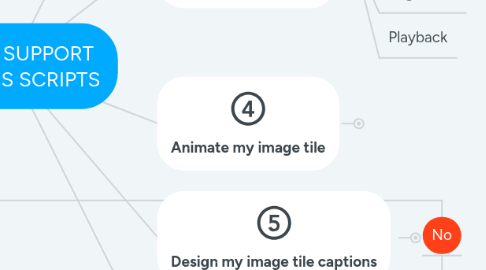
6. Animate my image tile
6.1. Flip animations
6.2. Other hover animations
6.3. Overlay with animations
7. Design my image tile captions
7.1. Padding / margin
7.2. Alignment
8. Issues with my image tile on mobile render
8.1. Image scaling / dimension
9. DRAFT / DISREGARD - Top Ticket Tag Analysis
9.1. Component
9.1.1. :one: 32 Image Tile
9.1.1.1. Device Rendering
9.1.1.1.1. Desktop
9.1.1.1.2. :four: Mobile
9.1.1.2. Action
9.1.1.2.1. :one: Expand Image
9.1.1.2.2. External Link
9.1.1.2.3. Internal Link
9.1.1.2.4. Tooltip
9.1.1.3. Animation
9.1.1.3.1. :three: Hover animation
9.1.1.4. Background
9.1.1.4.1. 1
9.1.1.5. :four: Caption
9.1.1.5.1. Hyperlink
9.1.1.5.2. Alignment
9.1.1.5.3. Padding
9.1.1.5.4. 1
9.1.1.6. :five: Dimension
9.1.1.6.1. 3
9.1.1.7. :five: Cropping
9.1.1.7.1. 3
9.1.1.8. Margin
9.1.1.8.1. 1
9.1.1.9. Opacity
9.1.1.10. Layout
9.1.1.10.1. 1
9.1.1.11. Border
9.1.1.11.1. 1
9.1.2. :three: 3 Slideshow
9.1.2.1. 3
9.1.3. Overlay
9.1.3.1. 1
9.1.4. Action icon
9.1.4.1. 1
9.1.5. HTML Package section/tile
9.1.5.1. Scroll bar
9.1.5.1.1. 4
9.1.5.2. Playback
9.1.5.2.1. 1
9.1.5.3. Alignment
9.1.5.3.1. 2
9.1.5.4. Background
9.1.5.4.1. 1
9.2. UX/UI/Application/3rd party providers
9.2.1. Cropping
9.2.1.1. Circular cropping
9.2.1.1.1. 1
9.2.1.2. SVG
9.2.1.2.1. 1
9.2.1.3. Image quality
9.2.1.3.1. 1
9.2.1.4. 1
9.2.2. ERROR MESSAGES
9.2.2.1. 400 Bad request
9.2.2.1.1. Replacing image
9.2.3. Replacing image
9.2.3.1. Replace image not successful
9.2.3.1.1. 1
9.2.4. :five: Uncompressed image usage
9.2.4.1. 3
9.2.5. Tick show icon
9.2.5.1. 1
9.2.6. Add / replace HTML package
9.2.6.1. 4
9.2.7. Linking to other site components from HTML package
9.2.7.1. 5
9.2.8. HTML package upload error
9.2.8.1. 18
9.3. Media
9.3.1. Image / Photo
9.3.1.1. :two: Dimension
9.3.1.1.1. 7
9.3.1.2. SVG
9.3.1.2.1. 1
9.3.1.3. Quality
9.3.1.3.1. 1
9.3.1.4. Cropping
9.3.1.4.1. 1
9.3.1.5. :five: GIF
9.3.1.5.1. 3
9.3.2. HTML Package
9.3.2.1. Sub content / usage / production / format / alignment / animation
9.3.2.1.1. Animation
9.3.2.1.2. 3rd party production error
9.3.2.1.3. 3rd party: Twitter feed
9.3.2.1.4. Sample request
9.3.2.1.5. Heat map
9.3.2.1.6. scrolling
9.3.2.1.7. Best practice
9.3.2.1.8. 3rd party: spotify
9.3.2.1.9. 3rd party: jQuery
9.3.2.2. Access permission
9.3.2.2.1. 1
9.4. Site
9.4.1. Inspiration / showcase
9.4.1.1. 1
9.5. Analytics
9.6. Provisioning
9.6.1. Delete rights
9.6.1.1. 1
9.7. Environment/User
9.7.1. Browser
9.7.1.1. Cache
9.7.1.1.1. 2
9.7.1.2. Security restrictions
9.7.1.2.1. 1
9.7.2. Client network restrictions
9.7.2.1. 5
9.7.3. Media upload
9.7.3.1. HTML Package
9.7.3.1.1. 2