

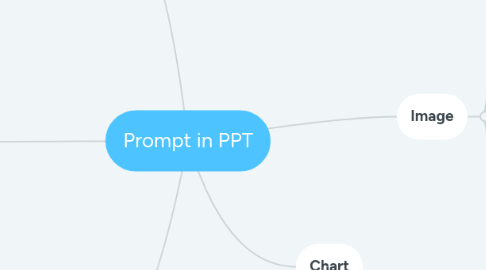
1. General Slide
1.1. Shape
1.2. Template
1.3. Color
2. Animation
2.1. Scratch
2.1.1. Looks
2.1.2. 事件
2.1.3. Motion
2.1.4. 控制
2.1.5. 侦测
2.1.6. 运算
2.1.7. 变量
2.2. PowerPoint
2.2.1. Motion
2.2.1.1. Emphasis
2.2.1.2. Entrance
2.2.1.3. Exit
2.2.1.4. Motion Paths
3. Table / Excel
3.1. Merge
3.2. Add
3.3. Replace
3.4. 要有表头
3.5. 不要留空白列
4. Image
4.1. Aspect
4.1.1. Change the aspect ratio of a generation.
4.1.2. Prompt: --aspect <value>:<value>, --ar <value>:<value>
4.1.3. Value: 1:1, 5:4 3:2, 7:4...
4.2. Resolution
4.2.1. 1080P
4.2.2. HD
4.2.3. 16K
4.2.4. 8K
4.2.5. 4K
4.3. Chaos
4.3.1. Change how varied the results will be. Higher values produce more unusual and unexpected generations.
4.3.2. Prompt: --chaos <value>
4.3.3. Value: 0-100
4.4. No
4.4.1. Negative prompting, something would remove from image.
4.4.2. --no <value>
4.5. Quality
4.5.1. How much rendering quality time you want to spend. The default value is 1. Higher values cost more and lower values cost less.
4.5.2. Prompt: --quality <value>, --q <value>
4.5.3. Value: .25, .5, 1, or 2
4.6. Stylize
4.6.1. Low stylization values produce images that closely match the prompt but are less artistic. High stylization values create images that are very artistic but less connected to the prompt.
4.6.2. Prompt: --stylize <number>, --s <number>
4.6.3. Value: 0-1000
4.7. Image Weight
4.7.1. Sets image prompt weight relative to text weight.
4.7.2. Prompt: --iw <value>
4.7.3. Value: default is .25
4.8. Style
4.8.1. illustration
4.8.1.1. 2D
4.8.1.1.1. 扁平风格
4.8.1.1.2. 渐变风格 (微光插画)
4.8.1.1.3. MBE风格
4.8.1.2. 3D
4.8.1.2.1. 2.5D风格插画
4.8.2. Picture
4.8.2.1. 极简主义 Minimalism
4.8.2.1.1. 大量单一色彩的大色块
4.8.2.2. 写实主义 Verism
4.8.2.2.1. 被定义为关于现实和实际而排斥理想主义
4.8.2.3. 现实主义 Realism
4.8.2.3.1. 客观地观察现实生活,按照现实生活的本来面貌,真实地表现典型环境中的典型形象,再现生活,从而推动历史前进
4.8.2.4. Real Photo