


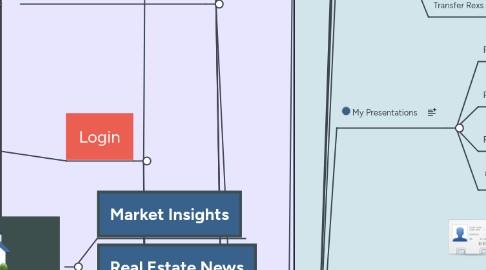
1. Login
1.1. 2. Developer
1.1.1. Sales Dashboard
1.1.1.1. Broker of the month
1.1.1.2. Black List
1.1.1.3. Market Live Insights
1.1.1.4. News
1.1.1.5. Live Buyers
1.1.1.5.1. Match My units
1.1.1.6. Live Deals
1.1.1.7. Rexs Balance
1.1.1.8. Notifications
1.1.1.8.1. Reservation Approved (From Admin)
1.1.1.8.2. Deal Respond (From Admin)
1.1.1.8.3. Reservation Request ( From Broker)
1.1.1.8.4. Video Call
1.1.1.9. BRM
1.1.1.9.1. Our Landing Page
1.1.1.9.2. Select Broker
1.1.1.9.3. Broadcast
1.1.1.10. My Account
1.1.1.10.1. Profile Photo
1.1.1.10.2. My Contacts info
1.1.1.10.3. Company Insights
1.1.1.10.4. My Presentations
1.1.1.10.5. Commissions Balance
1.1.1.10.6. My Deals
1.1.1.10.7. My Reservations
1.1.1.10.8. Badges
1.1.1.11. CRM
1.1.1.11.1. Pipeline Sales
1.1.1.12. Buy Mode
1.1.1.12.1. Select Client OR Add new Client
1.1.1.13. Inbox
1.1.1.14. Rank
1.1.2. Team Leader
1.1.2.1. Broker of the month
1.1.2.2. Black List
1.1.2.3. Market Live Insights
1.1.2.4. News
1.1.2.5. Ads
1.1.2.6. Live Buyers
1.1.2.7. Live Deals
1.1.2.8. Rexs Balance
1.1.2.9. Notifications
1.1.2.9.1. Reservation Approved (From Admin)
1.1.2.9.2. Deal Respond (From Admin)
1.1.2.9.3. Reservation Request ( From Broker)
1.1.2.9.4. Video Call
1.1.2.10. BRM
1.1.2.10.1. Our Landing Page
1.1.2.10.2. Select Broker
1.1.2.10.3. Meeting Report
1.1.2.10.4. Broadcast
1.1.2.11. My Account
1.1.2.11.1. Profile Photo
1.1.2.11.2. My Contacts info
1.1.2.11.3. Company Insights
1.1.2.11.4. My Presentations
1.1.2.11.5. Commissions Balance
1.1.2.11.6. My Deals
1.1.2.11.7. My Reservations
1.1.2.11.8. My Team
1.1.2.11.9. Badges
1.1.2.12. CRM
1.1.2.12.1. Pipeline Sales
1.1.2.13. Buy Mode
1.1.2.13.1. Select Client OR Add new Client
1.1.2.14. Inbox
1.2. 1. Broker
1.2.1. Sales Dashboard
1.2.1.1. Sell Mode
1.2.1.1.1. Full Screen
1.2.1.2. Buy Mode
1.2.1.2.1. Select Client OR Add new Client
1.2.1.3. News
1.2.1.4. Ads
1.2.1.5. Live Buyers
1.2.1.5.1. Match My units
1.2.1.6. Live Deals
1.2.1.7. Investment Opportunities
1.2.1.7.1. bidding
1.2.1.8. Arrange in order of The Nearest upcoming Meetings
1.2.1.8.1. Select
1.2.1.9. Send it to NEXT Stage
1.2.1.10. CRM
1.2.1.10.1. Pipeline Sales
1.2.1.11. My Account
1.2.1.11.1. Insights
1.2.1.11.2. Prepare Presentation
1.2.1.11.3. Commissions Balance
1.2.1.11.4. My Clients
1.2.1.11.5. My Units
1.2.1.11.6. Badges
1.2.1.11.7. My Developers
1.2.1.12. Notification
1.2.1.12.1. Commission Added
1.2.1.12.2. Your Reservation Request approved
1.2.1.13. Broker of the month
1.2.1.14. Black List
1.2.1.15. Market Live Insights
1.2.1.16. XP Level
1.2.1.17. Rexs Balance
1.2.1.18. Broker of the month
1.2.1.19. Black List
1.2.1.20. Market Live Insights
1.2.1.21. XP Level
1.2.1.22. Rexs Balance
1.2.1.23. Inbox
1.2.2. Broker Unit
1.2.2.1. Catch client data and fill more info
1.2.2.1.1. View Broker Contacts and Send Mail
1.2.3. Team Leader
1.2.3.1. Sell Mode
1.2.3.1.1. Full Screen
1.2.3.2. Buy Mode
1.2.3.2.1. Select Client OR Add new Client
1.2.3.3. News
1.2.3.4. Ads
1.2.3.5. Live Clients
1.2.3.5.1. Match My units
1.2.3.6. Live Deals
1.2.3.7. CRM
1.2.3.7.1. Pipeline Sales
1.2.3.8. My Account
1.2.3.8.1. Insights
1.2.3.8.2. My Meetings
1.2.3.8.3. Prepare Presentation
1.2.3.8.4. Commissions Balance
1.2.3.8.5. My Team
1.2.3.8.6. My Developers
1.2.3.9. Notification
1.2.3.9.1. Commission Added
1.2.3.9.2. Your Reservation Request approved
1.2.3.10. Broker of the month
1.2.3.11. Black List
1.2.3.12. Market Live Insights
1.2.3.13. XP Level
1.2.3.14. Rexs Balance
1.2.3.15. Inbox
1.2.4. Admin Dashboard
1.2.4.1. Broker of the month
1.2.4.2. Black List
1.2.4.3. Market Live Insights
1.2.4.4. News
1.2.4.5. Ads
1.2.4.6. Live Buyers
1.2.4.6.1. Match My unit
1.2.4.7. Live Deals
1.2.4.8. XP Level
1.2.4.9. Rexs Balance
1.2.4.10. Notifications
1.2.4.10.1. Deal Done
1.2.4.10.2. Reservation Approved
1.2.4.11. My Account
1.2.4.11.1. Profile Photo
1.2.4.11.2. My Units
1.2.4.11.3. My Clients
1.2.4.11.4. My Developers
1.2.4.11.5. Company Insights + Reports
1.2.4.11.6. My Team
1.2.4.11.7. Prepare Presentation
1.2.4.11.8. Rexs Balance
1.2.4.11.9. XP
1.2.4.11.10. Badges
1.2.4.11.11. Commissions Balance
1.2.4.12. Services
1.2.4.12.1. Marketing
1.2.4.12.2. HR
1.2.4.12.3. Academy
1.2.4.12.4. Business Consulting
1.2.4.12.5. Legal Consulting
1.2.4.13. Help
1.2.4.13.1. Tutorials
1.2.4.13.2. FAQ
1.2.4.13.3. REX CODE
1.2.4.13.4. Support
1.2.4.14. Chat My Account Manager
1.2.4.15. Settings
1.2.4.15.1. Hide My Identity in Live
1.2.4.16. Inbox
1.3. 3. Investor
1.3.1. Market Insights
1.3.2. News
1.3.3. Ads
1.3.4. Opportunities & Offers
1.3.4.1. Bid
1.3.5. My Account
1.3.5.1. Insights
1.3.5.2. My Units
1.3.5.2.1. Select Units
1.3.6. Notification
1.3.6.1. Congrats You WON the bidding
1.3.7. My Broker
1.3.7.1. Send Mail
1.4. 4. REX ADMINS
2. Onboarding Pres.
2.1. Market Insights
2.2. Real Estate News
2.3. Request Property Conultant
3. Admin Dashboard
3.1. Broker of The Month
3.2. Black List
3.3. Market Live Insights
3.4. News
3.5. Live Buyers
3.5.1. Match
3.5.1.1. Select Sales
3.6. Live Deals
3.7. Rexs Balance
3.7.1. Rex offers
3.7.1.1. Payment methods
3.7.1.1.1. VISA
3.7.1.1.2. Master
3.7.1.1.3. Fawry
3.7.1.1.4. Vodafone Cash
3.7.2. Transfer Rexs
3.7.2.1. Select sales
3.7.2.1.1. Add Rexs
3.7.2.1.2. Remove Rexs
3.8. Notifications
3.8.1. Reservation Requests
3.8.2. Deal Approve
3.8.2.1. Confirm
3.8.2.1.1. send unit to "REX Daily Transactions"
3.8.2.1.2. Mark Unit as Sold Unit
3.8.2.1.3. Send Notfication to Sales + Broker
3.8.2.1.4. Add Commission to Sales + Broker Balance
3.8.2.2. Decline
3.8.3. Brokers Contract Requests
3.8.3.1. Confirm
3.8.3.2. Decline
3.9. BRM
3.9.1. Our Landing Page
3.9.1.1. upload video dev to broker
3.9.1.2. commission plan levels
3.9.1.3. availability
3.9.2. My Brokers
3.9.2.1. Select Broker
3.9.2.1.1. Assign to sales
3.9.2.1.2. Broker Insights Charts
3.9.2.1.3. Units Reservations
3.9.2.1.4. Commissions Balance
3.9.2.1.5. Meetings
3.9.2.1.6. Deals
3.9.2.1.7. Block
3.9.2.2. Add Broker
3.9.2.2.1. Registration Form
3.9.3. View Brokerage Requests
3.9.3.1. Select Request
3.9.3.1.1. View Contacts
3.9.4. Create Brokers Offer (Ad)
3.9.4.1. Marketing Request
3.9.5. Activate Matching for all Brokers
3.9.5.1. Select Min. Broker XPs
3.10. My Account
3.10.1. Profile Photo
3.10.1.1. upload photo
3.10.2. My Contacts info
3.10.2.1. edit
3.10.3. Company Insights + Reports
3.10.4. Rexs Balance
3.10.4.1. Rex offers
3.10.4.1.1. Payment methods
3.10.4.2. Transfer Rexs
3.10.4.2.1. Select sales
3.10.5. My Presentations
3.10.5.1. For Clients
3.10.5.1.1. upload
3.10.5.2. For Brokers
3.10.5.2.1. Upload Orientation Video
3.10.5.2.2. Select Project
3.10.5.3. For Sales
3.10.5.3.1. upload
3.10.5.4. Order Creative pres (marketing order)
3.10.6. My projects
3.10.6.1. Add Project
3.10.6.1.1. Add Units
3.10.6.1.2. Import Sheet Excel
3.10.6.2. Select Project
3.10.6.2.1. Select Units
3.10.6.3. Reservation Requests
3.10.6.3.1. Confirm
3.10.6.3.2. Decline
3.10.6.4. Sold Request
3.10.6.4.1. Confirm
3.10.6.4.2. Decline
3.10.7. My Team
3.10.7.1. Create Sales Accounts
3.10.7.1.1. Select Team
3.10.7.2. Create Team
3.10.7.2.1. Add Sales
3.10.7.3. Select Team
3.10.7.3.1. Sales
3.10.7.3.2. CRM Insights
3.10.8. XP
3.10.8.1. XP Facilities Levels
3.10.9. Badges
3.10.9.1. 100 Meeting
3.10.9.2. 1000 Call
3.10.9.3. 100 Buyer
3.10.9.4. 50 Seller
3.11. Services
3.11.1. Marketing
3.11.1.1. Catch Leads
3.11.2. HR
3.11.3. Academy
3.11.4. Business Consulting
3.11.5. Legal Consulting