
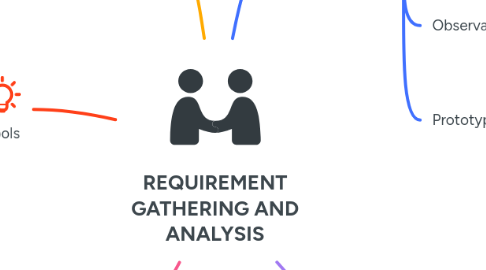
REQUIREMENT GATHERING AND ANALYSIS

Requirement gathering and analysis and how it could be used in real time software development

1. Purpose
1.1. Understand client needs
1.1.1. Example: E-commerce site must support multiple payment gateways (credit card, PayPal, etc.).
1.2. Define project scope
1.2.1. Example: The site will include product search, user reviews, and a recommendation engine.
1.3. Reduce misunderstandings
1.3.1. Example: Clearly define "fast loading time" as under 2 seconds for all pages.
1.4. Ensure alignment between stakeholders
1.4.1. Example: Business owners want high sale, while developers focus on scalability.
2. Techniques
2.1. Interviews
2.1.1. One-on-one discussions
2.1.1.1. Example: Interview the marketing team to understand customer segmentation needs.
2.1.2. Group discussions
2.1.2.1. Example: Conduct a meeting with the sales and development teams to align on checkout process requirements.
2.2. Surveys and Questionnaires
2.2.1. Collect quantitative data
2.2.1.1. Example: Survey 500 users to determine preferred payment methods
2.2.2. Identify common trends
2.2.2.1. Example: 70% of users want a "guest checkout" option.
2.3. Workshops
2.3.1. Collaborative sessions
2.3.1.1. Example: Run a workshop to brainstorm features like product filtering and sorting.
2.3.2. Brainstorming ideas
2.3.2.1. Example: Discuss ideas for a loyalty program or discount codes.
2.4. Observation
2.4.1. Study user behavior
2.4.1.1. Example: Analyze how users navigate competitor e-commerce sites.
2.4.2. Identify pain points
2.4.2.1. Example: Users abandon carts due to a complicated checkout process.
2.5. Prototyping
2.5.1. Create mockups
2.5.1.1. Example: Design wireframes for the product page and checkout flow.
2.5.2. Gather feedback early
2.5.2.1. Example: Share prototypes with users to validate the design before development.
3. Tools
3.1. Collaboration Tools
3.1.1. Example: Use Slack for daily communication between teams and Microsoft Teams for stakeholder meetings.
3.2. Diagramming Tools
3.2.1. Example: Use Lucidchart to create use case diagrams for the e-commerce site
3.3. Project Management Tools
3.3.1. Example: Use Jira to track user stories like "As a user, I want to filter products by price."
3.4. Documentation Tools
3.4.1. Example: Use Confluence to document the SRS and Google Docs for shared brainstorming notes.
4. Challenges
4.1. Changing requirements
4.1.1. Example: The client initially wanted a simple checkout but later requested a multi-step process with guest checkout
4.2. Miscommunication
4.2.1. Example: Developers misunderstood "fast loading time" as 5 seconds instead of 2 seconds.
4.3. Unclear objectives
4.3.1. Example: The client was unsure whether to prioritize mobile responsiveness or desktop features
4.4. Stakeholder conflicts
4.4.1. Example: Marketing wanted a flashy design, while developers emphasized performance
5. Outputs
5.1. Software Requirements Specification (SRS)
5.1.1. Functional requirements
5.1.1.1. Example: Users must be able to create accounts, add products to cart, and complete purchases.
5.1.2. Non-functional requirements
5.1.2.1. Example: The site must handle 10,000 concurrent users and load in under 2 seconds.
5.2. Use Case Diagrams
5.2.1. Example: A diagram showing how users interact with the search, cart, and checkout features.
5.3. User Stories
5.3.1. Example: "As a customer, I want to view product reviews so I can make informed decisions."
5.4. Wireframes and Mockups
5.4.1. Example: A mockup of the homepage showing product categories, search bar, and promotions.