


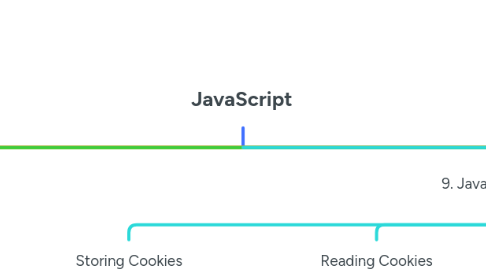
1. 1. JavaScript Basics
1.1. What is JavaScript? A scripting language used for web development.
1.2. Client-Side JavaScript: Runs in the browser, enhances interactivity.
1.3. Advantages: Fast, reduces server load, easy to learn.
1.4. Limitations: No file handling, security restrictions.
1.5. Development Tools: Browsers' Developer Tools, Online JS Editors.
2. 2. JavaScript Syntax & Basics
2.1. Whitespace & Line Breaks: Ignored by JavaScript.
2.2. Semicolons: Optional but recommended.
2.3. Case Sensitivity: myVar ≠ MyVar.
2.4. // Single-line comment /* Multi-line comment */
3. 3. JavaScript Placement in HTML
3.1. Inside <head> or <body>
3.2. <script src="script.js"></script>
4. 4. JavaScript Variables & Datatypes
4.1. Types: string, number, boolean, object, undefined.
4.2. Variable Scope: Global & Local.
4.3. Naming Rules: No spaces, no starting with numbers.
4.4. Reserved Words: var, let, const, function, etc.
5. 5. JavaScript Operators
5.1. Arithmetic: +, -, *, /, %
5.2. Comparison: ==, ===, !=, <, >
5.3. Logical: &&, ||, !
5.4. Bitwise: &, |, ^, ~, <<, >>
5.5. Assignment: =, +=, -=, *=, /=
6. 6. JavaScript Control Structures
6.1. if (condition) { } else { }
6.2. switch(value) { case 1: break; default: }
6.3. Loops: while, do...while, for, for...in
6.4. Loop Control: break, continue
7. 7. JavaScript Functions
7.1. Function Definition
7.2. function greet(name) { return "Hello, " + name; }
7.3. Function Calling: greet("John");
7.4. Function Parameters & Return Statement
8. 8. JavaScript Events
8.1. onclick
8.2. onsubmit
8.3. onmouseover/onmouseout
8.4. HTML5 Standard Events
9. 9. JavaScript & Cookies
9.1. Storing Cookies
9.1.1. document.cookie = "username=John; expires=Fri, 31 Dec 2025 12:00:00 UTC";
9.2. Reading Cookies
9.2.1. console.log(document.cookie);
9.3. Deleting Cookies
9.3.1. document.cookie = "username=; expires=Thu, 01 Jan 1970 00:00:00 UTC;";
10. 10. JavaScript Page Redirection & Dialogs
10.1. Redirect Page
10.1.1. window.location.href = "newpage.html";
10.2. Dialog Boxes: alert(), confirm(), prompt()
11. 11. JavaScript Objects
11.1. Creating Objects
11.1.1. let person = { name: "John", age: 30 };
11.2. Accessing Properties: person.name
11.3. Object Methods
11.4. Built-in Objects: Number, String, Array, Date, Math
12. 12. JavaScript Regular Expressions
12.1. Brackets, Quantifiers, Modifiers
12.1.1. RegExp Methods: .test(), .match(), .replace()
13. 13. JavaScript Document Object Model (DOM)
13.1. Access Elements
13.1.1. document.getElementById("myElement");
13.2. Modify Elements
13.2.1. document.getElementById("myElement").innerHTML = "New Text";
13.3. Event Handling
14. 14. JavaScript Error Handling
14.1. try...catch...finally
14.1.1. try { undefinedFunction(); } catch (err) { console.log("Error: " + err.message); } finally { console.log("Code execution complete."); }
14.2. throw Statement: throw "Error message";
15. 15. JavaScript Debugging
15.1. Use console.log()
15.2. Use debugger Statement
15.3. Use Developer Tools (F12)
16. 16. JavaScript Animation
16.1. Manual Animation
16.1.1. function moveBox() { let box = document.getElementById("box"); let pos = 0; let interval = setInterval(() => { if (pos == 350) clearInterval(interval); else box.style.left = pos++ + "px"; }, 10); }
16.2. Automated Animation (requestAnimationFrame)
17. 17. JavaScript Multimedia
17.1. Checking Plug-ins
17.1.1. console.log(navigator.plugins);
17.2. Controlling Audio/Video
17.2.1. let video = document.getElementById("myVideo"); video.play();
18. 18. JavaScript Browser Compatibility
18.1. Navigator Properties: navigator.userAgent, navigator.platform
18.2. Navigator Methods: navigator.javaEnabled(), navigator.cookieEnabled
18.3. Browser Detection
18.3.1. if (navigator.userAgent.includes("Chrome")) console.log("Chrome detected");
19. 19. JavaScript Image Maps
19.1. Clickable Areas on an Image
19.1.1. <img src="map.jpg" usemap="#worldmap"> <map name="worldmap"> <area shape="rect" coords="34,44,270,350" href="usa.html"> </map>