

1. marketing
1.1. managing lists of companies or individuals that can be marketed to, recording what marketing campaigns have been undertaken, their results, reporting and analysing their success.
1.2. mailing campaigns
1.3. improving the success of online retailers’ web sites.
2. Contact
2.1. A Contact is the contact information for a given customer or prospective customer. When a Lead is converted to an Opportunity, a Contact for the prospective customer is automatically created in the CRM system.
2.2. CRM Contacts are the people that your company will have or already has an on-going relationship.
2.3. CRM Contacts typically had been qualified as a potential sales opportunity at one point. Contacts may also have different types of relationships with your company, such as a vendor.
3. Sales
3.1. 1. Sales quote
3.1.1. records information for a sales quotation, i.e. price, quantities, and other terms, for a potential sale to prospects. The CRM system supports you in the creation of quotes for potential customers. A quotation can be created for a Potential, for easy and automatic transfer of the customer data to the quote.
3.2. 2. Sales forecast
3.2.1. projection of the expected customer demand for products or services at a specific company, for a specific time horizon, and with certain underlying assumptions.
3.3. Sales activity
3.3.1. be effecrive
3.3.2. be efficient
3.4. Pipeline
3.4.1. A sales pipeline describes an approach to selling, founded on the underlying principles of the sales process. It describes the individual steps salespeople take from initial contact with a potential customer, or prospect, to qualifying that prospect into a lead, and further validating that lead into a sales opportunity followed through the different stages until closed. A sales pipeline describes an approach to selling, founded on the underlying principles of the sales process. It describes the individual steps salespeople take from initial contact with a potential customer, or prospect, to qualifying that prospect into a lead, and further validating that lead into a sales opportunity followed through the different stages until closed.
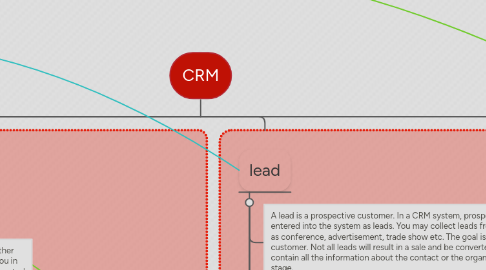
4. lead
4.1. A lead is a prospective customer. In a CRM system, prospective customers are first entered into the system as leads. You may collect leads from your marketing events such as conference, advertisement, trade show etc. The goal is to convert a lead into a customer. Not all leads will result in a sale and be converted into a customer. This lead will contain all the information about the contact or the organization available at this sales stage.
4.2. Contacts or companies that are essentially un-qualified sales leads. In general, there is no current or past relationship history with these leads.
4.3. CRM Leads should be qualified as a potential customer before they are “promoted” to a CRM Contact and/or CRM Opportunity.
4.4. CRM Leads are NOT synchronized with the Outlook CRM Client, therefore they will NOT be listed as Outlook Contacts. Leads can only be managed via CRM.
4.5. Converting leads
4.5.1. account
4.5.2. ead Conversion is the process of converting a lead into an account, contact, and/or opportunity. Leads are typically generated from marketing events, such as trade shows or mailing campaigns. Once enough information is gathered about a lead to qualify that lead as a potential opportunity, the lead can be automatically converted to an account and/or contact. SourceTap CRM allows you to convert leads on a case by case basis, or to convert a whole list of leads to accounts at the same time.