
CSxM

Enjoying the new MindMeister? Now you’ve had a chance to get to grips with our updated map editor, it’s time to meet some of the brand-new features that can transform your mind maps and set your creativity free.

1. WebEx Offers
1.1. AWC
1.2. Meetings and Messaging (M&M)
1.3. WTW - Calling (WxC)
1.4. Webex Suite
1.5. Contact Center (WxCC)
1.6. Webex Customer Experience Essentials (CCX)
1.7. Workplace Together Essentials (WTE)
2. New Customer
2.1. Commercial - Presales
2.1.1. Billing Quote
2.1.1.1. Client Signature
2.2. Build Phase
2.2.1. Project Manager nominated
2.2.1.1. Assign Webex Expert and CSxM
2.2.1.1.1. Configuration on Control Hub
2.3. CSxM: Welcome Call
2.3.1. Run
2.3.1.1. Helpdesk support in case of incident
2.4. CSxM Customer Managerment
2.4.1. Step 1: Ordering Form
2.4.2. Steps 2: Internal Meeting with stakeholders
2.4.3. Steps 3: Kick Off Meeting
2.4.4. Step 4: Welcome Call
2.4.5. Step 5: Customer On RUN
3. Report
3.1. Standard Success Manager
3.1.1. Quarterly
3.1.1.1. Via email + Customer Review
3.2. Premium Success Manager
3.2.1. Monthly
3.2.1.1. Via email + Customer Review
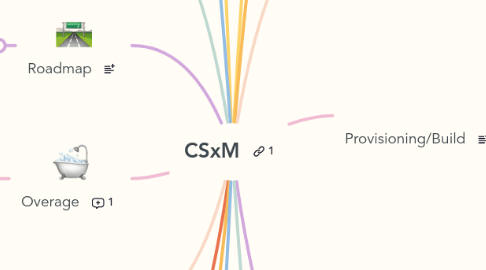
4. Roadmap
4.1. Standard Success Manager
4.1.1. Quarterly
4.2. Premium Success Manager
4.2.1. Monthly
5. Overage
5.1. Health Check
5.2. Via monthly/quarterly report
6. Change Management
6.1. Token
7. Obiz
7.1. Monthy Presentation
7.1.1. Knowledge Sharing
7.1.2. What's New
8. Lab Testing
8.1. Test on our lab on different scenarios
9. Marketing
9.1. Presales contact the customer
9.1.1. Presentation of the offer with all its benefits to customer along with the Account Manager
9.1.1.1. Customer accept the offer and sign with Orange
9.1.1.1.1. Assign a Project Manager to manage the project
10. Project Manager
10.1. Kickoff Meeting with customer - Reunion de lancement Interne (RLI)
10.2. Kickoff Project Meeting - Reunion de Lancement Project Client (RLPC)
10.3. Follow up with build team and Webex Expert
10.4. Closure meeting - Reunion de cloture (pour terminer avec la phase build)
11. Roles and Responsibilities
12. Tools
12.1. Control Hub
12.2. Success Portal
12.3. WTW Portal
12.4. Cisco Commerce
12.5. Project Tracker Build
12.6. Assignment List
12.7. Webex Help Center
12.8. Webex Admin Help
12.9. Webex Help - Report
12.10. ECE Portal
12.10.1. Config on PRISCA to add WTW Services
12.10.1.1. Design admin and they receive an email to confirm access
12.11. Maintenance Schedule
12.12. Webex Academy
13. Teams and Interactions
14. Digital Coach
14.1. Ryan & Vinnce
14.1.1. Provide trainings to customer as per their demand as well to internal teams
14.1.1.1. CSxM contact DC for any difficulties on the solution
15. Provisioning/Build
15.1. Get to know customer's demand - Comprendre le besoin du client
15.2. Licence Activation
15.3. Control Hub Configuration
15.4. Sites/location migration
15.5. Follow up meeting with project manager and build team
16. Support
16.1. Ticket creation by customer to report issue or to request information
16.1.1. Tel: +33 1 70 48 04 64
16.1.2. Email: workplacetogether.webex@orange.com
16.2. ECE Portal
16.3. Incident management till its resolution
16.3.1. Priority (P1, P2, P3, P4)
16.4. Ticket Closure
16.5. CSxM
16.5.1. Email: contact.success@orange.com & info.success@orange.com
17. CSxM Meetings
17.1. Team Meeting - Bi-weekly (Monday)
17.1.1. CSxM Main Highlights
17.2. CSxM Sync - WebEx - Every Thursday
17.2.1. Update Assignment list & Customers Review with the team
17.3. Local Team Meeting bi-weekly (Thursday)
17.3.1. MSC IOO, Team, Customers Updates + all tensions