


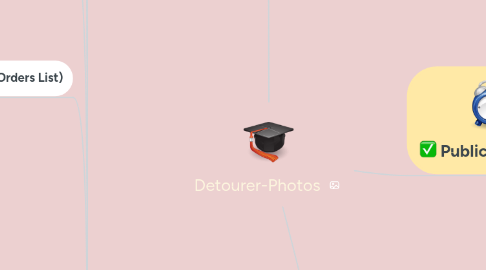
1. DASHBOARD - Customer
1.1. Dashboard Profile (Éditer Profil)
1.1.1. Profile header
1.1.1.1. user name
1.1.1.2. email
1.1.2. Edit profile form
1.1.3. Change Password
1.2. Dashboard - Historique de solde (Wallet)
1.2.1. Profile header
1.2.2. List of transactions
1.3. Upload Single images FORM
1.3.1. Default form without uploaded image
1.3.2. List of uploaded images & Delete function
1.3.3. Select options Options pannel for each image ( 2 levels)
1.3.3.1. Left box: uploaded image, Right box: options choices pannel (label, dropdownlist & price)"
1.3.4. More details for each option
1.4. Upload Group of 2 images FORM
1.4.1. List of groups of image uploaded & Delete function
1.4.2. Select options Options pannel for each image ( 2 levels)
1.4.3. Nouveau client pannel (create new account)
1.4.4. Facture d'achat pannel
1.4.5. Mandatory Fields validation
1.4.6. Update the formular to calculate order's price
1.5. Commandes (Orders List)
1.6. Détail de commande (Order detail)
1.6.1. for status waiting for payment = en attente de paiement
1.6.1.1. Order details panel
1.6.1.2. List of images:
1.6.1.2.1. image's name
1.6.1.2.2. image box & download action,
1.6.1.2.3. Options: Complexité, Format, Dimensions, Fond, Résolution, Ombre, Réflexion, Mannequin ghost, & Commentaire
1.6.1.3. For Customer: Pay & complete the purchase
1.6.1.4. For Designer: Designer can't view order in status waiting for payment = en attente de paiement
1.6.1.5. For Admin: Cancel function
1.6.2. For Status: 'Waiting for difficulty confirmation
1.6.2.1. Order details panel
1.6.2.2. For Customer: just see the information, don't take any actions
1.6.2.3. For Designer: Select Difficuty of images
1.6.2.3.1. Niveau de complexité: 2 radio button Image simple | Image complexe & [ ...] minutes - button Valider at the bottom of the page
1.6.3. new status: Partiellement payée = Partially paid
1.6.3.1. Order details panel
1.6.3.2. For Customer:At Order detail - Products list: Acompte payé sur commande <order id>: price ( for example: -1.60 E)
1.6.3.2.1. Case 1: If customer want to pay > he choose payment way >
1.6.3.2.2. Case 2: If customer want to delete all images having checkbox 'Supprimer le traitement de cette image': > he ticks on the checkboxes >
1.6.3.2.3. Case 3: If customer want to delete some of images having checkbox, skip at least one image.
1.6.4. for status in production = en production
1.6.4.1. Order details panel
1.6.4.2. For Customer: just see the information, don't take any actions
1.6.4.3. Admin: Cancel function
1.6.4.4. Designer: Sélectionnez les les fichiers à livrer au client' for each order item
1.6.5. for status waiting for validation = enattente de validation
1.6.5.1. Order details panel
1.6.5.1.1. List of images
1.6.5.1.2. Options: Complexité, Format, Dimensions, Fond, Résolution, Ombre, Réflexion, Mannequin ghost, & Commentaire
1.6.5.2. For Designer: just see the information, don't take any actions
1.6.5.3. "For Customer: radio buttons: Validé | Rejecter (Raison de refus - text area) At List of images: show more information for Result validation: radio buttons: Validé | Rejecter (Raison de refus - text area) Button 'valider'"
1.6.5.3.1. Case 1: If customer choose 'Validé' for all images > click button 'Valider' => Order status is changed
1.6.5.3.2. Case 2: If customer only validate some images, and reject some images. (13) Step 1 of Case 2: choose 'Rejecter'' for at least 1 images > fill reason > click button 'Valider'
1.6.6. for status partial validation = Partiellement validé
1.6.6.1. Order details panel
1.6.6.1.1. - Options: Complexité, Format, Dimensions, Fond, Résolution, Ombre, Réflexion, Mannequin ghost, & Commentaire
1.6.6.2. "For Designer: After Test Case (13) Step 1 of Case 2: (14) step 2 of case 2: Designer upload result for 2 images 2nd times"
1.6.6.3. "For Customer: If customer approve the result (15.1) Step 3a of Case 2: he chooses 'Validé' for all images > click button 'Valider' => Order status is changed 'validated = Validée' Order items are also validated = Validée DONE process"
1.6.7. for status validated = Validée
1.6.7.1. Order details panel
1.6.7.2. Click on button 'Télécharger toutes les images originales' to download all original images
1.6.7.3. Click on button 'Télécharger toutes les images traitées' to Download all processed images
1.6.7.4. List of images
1.6.8. for status canceled = Rejetée
1.6.8.1. Order details panel
1.6.8.2. List of images
1.6.8.2.1. image's name, image box & download action
1.6.8.2.2. Options: Complexité, Format, Dimensions, Fond, Résolution, Ombre, Réflexion, Mannequin ghost, & Commentaire
1.6.9. Header
1.6.9.1. Page title
1.7. Invoice details & template:
1.7.1. Shopping Cart
2. Designer
2.1. My Profile: View / Edit
2.1.1. Profile header
2.1.1.1. User name
2.1.1.2. email
2.1.1.3. 2 tabs: Éditer profil
2.2. Commandes (Orders List)
2.2.1. Profile header
2.2.1.1. User name
2.2.1.2. email
2.2.1.3. 2 tabs: Éditer profil
2.3. Détail de commande (Order detail)
2.3.1. for status waiting for payment = en attente de paiement
2.3.2. for status in production = en production
2.3.3. for status validated = Validée
2.3.4. for status partial validation = Partiellement validé
2.3.5. for status waiting for validation = enattente de validation
2.3.6. for status canceled = Rejetée
3. Public Pages
3.1. Home page
3.1.1. Header
3.1.1.1. New logo
3.1.1.2. Hot line
3.1.1.3. Main menu
3.1.1.3.1. User menu
3.1.1.3.2. Sticky menu
3.1.1.4. Languages menu
3.1.2. Banner
3.1.3. Custom blocks
3.1.4. Footer
3.1.4.1. Footer Custom blocks
3.1.4.2. Footer Bottom
3.1.4.3. Newsletters after logging in
3.2. Detourage
3.2.1. Détourages
3.2.2. Banner
3.2.2.1. Image
3.2.2.2. Page title
3.2.2.3. Sub-title
3.2.3. Breadcrumb
3.2.3.1. Accueil
3.2.3.2. services
3.2.3.3. détourages
3.2.4. Main content
3.2.4.1. link "Contactez-nousr
3.2.4.2. Images (horizontal)
3.2.4.3. button 'Envoyer vos images'
3.3. Ombres/Reflets
3.3.1. Banner
3.3.1.1. Image
3.3.1.2. Page title
3.3.1.3. Sub-title
3.3.2. Breadcrumb
3.3.2.1. Accueil
3.3.2.1.1. services
3.3.3. Main content
3.3.3.1. link "Contactez-nousr
3.3.3.2. Images (horizontal)
3.3.3.3. button 'Envoyer vos images
3.4. Manequin Invisible (Ghost)
3.4.1. Upload Group of 2 images box (for Ghost product type)
3.5. Login from
3.6. Create new account
3.7. Forgot Password
3.7.1. A Propos
3.7.2. Basic pages: CGV & Mentions Légales
3.8. CGV
3.9. Mentions Légales
3.10. Contact Us page
3.11. Comment ca marche ?
3.12. Tarifs (new)
3.12.1. Banner
3.12.1.1. sub-title
3.12.1.2. Page title
3.12.1.3. Image
3.12.2. Breadcrumb
3.12.2.1. Accueli
3.12.2.1.1. Tarifs
3.12.3. Nos tarifs à I'image
3.12.4. Nos Forfaits
3.13. Checkout page
3.13.1. facture panel
3.13.1.1. Login pannel (already have account)
3.13.1.2. Profil de facturation
3.13.1.3. Nouveau client pannel (create new account)