


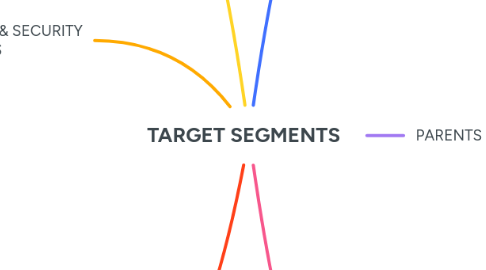
1. GENERAL USERS
1.1. Daily Browsing Safety
1.1.1. Social site protection
1.1.1.1. Scam ad pop-up block
1.1.1.2. DM phishing alerts
1.1.2. Shopping safety
1.1.2.1. Fake eCommerce detection
1.1.2.2. Return/refund policy scanner
2. DEVELOPERS & SECURITY ENTHUSIASTS
2.1. GitHub Integration
2.1.1. Repo scanner
2.1.1.1. Detects bad links in README
2.1.1.2. Warns on cloning from suspicious forks
2.1.2. Project link alerts
2.1.2.1. CI/CD link verification
2.1.2.2. URL shortener blocker
2.2. Open-source Customization
2.2.1. Extension code access
2.2.1.1. Custom module injection
2.2.1.2. Local build setup guide
2.2.2. Plugin system
2.2.2.1. Create and install custom rules
2.2.2.2. Share scripts in community
3. STARTUPS & SMEs
3.1. Admin Dashboard
3.1.1. Team activity tracker
3.1.1.1. Browsing summary
3.1.1.2. Alert frequency logs
3.1.2. Threat management
3.1.2.1. Flag-specific types
3.1.2.2. Issue patches company-wide
3.2. Team-Based Control
3.2.1. Role-based restrictions
3.2.1.1. Developer vs. intern profile
3.2.1.2. Access controls by department
3.2.2. Bulk deployment
3.2.2.1. Group install via browser store
3.2.2.2. Managed update channels
4. STUDENTS
4.1. Safe Research
4.1.1. Academic links verification
4.1.1.1. Block redirect traps
4.1.1.2. Prevent fake journals
4.1.2. Library integration
4.1.2.1. Digital library whitelisting
4.1.2.2. Edu domain preference
4.2. Avoid Distractions
4.2.1. Ad blocker for study sites
4.2.1.1. Silences video ads
4.2.1.2. Removes popups from ed-tech platforms
4.2.2. Focus mode
4.2.2.1. Blocks social sites
4.2.2.2. Timer-based unlock
5. PARENTS
5.1. Child-Safe Profiles
5.1.1. Age-specific settings
5.1.1.1. Educational whitelist
5.1.1.2. Primary, middle, high school levels
5.1.2. Restricted content filters
5.1.2.1. Blocks adult/mature content
5.1.2.2. Keyword-based exclusion
5.2. Activity Control
5.2.1. Daily reports
5.2.1.1. Time spent summary
5.2.1.2. Sites visited
5.2.2. Remote control tools
5.2.2.1. Temporary block list
5.2.2.2. Emergency lockdown
6. PROFESSIONALS
6.1. Email Protection
6.1.1. Attachment inspection
6.1.1.1. Malware in docs/spreadsheets
6.1.1.2. Cloud-based safe opening
6.1.2. Phishing scanner
6.1.2.1. Flags spoofed sender addresses
6.1.2.2. Detects fake email links
6.2. Work Session Security
6.2.1. Secure browser session
6.2.1.1. Extension sandboxing
6.2.1.2. Auto-clear cache/cookies post work
6.2.2. Sensitive data guard
6.2.2.1. Block autofill for work credentials
6.2.2.2. Clipboard protection