


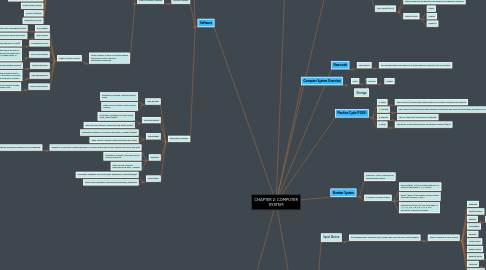
1. Information Coding Scheme (ICS)
1.1. ASCII: American Standard Code for Information Interchange
1.1.1. Use 8 bits to represent a character. (2^8 = 256)
1.2. EBCDIC: Extended Binary Coded Decimal Interchange Code
1.2.1. Use 8 bits to represent a character. (2^8 = 256)
1.3. Unicode: Universal character encoding standard
1.3.1. Use 16/32 bits to represent a character (2^16 = 65536)
2. Software
2.1. Software Categories
2.1.1. Open source software
2.1.1.1. Created by unpaid volunteers, begin to gin wide acceptance among computer users.
2.1.1.2. Free software
2.1.1.3. Example
2.1.1.3.1. Unix, Linux, Ubuntu
2.1.2. Propietary software
2.1.2.1. Privately owned and limited to a specific vendor or computer model.
2.1.2.2. Licensed/paid
2.1.2.3. Example
2.1.2.3.1. Windows, Mac OS X
2.2. System Software
2.2.1. Types of System Software
2.2.1.1. Operating System: A set of programs containing instructions that work together to coordinate all the activities among computer hardware resources.
2.2.1.1.1. Types of Operating Sytem
2.2.1.1.2. Functions of Operating System.
2.2.1.2. Utility Program: A type of system software that allows a user to perform maintenance-type task.
2.2.1.2.1. Types of Utility Program
2.3. Application Software
2.3.1. Web Browser
2.3.1.1. Proprietary Software: Internet Explorer, Safari
2.3.1.2. Open Source Softwre: Mozilla Firefox, Chrome
2.3.2. Word Processing
2.3.2.1. Proprietary Software: Microsoft Office Word, Pages (Apple)
2.3.2.2. Open Source Software: OpenOffice.org Writer, KWord
2.3.3. Spreadsheet
2.3.3.1. Proprietary Software: Microsoft Office Excel, Numbers (Apple)
2.3.3.2. Open Source Software: OpenOffice.org Calc, KCells
2.3.4. Database
2.3.4.1. Definition: a collection of data organised in a manner that allows access, retrieval and use of that data
2.3.4.1.1. Usage: create student database, employees database or book database.
2.3.4.2. Proprietary Software: Microsoft Offuce Access, Oracle DB
2.3.4.3. Open Source Software: OpenOffice.org Base, MariaDB
2.3.5. Presentation
2.3.5.1. Proprietary Software: Microsoft Office PowerPoint, Keynote (Apple)
2.3.5.2. Open Source Software: OpenOffice.org Impress, Showcsse
3. System Concept
3.1. Definition: A complete working computer includes operating system, software and hardware to make computer function.
3.1.1. Data: Data is raw unorganised facts that need to be processed.
3.1.1.1. Bits: A smaller unit of data the computer can process
3.1.1.2. Byte: A group of 8 bits (eg: 1010101110) that represent a single character, digit or any symbol.
4. Memory
4.1. Function: sir instructions waiting to be executed by the processor.
4.2. Types of Memory
4.2.1. Volatile (RAM)
4.2.1.1. Loses its content when the power is turned off.
4.2.1.2. Holds data or programs that are currently being used t the processor.
4.2.1.3. Types of RAM
4.2.1.3.1. DRAM
4.2.1.3.2. SRAM
4.2.1.3.3. MRAM
4.2.2. Non-volatile (ROM)
4.2.2.1. Stores information permanently and doesn't lose the information when it's shutted down. Exist as a chip on the motherboard.
4.2.2.2. Data is prerecord for read only and cannot be modified or removed.
4.2.2.3. Types of ROM
4.2.2.3.1. PROM
4.2.2.3.2. EPROM
4.2.2.3.3. EEPROM
5. New node
5.1. Input Device
5.1.1. Any hardware that allows the user to enter data and instruction into a computer.
6. Computer System Overview
6.1. Input
6.1.1. Process
6.1.1.1. Output
7. Storage
8. Machine Cycle (FDES)
8.1. F: fetch
8.1.1. The control unit fetched the math problem's information and data from memory
8.2. D: decode
8.2.1. The control unit decided the math problem's instructions and send the instructions and data to ALU.
8.3. E: execute
8.3.1. The ALU performs calculations on the data.
8.4. S: store
8.4.1. The results of the math problems are stored in memory (RAM)
9. Number System
9.1. Definition: A set of numerals for representing numbers.
9.2. 3 Types of Number System
9.2.1. Decimal (Base 10): Any number that uses 10, symbols (the digits) 0, 1, 2, 3 until 9.
9.2.2. Binary ( Base 2): Represents numeric values using two symbols, 0 and 1.
9.2.3. Hexadecimal (Base 16): uses 16 symbols: 0, 1, 2, 3, 4, 5, 6, 7, 8, A, B, C, D, E, F to represents all positives number.
10. Hardware
10.1. Input Device
10.1.1. Any hardware that allows the user to enter data and instruction into computer
10.1.1.1. Types / Example of Input Device
10.1.1.1.1. Keyboard
10.1.1.1.2. Pointing Device
10.1.1.1.3. Digitizer
10.1.1.1.4. Microphone
10.1.1.1.5. Webcam
10.1.1.1.6. Touch screen
10.1.1.1.7. Digital camera
10.1.1.1.8. Reading device
10.1.1.1.9. Terminals
10.1.1.1.10. Game controller
10.2. Output Device
10.2.1. Any hardware that conveys information to one or more people.
10.2.1.1. Example: screen monitor, speaker, and more.
10.3. Storage Device
10.3.1. Hardware device that holds data, information for future use.
10.3.1.1. Type of Storage
10.3.1.1.1. Magnetic Storage. Eg: Hard disk, floppy disk
10.3.1.1.2. Optical Storage. Eg: CD, DVD, BD
10.4. System Unit
10.4.1. A case that contains electronic components of the computer users used to process data.
10.5. Motherboard
10.5.1. The main circuit board of the system unit that contains integrated circuits.
10.6. Processor/Central Processing Unit
10.6.1. Control Unit (CU)
10.6.1.1. The processor that directs and coordinates most of the operations in the computer.
10.6.1.2. Arithmetic Logic Unit ( ALU)
10.6.1.2.1. Performs arithmetic comparison and other calculations.
10.7. Adapter Card
10.7.1. Type of Adapter Card
10.7.1.1. CableCARD
10.7.1.2. Disk controller card
10.7.1.3. Firewire card
10.7.1.4. HDTV card
10.7.1.5. MIDI card
10.7.1.6. Modem card
10.7.1.7. Network card
10.7.1.8. Sound card
10.7.1.9. TV tuner card
10.7.1.10. USB card
10.7.1.11. Video card
10.7.1.12. Video capture card