

1. Project manager
1.1. - The leader of a project - Oversee the entire project. Responsible for overall development, implementation of the project and day to day operations.
2. Multimedia Designer
2.1. - Looks at the overall content of a project, creates a structure for the content. - Determines the design elements required to support that structure.
3. Interface designer
3.1. in charge of designing each screen or page interface that lets the user access or modify the content – simplicity
4. Video /Audio Specialist
4.1. Focus on the audio and video production - shooting, capturing and editing video, digitizing and audio recording
5. Multimedia Programmers
5.1. Multimedia programmers integrate all the elements of the project using an authoring system or programming language
6. Windows vs. Macintosh
6.1. The Microsoft Windows operating system can run on assemblages of hardware from countless manufacturers.
6.2. Unlike Microsoft, primarily a software company, Apple is a hardware manufacturing company that developed its own proprietary software to run the hardware.
6.3. Apple Computer produces both the computer and the operating system
6.4. Many developers believe that multimedia project development is smoother and easier on the Macintosh than in Windows
7. Connections
7.1. Integrated Drive Electronics (IDE)
7.1.1. is a standard interface for connecting a motherboard to storage devices such as hard drives and CD-ROM/DVD drives.
7.2. Universal Serial Bus (USB)
7.2.1. most popular connection used to connect a computer to devices such as digital cameras, printers, scanners, and external hard drives.
7.2.2. is a plug-and-play interface (without reconfiguration or adjustment by the user)
7.3. FireWire (IEEE 1394)
7.3.1. For connecting devices to personal computer.
7.3.2. provides a single plug-and-socket connection on which up to 63 devices
8. RAM
8.1. Volatile storage
8.2. enables the simultaneous running of many applications.
8.3. Storage that allows to read and write data as many time as needed
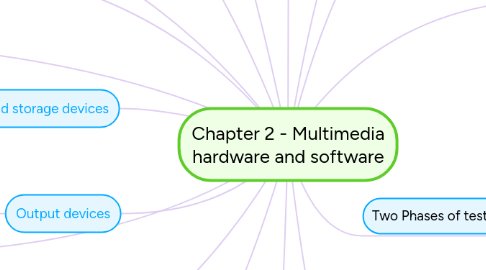
9. Memory and storage devices
9.1. - Flash or thumb drives - CD-ROM - DVD - Blu-ray discs
10. Input devices
10.1. - An optical character recognition (OCR) device is used to convert printed matter into ASCII text files. - Barcode reader recognize the numeric characters of the Universal Product Code (UPC) - Voice recognition systems recognize spoken - words and commands. - Microphones - Digital cameras
11. Output devices
11.1. - Stereo - Monitor - Projector - Printer
12. four basic stages
12.1. Planning and costing
12.2. Designing and Producing
12.3. Testing
12.4. Delivering
13. Two Phases of testing
13.1. Alpha Testing
13.1.1. Often performed only by users within the organization developing the software as a form of internal acceptance testing
13.1.2. The application may be missing part of the content or functionality.
13.1.3. The main interest is to review the concept, format, user interface and the layout.
13.2. Beta Testing
13.2.1. The product is evaluated just before the final release.
13.2.2. It is a fully functioning product and should be relative bug free.
13.2.3. Main interest is to find bugs or content errors
13.2.4. The testing group should be represented by the real users and should not include the people who have been involved in the project.