

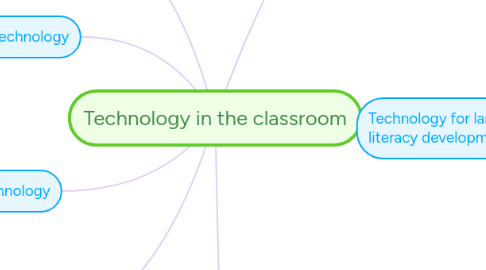
1. New way of learning
1.1. Convey new concepts in new ways
2. Effective use of assistive technology
2.1. literacy acquisition
2.2. flexible and differentiated learning experiences
2.3. student engagement and independence
3. Forms of Assisistive Technology
3.1. Interactive white boards
3.2. Text to speech software
3.3. Classroom amplification systems
4. Barriers to using technology in classrooms
4.1. Limited training for students and teachers
4.2. Limited access to technical support
5. Add a sibling idea by hitting ENTER
6. With careful planning, risk taking and an open mind teachers can successfully use technology to advance their learning and their students' learning.
7. Technology for language and literacy development
7.1. Support reading and writing fluency
7.2. Programs that support multimodal experience
7.3. Support development of skills
7.3.1. Organization skills
7.3.1.1. Graphic organizers
7.3.2. Fine motor coordinations
7.3.2.1. Converting speech to text
7.3.2.2. Converting ideas and thoughts to text
7.3.3. Mobility
7.4. Support student centered project based learning
7.5. Technology can support learning of all students
7.5.1. Keeping all students in mind we can effectively incorporate technology in classrooms
7.5.2. Give students, teachers and parents the freedom to explore
7.5.2.1. Opportunities to try different assistive technologies
7.6. Keyboarding
7.6.1. Effective and efficient keyboarding
7.6.1.1. Essential school and life skill
7.7. Use technology as part of regular rhythm of the class
7.7.1. Natural and organic development
7.8. Collaborate with mentors and teachers to best use technology
7.8.1. Supports proper implementation of technology
7.9. Evaluate the effectiveness of technology
7.10. Programs to work with
7.10.1. BrainPOP
7.10.1.1. You can share your map with anyone via email
7.10.1.2. You can publish your map and enable anyone with an internet access to find it
7.10.1.3. You can embed your map on a blog or website
7.10.2. KidBLog
7.10.3. Evernote