
Syllabus Salesforce Certified Administrator

Salesforce Certified Administrator 2021

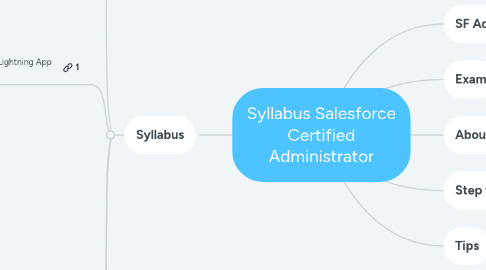
1. Syllabus
1.1. Configuration and Setup: 20%
1.1.1. Describe the information found in the company settings
1.1.1.1. company settings fiscal year
1.1.1.2. business hours
1.1.1.3. currency management
1.1.1.4. default settings
1.1.2. Distinguish/understand the administration of declarative configuration of the User Interface
1.1.2.1. UI settings
1.1.2.2. app menu
1.1.2.3. list views
1.1.2.4. global actions
1.1.2.5. Lightning App Builder
1.1.3. Given a scenario, demonstrate the proper setup and maintenance of users
1.1.4. Explain the various organization Security Controls
1.1.4.1. Setup Audit Trail
1.1.4.2. Login Hours
1.1.4.3. Session Settings
1.1.5. Given a user request scenario, apply the appropriate security controls based on the features and capabilities of the Salesforce sharing model
1.1.5.1. public groups
1.1.5.2. org wide default
1.1.5.3. sharing
1.1.5.3.1. roles
1.1.5.3.2. subordinates
1.1.5.3.3. hierarchy
1.1.5.3.4. report
1.1.5.3.5. dashboard folders
1.1.6. Given a scenario, determine the appropriate use of a custom profile or permission set using the various profile settings and permissions.
1.1.7. Key Topics
1.1.7.1. UI features
1.1.7.2. Company information
1.1.7.3. Locale settings
1.1.7.4. Search results
1.1.7.5. List views
1.1.7.6. Currency management
1.1.7.7. Fiscal year
1.1.7.8. Default settings
1.1.7.9. Homepage layouts
1.1.7.10. User management
1.1.7.11. Security settings
1.1.7.12. Sharing settings
1.1.8. Badge
1.1.8.1. Data Security
1.1.8.2. Prepare Your Salesforce Org for Users
1.1.8.3. Company-Wide Org Settings
1.1.8.4. Salesforce Platform Basics
1.1.8.5. User Authentication
1.1.8.6. User Management
1.1.8.7. Protect Your Data in Salesforce
1.1.8.8. Customize an Org to Support a New Business Unit
1.2. Object Manager and Lightning App Builder: 20%
1.2.1. Describe the standard object architecture and relationship model
1.2.1.1. standard object
1.2.1.2. parent/child
1.2.1.3. master detail/lookup/junction relationships
1.2.1.4. record types
1.2.2. Explain how to create, delete, and customize fields and page layouts on standard and custom objects, and know the implications of deleting fields.
1.2.3. Given a scenario, determine how to create and assign page layouts, record types and business processes for custom and standard objects.
1.2.4. Key Topics
1.2.4.1. Object architecture
1.2.4.2. Object relationships
1.2.4.3. Creating, editing, and deleting fields
1.2.4.4. Creating and assigning page layouts
1.2.4.5. Creating and assigning record types
1.2.4.6. Creating and assigning business processes
1.2.4.7. Creating custom objects
1.2.5. Badge
1.2.5.1. Data Modeling
1.2.5.2. Salesforce User Basics
1.2.5.3. Build a Battle Station App
1.2.5.4. Customize the User Interface for a Recruiting App
1.2.5.5. Build a Data Model for a Recruiting App
1.2.5.6. Build a Cat Rescue App That Recognizes Cat Breeds
1.2.5.7. Lightning Experience Customizations
1.2.5.8. Customize a Salesforce Object
1.3. Sales and Marketing Applications: 12%
1.3.1. Given a scenario, identify the capabilities and implications of the sales process
1.3.1.1. sales process
1.3.1.2. opportunity
1.3.1.3. path
1.3.1.4. forecast impact
1.3.2. Given a scenario, apply the appropriate sales productivity features using opportunity tools
1.3.2.1. dashboards
1.3.2.2. lead scoring
1.3.2.3. Einstein opportunity scoring
1.3.2.4. home page assistant
1.3.3. Describe the capabilities of lead automation tools and campaign management
1.3.3.1. leads
1.3.3.2. lead convert
1.3.3.3. lead assignment rules
1.3.3.4. campaign
1.3.3.5. campaign members
1.3.4. Key Topics
1.3.4.1. Sales processes
1.3.4.2. Opportunities
1.3.4.3. Products
1.3.4.4. Price Books
1.3.4.5. Leads
1.3.4.6. Campaigns
1.3.4.7. Content
1.3.5. Badge
1.3.5.1. Leads & Opportunities for Lightning Experience
1.3.5.2. Opportunity Management
1.3.5.3. Campaign Basics
1.3.5.4. Manage Products, Prices, Quotes, and Orders
1.3.5.5. Process Automation Specialist
1.4. Service/Support App: 11%
1.4.1. Describe the capabilities of case management
1.4.1.1. case
1.4.1.2. case assignment rules
1.4.1.3. queues
1.4.2. Given a scenario, identify how to automate case management
1.4.2.1. support process
1.4.2.2. case auto-response rules
1.4.2.3. case escalation
1.4.3. Key Topics
1.4.3.1. Case management
1.4.3.2. Support processes
1.4.3.3. Assignment rules
1.4.3.4. Case escalation rules
1.4.3.5. Auto-response rules
1.4.3.6. Web-to-case
1.4.3.7. Email-to-case
1.4.3.8. Case teams
1.4.3.9. Knowledge
1.4.3.10. Sites using Experience Cloud
1.4.4. Badge
1.4.4.1. Service Cloud for Lightning Experience
1.4.4.2. Set Up Salesforce Knowledge
1.4.4.3. Create a Process for Managing Support Cases
1.4.4.4. Experience Cloud Basics
1.4.4.5. Set Up a Customer Site with Experience Cloud
1.5. Productivity and Collaboration: 7%
1.5.1. Describe the capabilities of activity management.
1.5.2. Describe the features of Chatter.
1.5.3. Describe the capabilities of Salesforce Mobile App.
1.5.4. Identify use cases for AppExchange applications.
1.5.5. Key topics
1.5.5.1. Activities
1.5.5.2. Chatter
1.5.5.3. Salesforce mobile app
1.5.5.4. Compact Layout
1.5.5.5. Lightning Web Browser
1.5.5.6. AppExchange
1.5.6. Badge
1.5.6.1. Chatter for Lightning Experience
1.5.6.2. Lightning Experience Productivity
1.5.6.3. Lightning Experience for Salesforce Mobile App
1.5.6.4. Salesforce Mobile App Customization
1.5.6.5. Outlook Integration
1.6. Data and Analytics Management: 14%
1.6.1. Describe the considerations when importing, updating, transferring, mass deleting, exporting and backing up data.
1.6.2. Describe the capabilities and implications of data validation tools.
1.6.3. Describe the options available when creating or customizing a report or report type.
1.6.4. Describe the impact of the sharing model on reports.
1.6.5. Describe the options available when creating and modifying dashboards
1.6.5.1. dashboard components
1.6.5.2. data sources
1.6.5.3. chart types
1.6.5.4. Subscribing
1.6.5.5. running user
1.6.6. Key Topics
1.6.6.1. Data types
1.6.6.2. Validation rule
1.6.6.3. Data Import Wizard
1.6.6.4. Data Loader
1.6.6.5. Recycle Bin
1.6.6.6. Merge function
1.6.6.7. Mass Transfer
1.6.6.8. Mass Delete
1.6.6.9. Duplicate Matching
1.6.6.10. External ID
1.6.6.11. Data Export
1.6.6.12. Report creation
1.6.6.13. Custom reports
1.6.6.14. Editing and customizing reports
1.6.6.15. Dashboard components
1.6.6.16. Data sharing
1.6.6.17. Report and dashboard filters
1.6.7. Badge
1.6.7.1. Data Quality
1.6.7.2. Improve Data Quality for Your Sales and Support Teams
1.6.7.3. Data Management
1.6.7.4. Import and Export with Data Management Tools
1.6.7.5. Create Reports and Dashboards for Sales and Marketing Managers
1.6.7.6. Reports & Dashboards for Lightning Experience
1.6.7.7. Sales Reports for Lightning Experience
1.6.7.8. Lightning Experience Reports & Dashboards Specialist
1.7. Workflow/Process Automation: 16%
1.7.1. Given a scenario, identify the appropriate automation solution based on the capabilities of the tool.
1.7.2. Describe capabilities and use cases for Flow.
1.7.3. Describe capabilities and use cases for the approval process.
2. SF Administrator
2.1. should have a general knowledge of the features available to end users and the configuration options available
2.2. should
2.2.1. maintain a Salesforce organization
2.2.2. respond to common business requirements
2.2.3. perform administrative functions using current Salesforce features
2.2.4. successfully perform the tasks outlined in the exam objectives section of this guide
3. Exam
3.1. 60 multiple-choice/multiple-select questions and 5 non-scored questions
3.1.1. passing score
3.1.1.1. 65% or 39 questions
3.2. 105 minutes or 1:30hrs
3.3. fee
3.3.1. USD 200
3.3.2. retake
3.3.2.1. USD 100
3.4. no prerequirement
3.5. 30 minutes more
3.5.1. no English speakers
3.5.2. open a ticket
3.5.2.1. trailhead site
3.5.3. request up to 1 week before exam
4. About me
4.1. Juliano Costa
4.1.1. Technical Architect
4.1.2. https://www.linkedin.com/in/julianotadeucosta/
4.1.3. Trailblazer | Profile
5. Step to study
5.1. official exam guide
5.2. Trailmix
5.2.1. Prepare for Your Salesforce Administrator Credential
5.3. Trail
5.3.1. Study for the Administrator Certification Exam
5.4. Superbadge
5.4.1. Lightning Experience Reports & Dashboards Specialist
5.4.2. Business Administration Specialist
5.4.3. Security Specialist
5.5. Practice Test
5.5.1. Administrator Practice Test
6. Tips
6.1. Timeframe
6.1.1. 3 months
6.1.1.1. month 1
6.1.1.1.1. know content
6.1.1.2. month 2
6.1.1.2.1. increase pace
6.1.1.3. month 3
6.1.1.3.1. review
6.2. priority
6.2.1. areas with most weight
6.2.1.1. anything over 10% is high priority
6.3. study schedule
6.3.1. large blocks
6.3.1.1. over than 10%
6.3.2. small blocks
6.3.2.1. up to 10%
6.4. salesforce beginner
6.4.1. first
6.4.1.1. go to Trailhead
6.5. get developer account
6.5.1. question are scenario-based
6.5.1.1. place to practice