
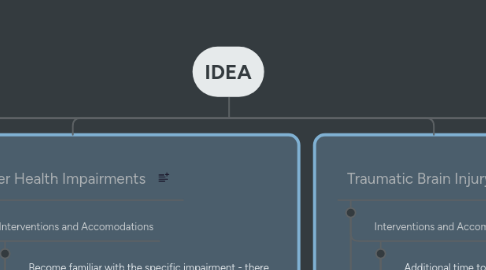
IDEA

Collect, Process, Organize, Do and Review your tasks with this productive technique

1. Deafness
1.1. Interventions and Accomodations
1.1.1. Clearly enunciated speech and classroom position to aid lip-reading.
1.1.2. Reduce background noise and visual distractions.
1.1.3. Allow extra time for processing information and instruction.
1.1.4. Increase visual supplements to instruction.
1.2. Assistive Technologies and ICT
1.2.1. Learning software that is visually reliant.
1.2.2. Assistive Apps for ASL
2. Hearing Impairment
2.1. Interventions and Accomodations
2.1.1. Captioning videos or other media so the student can read-along when they can't hear.
2.1.2. Amplification software and systems
2.1.3. Note-taking assistance from peers or technology.
2.1.4. Instruct teachers and peers in sign language and/or key word signs.
2.2. Assistive Technologies and ICT
2.2.1. Personal hearing device
3. Deaf-Blindness
3.1. Interventions and Accomodations
3.1.1. Aides or paraprofessionals who can interpret sign language including signing into hands so deaf-blind students can feel signs.
3.1.2. Plan more small-group work so that the social interaction is more small-scale and easier for the student to follow.
3.1.3. Take extra time around planning and preparing lessons that are outside the classroom - the student needs time to prepare to go on a field trip and the location may need time to prepare additional accomodations
3.2. Assistive Technologies and ICT
3.2.1. Use Assistive Lsitening Devices (ALDs) in the classroom when possible (ALDs rely on microphones used by the instructor and amplified to the student. )
4. Visual Impairment
4.1. Interventions and Accomodations
4.1.1. Plan classroom activities that emphasize hands-on learning
4.1.2. Give clear and repeated oral instructions, when using accompanied visuals, make them larger and easier to see, or explain the content
4.1.3. Use braille for spelling tests and other worksheet assignments.
4.1.4. Order resources in larger print.
4.2. Assistive Technologies and ICT
4.2.1. Use screen reading and dictation software
4.2.2. Braille translation software
4.2.3. Computer interactive software that contains speech access for literacy and numeracy games/activities.
5. Orthopedic Impairment
5.1. Interventions and Accomodations
5.1.1. Incorporate gross and fine motor skills into classroom activities in a way that develops the student's motor abilities but allows them to complete the task.
5.1.2. Organize the classroom in an accessible and friendly way - make sure there is space for movement even for crutches, wheelchairs or other mobility devices.
5.1.3. Use assistive technology to increase the student's independence.
5.2. Assistive Technologies and ICT
5.2.1. Screen reading software and communication devices.
5.2.2. Keyboards, mouses, and other devices designed for people with low mobility and/or muscle tone
6. Multiple Disabilities
6.1. Interventions and Accomodations
6.1.1. Make modifications to the classroom to accommodate many needs.
6.1.2. Encourage independence and use technology and resources to allow students to complete tasks as independently as possible.
6.1.3. Teach understanding and acceptance to the students classmates - don't let the presence of an aide isolate the student.
6.2. Assistive Technologies and ICT
6.2.1. Eye-reading software and communication devices (see case study)
6.3. Case Study
6.3.1. Tiago - Cerebral Palsy, Communication and Assistive Technology
7. Other Health Impairments
7.1. Interventions and Accomodations
7.1.1. Become familiar with the specific impairment - there is a wide variety of impairments that fall under this category.
7.1.2. Help a student adjust their schedule - a student with a disease that requires frequent hospital visits needs flexibility and understanding.
7.1.3. Teach understanding and acceptance to the student's classmates.
7.1.4. Break up assignments into manageable activities/units to avoid overwhelming students
7.2. Assistive Technologies and ICT
7.2.1. Virtual or online classes/correspondence for students who have to be away from school regularly
8. Traumatic Brain Injury
8.1. Interventions and Accomodations
8.1.1. Additional time to complete assignements
8.1.2. Maintain clear and consistent routines.
8.1.3. Keep track of student's physical and mental limitations or fatigue - allow extra breaks.
8.1.4. Give extra practice for the student to practice new skills.
8.2. Assistive Technologies and ICT
8.2.1. Memory, attention and problem solving apps to get brain "work-outs"
8.2.2. Reminder/Scheduling apps
8.3. Case Study
8.3.1. Aroob - Stroke-Induced Aphasia*
8.3.1.1. *a stroke does not fall under the "external" nature of brain injury under IDEA, however several states have amended traumatic brain injury to include stroke.
9. Emotional Disturbance
9.1. Interventions and Accomodations
9.1.1. Break up assignments into manageable activities/units to avoid overwhelming students
9.1.2. Teach self-calming techniques and give students tools to calm themselves and bring themselves back into a learning headspace.
9.1.3. Keep track of the student's triggers for behavioral, emotional or anxiety escalation.
9.1.4. Monitor student for signs of self-destructive behaviors (drug/alcohol use, self-mutilation, etc.).
9.1.5. Be positive, open and understanding.
9.2. Assistive Technologies and ICT
9.2.1. Numeracy and literacy games that can be used both as positive reinforcement and learning tools
9.2.2. Apps for child mindfulness and emotional control
9.2.3. Apps to halp students breathing for reducing anxiety
10. Specific Learning Disability
10.1. Interventions and Accomodations
10.1.1. Model appropriate social behaviors
10.1.2. Give instructions in different ways and one step at a time (e.g. visual and verbal instruction)
10.1.3. Keep your classroom clean and free of unnecessary distraction (not too visually stimulating).
10.1.4. Encourage group work and collaboration that gets students moving - sitting and listening isn't the only way to learn.
10.1.5. Use "brain breaks" for all students - getting up and moving between lessons or every 15 - 20 minutes.
10.2. Assistive Technologies and ICT
10.2.1. Keyboard ot touch-typing software programs for students with dyslexia
11. Speech or Language Impairment
11.1. Interventions and Accomodations
11.1.1. Develop alternate strategies/procedures for the student to communicate/ask for help
11.1.2. Use visuals in classroom paired with visual cues
11.1.3. Use collaborative group work and peer support
11.1.4. Model speech patterns
11.1.5. Take care not to rush or pressure the student when speaking.
11.2. Assistive Technologies and ICT
11.2.1. Speech recognition or interpreation software.
11.2.2. Speaking devices such as Proloquo2go (See ICT and Autism section)
12. Autism
12.1. Interventions and Accomodations
12.1.1. Give step-by-step instructions
12.1.2. Have consistent routines
12.1.3. Use a visual schedule
12.1.4. Prepare the student for transitions
12.1.5. Capitalize on the students interests and strengths to design lessons
12.2. Assistive Technologies and ICT
12.2.1. Proloquo2Go - speech and communication aid
12.2.2. Visual timer app for students to prepare for transitions
12.3. Case Study
12.3.1. Personal Experience - My Student N
13. Developmental Delay
13.1. Interventions and Accomodations
13.1.1. Capitalize on the students interests and strengths to design lessons
13.1.2. Model activities and routines for student.
13.1.3. Break specific skills down into steps and teach every step explicitly.
13.1.4. Give students reminders and consistent schedules
13.2. Assistive Technologies and ICT
13.2.1. First-Then Visual Schedule
14. Intellectual Disability
14.1. Interventions and Accomodations
14.1.1. Be consistent and clear with instructions and other communication
14.1.2. Break instructions down into manageable steps
14.1.3. Give feedback in a clear way while tasks are being completed
14.1.4. Increase opportunities for independence, including teaching life skills.
14.2. Assistive Technologies and ICT
14.2.1. Video training for life skills and employment