Unlock the full potential of your projects.
Try MeisterTask for free.
Não tem uma conta?
Criar conta gratuita
Navegar
Mapas em destaque
Categorias
Gerenciamento de projetos
Negócios e metas
Recursos Humanos
Brainstorming e Análise
Marketing e Conteúdo
Educação e Notas
Entretenimento
Vida
Tecnologia
Design
Resumos
Outro
Idiomas
English
Deutsch
Français
Español
Português
Nederlands
Dansk
Русский
日本語
Italiano
简体中文
한국어
Outro
Exibir mapa completo
Product Image Upload
Outro
Lawrence Romero
Seguir
Product Image Upload by Lawrence Romero Vigeowebsite - Manual https://www.vigeowebsite.com
Começar.
É Gratuito
Cadastrar-se com Google
ou
inscrever-se
com seu endereço de e-mail
Mapas mentais semelhantes
Esboço do mapa mental
Product Image Upload
por
Lawrence Romero
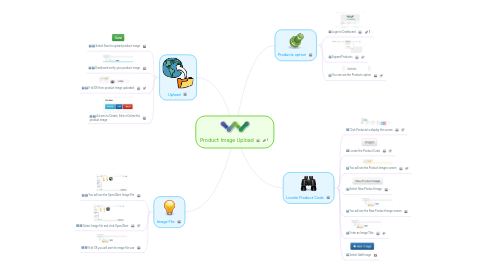
1. Upload
1.1. Select Save to upload product image
1.2. Dashboard verify your product image
1.3. If all OK then product image uploaded
1.4. Actions to Details, Edit or Delete the product image
2. Image File
2.1. You will see the Open/Abrir Image File
2.2. Select Image file and click Open/Abrir
2.3. If all OK you will see the image file size
3. Products option
3.1. Login to Dashboard
3.2. Expand Products
3.3. You can see the Products option
4. Locate Product Code
4.1. Click Products to display the screen
4.2. Locate the Product Code
4.3. You will see the Product Images screen
4.4. Select New Product Image
4.5. You will see the New Product Image screen
4.6. Enter an Image Title
4.7. Select Add Image
Comece Já. É grátis!
Conectar-se com Google
ou
Inscrever-se