Unlock the full potential of your projects.
Try MeisterTask for free.
Não tem uma conta?
Criar conta gratuita
Navegar
Mapas em destaque
Categorias
Gerenciamento de projetos
Negócios e metas
Recursos Humanos
Brainstorming e Análise
Marketing e Conteúdo
Educação e Notas
Entretenimento
Vida
Tecnologia
Design
Resumos
Outro
Idiomas
English
Deutsch
Français
Español
Português
Nederlands
Dansk
Русский
日本語
Italiano
简体中文
한국어
Outro
Exibir mapa completo
Copiar e editar mapa
Copiar
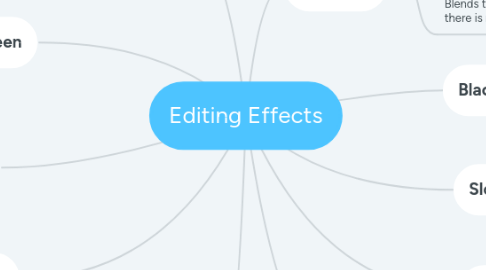
Editing Effects
Outro
Caitlin McMullen
Seguir
Começar.
É Gratuito
Cadastrar-se com Google
ou
inscrever-se
com seu endereço de e-mail
Mapas mentais semelhantes
Esboço do mapa mental
Editing Effects
por
Caitlin McMullen
1. Split Screen
1.1. Lets you show two clips at once and lets you show multiple viewpoints - most commonly used to tell a story
2. Wide Screen
2.1. Has black bars at the top and bottom of a scene.
2.2. Gives a Hollywood widescreen style
3. Fast Motion
3.1. Creative way to show a passage of time e.g. Fast clouds, traffic or crowds of people
3.2. Speeding up a video
4. Fade In
4.1. This consists of a plain black screen fading into a scene. This is usually used at the beginning of a video.
5. Super Impose
5.1. This is a placement of one thing over another.
5.2. Montages and transitions from one scene to another are the best for this effect.
6. Black and White
6.1. Adds drama or nostalgia to a scene
7. Slow Motion
7.1. Slowing down a video can enhance emotional and dramatic moments
7.2. Funny moments are often slowed down for a replay
8. Fade Out
8.1. This consists of a scene fading into a blain black screen. This is usually used at the end of a video.
9. Iris
9.1. This gives a circular frame around the video. Which focuses viewers attention on the most important things.
10. Dissolves
10.1. Smooth's a transition if the cut looks/sounds abrupt.
10.2. Blends two clips together so it looks like there is no change.
Comece Já. É grátis!
Conectar-se com Google
ou
Inscrever-se