


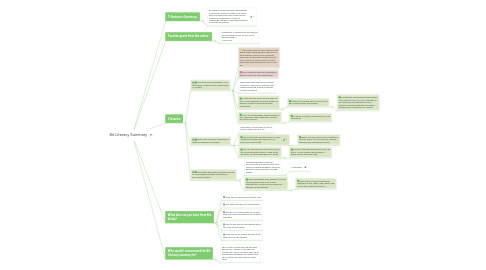
1. 1-Sentence-Summary:
1.1. Bit Literacy shows you how to navigate the innumerable streams of digital information that flow towards us every single day and not become paralyzed or a slave to technology, thanks to a few simple systems to manage your media.
2. Favorite quote from the author:
2.1. "Productivity is measured by the time you spend working on your to-dos, not on organizing them." - Mark Hurst
3. 3 lessons:
3.1. Your inbox is an intermediary, not a destination. Process all your emails based on content.
3.1.1. When emails pile up, there comes a point where it gets demoralizing to even look at the mountain in front of you, and every single one of them takes up space in your brain, because it keeps records on every single “not done with this yet” item in your life.
3.1.2. Don't treat your inbox like a destination, when it’s really just a processing plant.
3.1.3. Every single email sent to you is meant to make you take action, whether that’s reading something, buying something or doing something.
3.1.4. So the only way email can truly work for you is if you direct the incoming streams of different content and distribute them accordingly.
3.1.4.1. Empty your inbox at least once a day and put all emails where they belong.
3.1.4.1.1. For example, read personal emails closely, move tasks to your to-do list, mark dates in your calendar, save addresses in your contacts, schedule meetings accordingly and read, skim or delete all “FYI” emails
3.1.5. For all to-dos that take just two minutes or less, take care of them right away, and put the rest on your list.
3.1.5.1. All emails must go, and every email can go somewhere
3.2. Know “why” for every single piece of media you choose to consume.
3.2.1. Each piece of information is only as good as what you use it for.
3.2.2. One of the most important lessons in Time 2 Read is the media diet, where you cut back your consumption.
3.2.2.1. Ideally, you only want to have a handful of sources, which you read regularly, because they give you everything you need.
3.2.3. You can assemble your own media source list by simply asking yourself: “Is this worth my time?” for every single piece of content.
3.2.3.1. Combine that with knowing what you’ll do with it, and you’ll have a good grasp of which sources you really need.
3.3. Help others deal with information overload by frontloading important information in your communication.
3.3.1. Frontloading simply means you communicate in an efficient way with others, by getting straight to the point, backing up the information and then ending.
3.3.1.1. An example:
3.3.2. With frontloading, you’ll always try to order the information from most to least important and create as much context as possible for the recipient.
3.3.2.1. That means answering the specific questions of who, when, what, where, why and for whom the information is.