
Microsoft Security Platform (May 2024 - Mind Map v1) Joao Paulo Sevegnani https://www.linkedin.c...

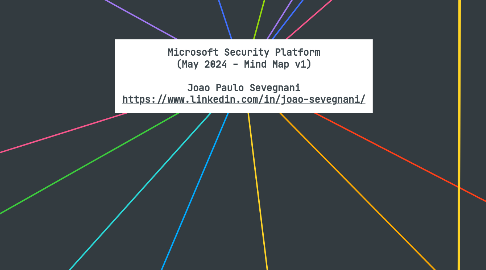
Microsoft Security Platform (May 2024 - Mind Map v1) Joao Paulo Sevegnani https://www.linkedin.com/in/joao-sevegnani/

1. Solutions
1.1. Al for cybersecurity
1.1.1. Microsoft Copilot for Security
1.1.1.1. AI with built-in data security
1.1.1.2. Use generative AI for cybersecurity
1.1.1.3. How Copilot works
1.1.2. Copilot in Microsoft Defender XDR
1.1.3. Copilot in Microsoft Intune
1.1.4. Copilot in Microsoft Purview
1.1.5. Copilot in Microsoft Entra
1.2. Cloud security
1.2.1. Microsoft Defender for Cloud CNAPP
1.2.1.1. Get holistic cloud security
1.2.1.2. Plan a CNAPP adoption
1.2.2. Microsoft Defender Cloud Security Posture Management
1.2.3. GitHub Advanced Security
1.2.4. Microsoft Defender External Attack Surface Management
1.2.5. Microsoft Entra Permissions Management
1.2.6. Microsoft Security Exposure Management
1.2.7. Microsoft Defender XDR
1.3. Cloud workload protection
1.3.1. New capabilities to help you secure your AI transformation
1.3.1.1. Overview - AI threat protection
1.3.2. Protect and expand your coverage with workload types running in Azure, AWS, GCP and on-premises - Respond to cyberthreats in real time - Reduce your cyberattack surface - Accelerate investigations
1.3.2.1. Defender for Servers
1.3.2.2. Defender for Storage
1.3.2.3. Defender for Containers
1.3.2.4. Database protection
1.3.2.5. Defender for APIs
1.3.2.6. Defender for App Service
1.3.2.7. Defender for Key Vault
1.3.2.8. Defender for Resource Manager
1.3.2.9. Defender for DNS
1.3.2.10. Defender for Cloud DevOps security
1.4. Data security
1.4.1. Microsoft Purview Information Protection
1.4.2. Microsoft Purview Data Loss Prevention
1.4.3. Microsoft Purview Insider Risk Management
1.4.4. Adaptive Protection in Microsoft Purview
1.4.5. Microsoft Copilot for Security
1.4.5.1. Secure your data in the age of AI
1.4.6. Take a comprehensive approach to data security
1.5. Identity & network access
1.5.1. Microsoft Entra ID
1.5.2. Microsoft Entra ID Governance
1.5.3. Copilot for Security
1.5.4. A powerful trust fabric
1.5.5. IAM insights
1.6. Privacy & risk management
1.6.1. Microsoft Purview eDiscovery
1.6.2. Microsoft Purview Data Lifecycle and Records Management
1.6.3. Microsoft Purview Communication Compliance
1.6.4. Microsoft Priva
1.6.5. Remain compliant and secure
1.6.6. Crash Course in Microsoft Purview
1.6.7. Navigate the latest European Union regulations (NIS2)
1.6.8. Stay ahead of evolving privacy requirements
1.6.9. Keep all personal data within European Data Boundary
1.7. Unified SecOps
1.7.1. Microsoft Defender XDR
1.7.2. Microsoft Sentinel SIEM
1.7.3. Microsoft Security Exposure Management
1.7.4. Microsoft Copilot for Security
1.7.5. Microsoft Defender Experts for XDR (MANAGED SERVICES)
1.7.6. Handle every cyberthreat
1.8. XDR
1.8.1. Learn how to close security gaps (E-book)
1.8.2. Explore Microsoft Defender XDR
1.8.2.1. Endpoint security
1.8.2.2. Identity security
1.8.2.3. Email and collaboration security
1.8.2.4. Cloud app security
1.8.3. Microsoft Defender Experts for XDR (MANAGED SERVICES)
1.8.4. See Copilot in Microsoft Defender XDR
1.8.5. Unified portal
1.8.6. Microsoft XDR Infographic
1.8.7. Microsoft Defender XDR Blog
1.9. Zero Trust
1.9.1. Why Zero Trust (Zero Trust Business Plan)
1.9.2. Securely work from anywhere (E-book Series)
1.9.3. Safeguard your most critical assets (E-book Series)
1.9.4. Modernize your security posture (E-book Series)
1.9.5. Minimize the impact of bad actors (E-book Series)
1.9.6. Get ahead of regulatory requirements (E-book Series)
1.9.7. What’s next in your Zero Trust journey? (Take the assessment)
1.9.8. Zero Trust defense areas
1.9.8.1. Identities
1.9.8.2. Endpoints
1.9.8.3. Apps
1.9.8.4. Data
1.9.8.5. Infrastructure
1.9.8.6. Network
1.9.9. Zero Trust Guidance Center
1.9.10. Zero Trust security blogs
2. Services
2.1. Microsoft Security Experts
2.1.1. Now available: Microsoft Defender Experts for XDR
2.1.2. Our expertise is now your expertise
2.1.3. Services from Microsoft Security Experts
2.1.3.1. Microsoft Defender Experts for XDR
2.1.3.2. Microsoft Defender Experts for Hunting
2.1.3.3. Microsoft Incident Response
2.1.3.4. Microsoft Security Enterprise Services
2.1.4. Work with a Microsoft Verified Solution partner
2.1.5. Stay ahead of advanced attacker trends. Find expert guidance, commentary, and insights.
2.1.6. Microsoft Security Experts Blog
2.1.7. Join our Tech Community
2.2. Microsoft Defender Experts for XDR
2.2.1. Microsoft Defender Experts for XDR is generally available
2.2.2. MXDR beyond the endpoint
2.2.3. Included capabilities
2.2.3.1. Managed detection and response
2.2.3.2. Around the clock, proactive cyberthreat hunting
2.2.3.3. Live dashboards and reports
2.2.3.4. Proactive check-ins for continuous security improvements
2.2.3.5. Fast and seamless onboarding
2.2.4. A recognized leader in innovation and growth (2024)
2.2.5. Industry-leading managed detection and response (2022)
2.2.6. Get started with Defender Experts for XDR
2.2.7. Microsoft Security Experts Blog
2.2.8. Get quick access to our experts
2.3. Microsoft Defender Experts for Hunting
2.3.1. Microsoft Defender Experts for XDR is generally available
2.3.2. Proactive, comprehensive cyber threat hunting
2.3.3. Threat Hunting Survival Guide (Get the e-book)
2.3.4. Included capabilities
2.3.4.1. Cyber threat hunting and analysis
2.3.4.2. Experts on Demand
2.3.4.3. Defender Experts Notifications
2.3.4.4. Hunter-trained AI
2.3.4.5. Interactive reports
2.3.5. Industry-leading managed detection and response (2022)
2.3.6. Get started with Defender Experts for Hunting
2.3.7. Microsoft Security Experts Blog
2.3.8. Microsoft Defender Experts customer interest form
2.4. Microsoft Incident Response
2.4.1. Intelligence-driven incident response
2.4.2. Included services
2.4.2.1. Proactive incident response services
2.4.2.1.1. Compromise assessment
2.4.2.2. Reactive incident response services
2.4.2.2.1. Incident response
2.4.2.2.2. Compromise recovery
2.4.3. Microsoft Security best practices
2.4.4. The Cyberattack Series
2.4.5. How the Microsoft Incident Response team helps customers remediate threat
2.5. Microsoft Security Enterprise Services
2.5.1. Microsoft Security Services for Modernization is now Microsoft Security Enterprise Services
2.5.2. Expert-led security transformation
2.5.3. Included services
2.5.3.1. Microsoft Security Cyber Resilience
2.5.3.1.1. Secure, multicloud environments
2.5.3.1.2. App and data protection
2.5.3.1.3. Identity modernization
2.5.3.1.4. Security and AI
2.5.3.1.5. Secure operating model
2.5.3.2. Security operations
2.5.3.2.1. Cyberthreat protection and management
2.5.3.2.2. Cyberthreat modeling for security risk
2.5.3.2.3. Advanced cyber threat hunting
2.5.4. Security management best practices
3. Partners
3.1. Microsoft Security Partners
3.1.1. Find a partner
3.1.1.1. Find a security solution provider
3.1.1.2. Find a security software provider
3.1.2. Become a Microsoft security partner
3.2. Security is a team effort
3.3. Microsoft Intelligent Security Association (MISA)
3.4. Government partnerships
3.5. Industry alliances
3.6. Empower everyone to be a cybersecurity champion
4. Resources
4.1. Get started
4.1.1. Cybersecurity awareness
4.1.1.1. Get insights derived from 65 trillion daily signals
4.1.1.1.1. Find out how to take collaborative action
4.1.1.1.2. Learn from Microsoft experts about the latest cybersecurity trends
4.1.1.2. Broaden your security landscape
4.1.1.2.1. Expand your cybersecurity expertise
4.1.1.2.2. Get actionable threat intelligence with Security Insider
4.1.1.2.3. Explore what’s next in security
4.1.1.2.4. Be prepared to hunt threats
4.1.1.3. Empower everyone to be a cyber defender
4.1.1.3.1. Explore self-paced learning paths
4.1.1.3.2. Learn the basics about cybersecurity
4.1.1.3.3. Safeguard your online privacy and digital security
4.1.1.4. Support women in cybersecurity careers
4.1.1.5. Build stronger security teams
4.1.1.6. Microsoft Security Blog
4.1.1.7. Microsoft Security Insider
4.1.2. Customer stories
4.1.3. Security 101
4.1.4. Product trials
4.1.5. How we protect Microsoft
4.2. Reports and analysis
4.2.1. Industry recognition
4.2.2. Security Insider
4.2.3. Microsoft Digital Defense Report 2023
4.2.4. Microsoft Security Response Center
4.3. Community
4.3.1. Microsoft Security Blog
4.3.2. Microsoft Security Events
4.3.3. Microsoft Tech Community
4.4. Documentation and training
4.4.1. Security documentation
4.4.2. Training & certifications
4.5. Microsoft Cybersecurity Reference Architectures
4.6. The Chief Information Security Officer (CISO) Workshop Training
4.7. Additional resources
4.7.1. Compliance Program for Microsoft Cloud
4.7.1.1. Accelerate your cloud adoption with proactive compliance assurance
4.7.1.2. Simplify your compliance journey to the cloud
4.7.1.2.1. Ask an expert
4.7.1.2.2. Risk and control mapping
4.7.1.2.3. Compliance community
4.7.1.2.4. Proactive risk assurance
4.7.1.2.5. Commitment to compliance
4.7.1.3. Learn more about the Compliance Program
4.7.1.4. Microsoft compliance
4.7.1.5. Learning path
4.7.1.6. Service Trust Portal
4.7.1.7. Compliance Manager
4.7.2. Microsoft Trust Center
4.7.2.1. The Microsoft Secure Future Initiative
4.7.2.2. Learn more about Microsoft privacy
4.7.2.3. Microsoft responds to European cloud provider feedback with new programs and principles.
4.7.2.4. Compliance offerings
4.7.2.5. Law enforcement data requests
4.7.2.6. US national security orders report
4.7.2.7. International export controls
4.7.3. Security Engineering Portal
4.7.3.1. Security Development Lifecycle (SDL)
4.7.3.2. Operational Security
4.7.3.2.1. Microsoft Operational Security practices
4.7.3.3. Secure Supply Chain Consumption Framework (S2C2F)
4.7.3.3.1. Framework practices
4.7.3.4. Cybersecurity Teams
4.7.4. Service Trust Portal
4.7.4.1. Certifications, Regulations and Standards
4.7.5. Microsoft Secure Future Initiative
4.7.5.1. SFI pillars
4.7.5.1.1. Protect identities and secrets
4.7.5.1.2. Increased protection for sign-in credentials
4.7.5.1.3. Automatic multifactor authentication
4.7.5.1.4. Protect tenants and isolate production systems
4.7.5.1.5. Protect networks
4.7.5.1.6. Protect engineering systems
4.7.5.1.7. Monitor and detect threats
4.7.5.1.8. See how security researchers help Microsoft
4.7.5.1.9. Accelerate response and remediation
4.7.5.2. Foundations of SFI
4.7.5.3. Get SFI updates
4.7.5.3.1. Our progress so far (May 2024)
5. Information protection
5.1. Microsoft Purview Information Protection
5.1.1. Information Protection features
5.1.1.1. Data discovery
5.1.1.2. Data classification
5.1.1.3. Activity explorer
5.1.1.4. Content explorer
5.1.2. Information Protection overview
5.1.3. Safeguarding data
5.1.4. AI-powered data classification
5.1.5. AI-powered classifiers
5.1.6. Information Protection blog
5.2. Microsoft Purview Data Lifecycle Management
5.2.1. Govern your data
5.2.2. Key features of Microsoft Purview Data Lifecycle Management
5.2.2.1. Data retention and deletion
5.2.2.2. Records management
5.2.2.3. Automated policies
5.2.2.4. Proof of compliance
5.2.3. The future of data governance
5.2.4. Data Lifecycle Management blog
5.3. Microsoft Purview Data Loss Prevention
5.3.1. Gain flexibility and scale with a cloud-native DLP solution
5.3.2. Help prevent risky or unauthorized use of sensitive data on apps, services, and devices
5.3.3. Key features of Microsoft Purview Data Loss Prevention
5.3.3.1. Single location for policy management
5.3.3.2. Integration with Microsoft Purview Information Protection
5.3.3.3. Unified alerting and remediation
5.3.3.4. Getting started quickly
5.3.4. Data loss prevention: From on-premises to cloud
6. Risk management & privacy
6.1. Microsoft Purview Insider Risk Management
6.1.1. Take action on insider risks
6.1.2. Key features of Microsoft Purview Insider Risk Management
6.1.2.1. Analytics
6.1.2.2. Machine learning playbooks
6.1.2.3. Guided experience
6.1.2.4. Healthcare playbook
6.1.2.5. Contextual alert review
6.1.2.6. Case management
6.1.3. Enable Adaptive Protection with Microsoft Purview
6.1.4. Accelerate time to action
6.1.5. Learn about insider risk management
6.1.6. Empower multiple teams and prioritize investigations with Insider Risk Management
6.2. Microsoft Purview Communication Compliance
6.2.1. Safe and compliant communications
6.2.2. Key features of Microsoft Purview Communication Compliance
6.2.2.1. Easy to get started
6.2.2.2. Investigation and remediation
6.2.2.3. Built-in privacy
6.2.3. How business conduct violations can help understand data security risks
6.3. Microsoft Purview eDiscovery
6.3.1. End-to-end eDiscovery workflow
6.3.2. Key features of Microsoft Purview eDiscovery
6.3.2.1. Custodian management
6.3.2.2. Cloud attachments
6.3.2.3. Conversation threading
6.3.2.4. Predictive coding
6.3.3. Explore the eDiscovery blog
6.3.4. Make the most of eDiscovery
6.3.5. Learn about eDiscovery scenarios
6.3.6. Become an eDiscovery ninja
6.4. Microsoft Purview Compliance Manager
6.4.1. Get compliant, stay compliant, and scale compliance
6.4.2. Key features of Microsoft Purview Compliance Manager
6.4.2.1. Multicloud regulatory assessments
6.4.2.2. Continuous control assessment
6.4.2.3. Continuous regulatory updates
6.4.2.4. Common control mapping
6.4.2.5. Compliance score
6.4.3. Compliance Manager blog
6.4.4. Technical documentation
6.4.5. Crash Course in Microsoft Purview
6.5. Microsoft Purview Audit
6.5.1. Expanding audit logging and retention within Microsoft Purview for increased security visibility
6.5.2. Power your forensic and compliance investigations
6.5.3. Key features of Microsoft Purview Audit (Premium)
6.5.3.1. Customized retention policies
6.5.3.2. Longer retention of audit records
6.5.3.3. Intelligent insights
6.5.3.4. Higher bandwidth to the Office 365 Management Activity API
6.5.4. Learn about auditing solutions in Microsoft Purview
6.5.5. Audit blog
6.5.6. Frequently asked questions about Audit
6.6. Microsoft Priva Privacy Risk Management
6.6.1. Build a privacy-resilient workplace
6.6.2. Key features of Microsoft Priva Privacy Risk Management
6.6.2.1. Actionable privacy insights
6.6.2.2. Data minimization
6.6.2.3. Data transfer
6.6.2.4. Data overexposure
6.6.3. Microsoft Priva blog
6.6.4. Microsoft Mechanics video
6.6.5. Technical documentation
6.6.6. Champion a human-centered approach to build a privacy resilient workplace (e-Book)
6.7. Microsoft Priva Subject Rights Requests
6.7.1. Manage at scale, respond with confidence
6.7.2. Key capabilities of Priva Subject Rights Requests
6.7.2.1. Data discovery automation
6.7.2.2. Data conflict detection
6.7.2.3. In-place and easy-to-use review experience
6.7.2.4. Secure and compliant collaboration
6.7.3. Integrate with your privacy ecosystem
6.7.4. Integrate with Power Automate and Information Protection to help you automate subject rights requests.
6.7.5. Microsoft Priva blog
6.7.6. Microsoft Mechanics video
6.7.7. Technical documentation
7. Endpoint security & management
7.1. Microsoft Defender for Endpoint
7.1.1. Apply AI-powered endpoint security across Windows, macOS, Linux, Android, iOS, and IoT devices.
7.1.2. Defender for Endpoint key capabilities
7.1.2.1. Disrupt ransomware early in the cyberattack chain
7.1.2.2. Move at machine speed with Copilot for Security
7.1.2.3. Trick cyberattackers with auto-deployed deception
7.1.2.4. Gain an unimpeded view of adversaries
7.1.2.5. Elevate your security posture
7.1.2.6. Configure flexible controls for your enterprise
7.1.2.7. Leave no device undetected
7.1.2.8. Operate security and IT teams in tandem
7.1.3. Become a Microsoft Defender for Endpoint expert
7.1.4. Microsoft Defender for Endpoint Blog
7.1.5. Dive deeper into the product
7.2. Microsoft Defender XDR
7.2.1. Learn how to close security gaps (E-book)
7.2.2. Explore Microsoft Defender XDR
7.2.2.1. Endpoint security
7.2.2.2. Identity security
7.2.2.3. Email and collaboration security
7.2.2.4. Cloud app security
7.2.3. Microsoft Defender XDR key capabilities
7.2.3.1. Automatically disrupt advanced cyberattacks at machine speed
7.2.3.2. Enable rapid response with XDR-prioritized incidents
7.2.3.3. Reinvent SOC productivity with Microsoft Copilot for Security
7.2.3.4. Auto-heal affected assets
7.2.3.5. Proactively hunt for cyberthreats
7.2.3.6. Manage multitenant environments more effectively
7.2.4. Microsoft Defender Experts for XDR (MANAGED SERVICES)
7.2.5. See Copilot in Microsoft Defender XDR
7.2.6. Unified portal
7.2.7. Microsoft XDR Infographic
7.2.8. Microsoft Defender XDR Blog
7.2.9. Evaluate and pilot Microsoft Defender XDR
7.3. Microsoft Defender for Business
7.3.1. Go beyond traditional antivirus with enterprise-grade protection and vulnerability management for your Windows, macOS, iOS, and Android™ devices.
7.3.2. Get enterprise-grade device security with AI-powered capabilities.
7.3.2.1. Identify
7.3.2.2. Protect
7.3.2.3. Detect and respond
7.3.2.4. Recover
7.3.3. What is Microsoft Defender for Business?
7.3.4. Technical documentation
7.3.5. Trial user guide: Microsoft Defender for Business
7.3.6. Small and Medium Business Blog
7.4. Microsoft Intune core capabilities
7.4.1. Three new products are now part of the Microsoft Intune Suite
7.4.2. See, manage, and help secure all endpoints in one place
7.4.3. Microsoft Intune capabilities
7.4.3.1. Cross-platform endpoint management
7.4.3.2. Built-in endpoint security
7.4.3.3. Mobile application management
7.4.3.4. Endpoint analytics
7.4.3.5. Specialty and shared devices for frontline workers
7.4.4. Microsoft Intune documentation
7.4.5. Microsoft Intune Enterprise Application Management
7.4.6. Microsoft Cloud PKI
7.4.7. Microsoft Configuration Manager
7.4.8. Microsoft Intune Endpoint Privilege Management
7.4.9. Microsoft Intune Advanced Analytics
7.4.10. Microsoft Intune Blog
7.4.11. Microsoft Intune Remote Help
7.5. Microsoft Defender for IoT
7.5.1. Secure your enterprise IoT devices
7.5.2. Complete IoT and ICS/OT security
7.5.3. Defender for IoT protects both enterprise IoT (eIoT) and OT devices
7.5.4. Secure IoT and OT devices in every industry
7.5.4.1. Address unique industry challenges
7.5.4.2. Protect healthcare data and facilities
7.5.4.3. Securely enable manufacturing innovation
7.5.4.4. Safeguard energy infrastructure
7.5.5. Capabilities
7.5.5.1. Asset discovery and context
7.5.5.2. Risk-based vulnerability management
7.5.5.3. Cyberthreat detection with IoT and OT behavioral analytics
7.5.6. Complete protection for all your endpoints
7.5.7. Realize the importance of IoT security
7.5.8. Harden OT borders amid IT/OT convergence
7.5.9. Microsoft Defender for IoT (Documentation)
7.6. Microsoft Defender Vulnerability Management
7.6.1. Expansion of Defender Vulnerability Management
7.6.2. Risk-based vulnerability management
7.6.3. Key capabilities
7.6.3.1. Discover vulnerabilities in real time
7.6.3.2. Reduce risk with continuous assessments
7.6.3.3. View prioritized security recommendations
7.6.3.4. Block vulnerable applications
7.6.3.5. Seamlessly remediate and track progress
7.6.3.6. Vulnerability assessments across cloud workloads
7.6.4. Documentation
7.6.5. Download the solution brief
7.6.6. Microsoft Defender Vulnerability Management Blog
7.7. Microsoft Intune Advanced Analytics
7.7.1. Three new products are now part of the Microsoft Intune Suite
7.7.2. Improve the end-user experience with AI and analytics
7.7.3. Advanced Analytics capabilities
7.7.3.1. Device query
7.7.3.2. Anomaly detection
7.7.3.3. Device cohorts
7.7.3.4. Battery health
7.7.3.5. Device scopes
7.7.3.6. Enhanced device timeline
7.7.4. Get started with Advanced Analytics
7.7.5. Announcing Microsoft Intune Advanced Analytics
7.8. Microsoft Intune Endpoint Privilege Management
7.8.1. Three new products are now part of the Microsoft Intune Suite
7.8.2. Simplify management of standard users
7.8.3. Endpoint Privilege Management capabilities
7.8.3.1. Automatic elevations
7.8.3.2. User-confirmed elevations
7.8.3.3. Reporting
7.8.4. Get started with Endpoint Privilege Management
7.8.5. Enable Windows standard users with Endpoint Privilege Management in Microsoft Intune
7.9. Microsoft Intune Enterprise Application Management
7.9.1. Three new products are now part of the Microsoft Intune Suite
7.9.2. Microsoft Intune Enterprise Application Management
7.9.3. Microsoft Intune Enterprise Application Management capabilities
7.9.3.1. Enterprise app catalog
7.9.4. Introducing Microsoft Intune Enterprise App Management
7.10. Microsoft Intune Remote Help
7.10.1. Three new products are now part of the Microsoft Intune Suite
7.10.2. Provide secure helpdesk assistance
7.10.3. Remote Help capabilities
7.10.3.1. Authentication and security controls
7.10.3.2. Device compliance checks
7.10.3.3. Role-based access control
7.10.3.4. ServiceNow incidents in console
7.10.3.5. Session reporting
7.10.4. Use Remote Help with Microsoft Intune
7.10.5. Remote Help enhancements speed and ease secure IT support
7.11. Microsoft Cloud PKI
7.11.1. Three new products are now part of the Microsoft Intune Suite
7.11.2. Streamline certificate lifecycle management
7.11.3. Cloud PKI capabilities
7.11.3.1. Registration authority
7.11.3.2. Certificate management
7.11.3.3. Reporting
7.11.3.4. Certificate-based authentication
7.11.4. Microsoft Cloud PKI launches as a new addition to the Microsoft Intune Suite
8. Cloud security
8.1. Microsoft Defender for Cloud
8.1.1. Get holistic cloud security
8.1.2. Plan a CNAPP adoption
8.1.3. Defender for Cloud capabilities
8.1.3.1. Visualize and improve security posture proactively
8.1.3.2. Get compliance benchmarks mapped to industry standards
8.1.3.3. Prioritize critical risks with contextual cyberthreat analysis
8.1.3.4. Help protect workloads from malware and other cyberthreats
8.1.3.5. Efficiently scan with agentless or agent-based approaches
8.1.3.6. Unify visibility of DevOps security posture
8.1.3.7. Help secure configurations throughout the development lifecycle
8.1.3.8. Accelerate remediation of critical issues in code
8.1.4. Cloud workload protection
8.1.4.1. New capabilities to help you secure your AI transformation
8.1.4.1.1. Overview - AI threat protection
8.1.4.2. Protect and expand your coverage with workload types running in Azure, AWS, GCP and on-premises - Respond to cyberthreats in real time - Reduce your cyberattack surface - Accelerate investigations
8.1.4.2.1. Defender for Servers
8.1.4.2.2. Defender for Storage
8.1.4.2.3. Defender for Containers
8.1.4.2.4. Database protection
8.1.4.2.5. Defender for APIs
8.1.4.2.6. Defender for App Service
8.1.4.2.7. Defender for Key Vault
8.1.4.2.8. Defender for Resource Manager
8.1.4.2.9. Defender for DNS
8.1.4.2.10. Defender for Cloud DevOps security
8.1.5. Microsoft Defender for Cloud Blog
8.2. Microsoft Defender Cloud Security Posture Management
8.2.1. New capabilities designed for the era of AI
8.2.2. Reduce critical risks with contextual CSPM
8.2.3. Key capabilities
8.2.3.1. Measure your security posture with secure score
8.2.3.2. Gain visibility and contextual insights
8.2.3.3. Mitigate risks with proactive cyberattack path analysis
8.2.3.4. Manage security policies and simplify compliance
8.2.3.5. Implement security governance
8.2.3.6. Enhance your data security
8.2.3.7. Infrastructure as code security
8.2.3.8. Code-to-cloud remediation
8.2.4. Microsoft Defender for Cloud Blog
8.2.5. Cloud security posture management concepts
8.3. Microsoft Defender External Attack Surface Management (EASM)
8.3.1. Defender EASM capabilities are now available in Copilot in Azure
8.3.2. Continuous visibility beyond the firewall
8.3.3. The external attack surface management challenge
8.3.4. Capabilities
8.3.4.1. Real-time inventory
8.3.4.2. Attack surface visibility
8.3.4.3. Exposure detection and prioritization
8.3.4.4. More secure management for every resource
8.3.4.5. Attack surface insights at generative AI speeds
8.3.5. Defender External Attack Surface Management (Documentation)
8.3.6. Understand your attack surface as it grows and evolves
8.4. Azure Firewall
8.4.1. Features
8.4.1.1. Threat intelligence–based filtering
8.4.1.2. Deploy and scale in minutes
8.4.1.3. Full visibility and protection
8.4.1.4. Unified management
8.4.2. Strengthen your network security posture
8.4.3. Deploy a stateful firewall in minutes
8.4.4. Prevent malware and viruses from spreading
8.4.5. Inspect traffic in real time
8.4.6. Azure Firewall documentation
8.4.7. Introduction to Azure Firewall
8.5. Azure Web Application Firewall
8.5.1. Features
8.5.1.1. Comprehensive protection for the Open Web Application Security Project (OWASP) top 10 security risks
8.5.1.2. Custom and managed rule sets to prevent malicious attacks at the edge
8.5.1.3. Real-time visibility into your environment and security alerts
8.5.1.4. Full REST API support to automate DevOps processes
8.5.2. Protect web apps with managed rule sets
8.5.3. Meet security requirements with agentless deployment
8.5.4. Improve visibility into security and analytics
8.5.5. Achieve organizational compliance fast
8.5.6. Improve security and optimize performance at the edge
8.5.7. Monitor security alerts and logs
8.5.8. Configure Web Application Firewall in the Azure portal
8.5.9. Documentation
8.6. Azure DDoS Protection
8.6.1. Features
8.6.1.1. Adaptive threat intelligence automatically detects and mitigates even the most complex DDoS attacks
8.6.1.2. Massive DDoS mitigation capacity scrubs traffic at the network edge before it impacts applications
8.6.1.3. Full visibility into DDoS attacks with actionable insights for quick response
8.6.1.4. Easy-to-deploy, multilayered DDoS protection immediately helps safeguard all resources on virtual networks upon enablement
8.6.2. Minimize application downtime and latency during attacks
8.6.3. Set up multilayer protection within minutes
8.6.4. Interoperate seamlessly with other Azure services
8.6.5. Protect your apps with the security Microsoft uses
8.6.6. Eliminate critical business impact with rapid response
8.6.7. Avoid unforeseen costs of DDoS attacks
8.6.8. Documentation
8.7. GitHub Advanced Security
8.7.1. About GitHub Advanced Security
8.7.2. Setting up your trial of GitHub Advanced Security
8.7.3. Configure GitHub Advanced Security for Azure DevOps
8.7.3.1. Features
8.7.3.1.1. Suite of security testing tools native to the Azure DevOps platform
8.7.3.1.2. Secret scanning to find any exposed secrets in your Azure Repos and prevent new secrets from shipping in your code
8.7.3.1.3. Dependency scanning to detect vulnerable open-source components and offer straightforward remediation guidance
8.7.3.1.4. Code scanning for powerful static analysis that helps you find and fix vulnerabilities in your code as you write it
8.7.4. GitHub security features
8.7.5. About Advanced Security features
8.7.5.1. Code scanning
8.7.5.2. CodeQL CLI
8.7.5.3. Secret scanning
8.7.5.4. Custom auto-triage rules
8.7.5.5. Dependency review
8.7.6. Enabling Advanced Security features
8.7.7. Empower DevSecOps models with Defender for Cloud integration
8.7.8. GitHub public roadmap
9. SIEM & XDR
9.1. Microsoft Sentinel SIEM
9.1.1. Build next-generation SecOps
9.1.2. Microsoft Sentinel capabilities
9.1.2.1. Collect data at cloud scale
9.1.2.2. Stay ahead of cyberthreats
9.1.2.3. Streamline investigation with incident insights
9.1.2.4. Accelerate response and save time by automating common tasks
9.1.3. Introducing a unified security operations platform
9.1.4. Unified security operations platform
9.1.5. Microsoft Sentinel documentation
9.1.6. Get started using Microsoft Sentinel
9.1.7. Microsoft Sentinel Blog
9.2. Microsoft Defender for Cloud
9.2.1. Get holistic cloud security
9.2.2. Plan a CNAPP adoption
9.2.3. Defender for Cloud capabilities
9.2.3.1. Visualize and improve security posture proactively
9.2.3.2. Get compliance benchmarks mapped to industry standards
9.2.3.3. Prioritize critical risks with contextual cyberthreat analysis
9.2.3.4. Help protect workloads from malware and other cyberthreats
9.2.3.5. Efficiently scan with agentless or agent-based approaches
9.2.3.6. Unify visibility of DevOps security posture
9.2.3.7. Help secure configurations throughout the development lifecycle
9.2.3.8. Accelerate remediation of critical issues in code
9.2.4. Microsoft Defender Cloud Security Posture Management
9.2.5. Cloud workload protection
9.2.5.1. New capabilities to help you secure your AI transformation
9.2.5.1.1. Overview - AI threat protection
9.2.5.2. Protect and expand your coverage with workload types running in Azure, AWS, GCP and on-premises - Respond to cyberthreats in real time - Reduce your cyberattack surface - Accelerate investigations
9.2.5.2.1. Defender for Servers
9.2.5.2.2. Defender for Storage
9.2.5.2.3. Defender for Containers
9.2.5.2.4. Database protection
9.2.5.2.5. Defender for APIs
9.2.5.2.6. Defender for App Service
9.2.5.2.7. Defender for Key Vault
9.2.5.2.8. Defender for Resource Manager
9.2.5.2.9. Defender for DNS
9.2.5.2.10. Defender for Cloud DevOps security
9.2.6. Microsoft Defender for Cloud Blog
9.3. Microsoft Defender XDR
9.3.1. Learn how to close security gaps (E-book)
9.3.2. Explore Microsoft Defender XDR
9.3.2.1. Endpoint security
9.3.2.2. Identity security
9.3.2.3. Email and collaboration security
9.3.2.4. Cloud app security
9.3.3. Microsoft Defender XDR key capabilities
9.3.3.1. Automatically disrupt advanced cyberattacks at machine speed
9.3.3.2. Enable rapid response with XDR-prioritized incidents
9.3.3.3. Reinvent SOC productivity with Microsoft Copilot for Security
9.3.3.4. Auto-heal affected assets
9.3.3.5. Proactively hunt for cyberthreats
9.3.3.6. Manage multitenant environments more effectively
9.3.4. Microsoft Defender Experts for XDR (MANAGED SERVICES)
9.3.5. See Copilot in Microsoft Defender XDR
9.3.6. Unified portal
9.3.7. Microsoft XDR Infographic
9.3.8. Microsoft Defender XDR Blog
9.3.9. Evaluate and pilot Microsoft Defender XDR
9.4. Microsoft Defender for Endpoint
9.4.1. Apply AI-powered endpoint security across Windows, macOS, Linux, Android, iOS, and IoT devices.
9.4.2. Defender for Endpoint key capabilities
9.4.2.1. Disrupt ransomware early in the cyberattack chain
9.4.2.2. Move at machine speed with Copilot for Security
9.4.2.3. Trick cyberattackers with auto-deployed deception
9.4.2.4. Gain an unimpeded view of adversaries
9.4.2.5. Elevate your security posture
9.4.2.6. Configure flexible controls for your enterprise
9.4.2.7. Leave no device undetected
9.4.2.8. Operate security and IT teams in tandem
9.4.3. Become a Microsoft Defender for Endpoint expert
9.4.4. Microsoft Defender for Endpoint Blog
9.4.5. Dive deeper into the product
9.5. Microsoft Defender for Office 365
9.5.1. Integrated cyberthreat protection for your email and collaboration tools
9.5.2. Capabilities
9.5.2.1. Prevention
9.5.2.2. Detection
9.5.2.3. Investigation and hunting
9.5.2.4. Response and remediation
9.5.2.5. Awareness and training
9.5.2.6. Secure posture
9.5.3. A holistic view of cyberthreat protection
9.5.4. Microsoft Defender for Office 365 Blog
9.5.5. Help protect against QR code phishing
9.5.6. Explore documentation
9.5.7. Become an expert
9.6. Microsoft Defender for Identity
9.6.1. Identity protection and security
9.6.2. Capabilities
9.6.2.1. Streamline your ITDR initiative
9.6.2.2. Build a comprehensive identity inventory
9.6.2.3. Investigate at-risk identities
9.6.2.4. Use industry-leading detections
9.6.2.5. Respond at machine speed
9.6.2.6. Minimize cyberattack surface area
9.6.3. Streamline identity protection
9.6.4. Microsoft Defender for Identity documentation
9.6.5. Securing AD CS: Microsoft Defender for Identity's Sensor Unveiled
9.6.6. Exploring the new ITDR experience within Microsoft Defender
9.7. Microsoft Defender for Cloud Apps
9.7.1. Comprehensive SaaS security
9.7.1.1. Get full visibility of your SaaS app landscape
9.7.1.2. Protect the data in all your SaaS apps
9.7.1.3. Control how apps interact with each other
9.7.1.4. Defend against advanced cyberattacks using app signals
9.7.2. Defender for Cloud Apps capabilities
9.7.2.1. Discover and control the use of shadow IT
9.7.2.2. Protect your sensitive information in all your apps
9.7.2.3. Protect against cyberthreats using advanced hunting in Microsoft Defender XDR
9.7.2.4. Help secure your organization with real-time controls
9.7.2.5. Manage your SaaS app security posture
9.7.2.6. Gain security and policy management with app governance
9.7.3. What is SaaS security?
9.7.4. Join the Defender for Cloud Apps community
9.7.5. Explore the top SaaS app use cases
9.8. Microsoft Security Exposure Management
9.8.1. Comprehensive exposure management
9.8.2. PRODUCT FEATURES
9.8.2.1. Continuous exposure management
9.8.2.2. Scope Align to business
9.8.2.3. Discover Know your exposure
9.8.2.4. Prioritize Protect assets
9.8.2.5. Validate Impact analysis
9.8.2.6. Mobilize Reduce attack surface
9.8.3. See Exposure Management in action
9.8.4. Get started with Exposure Management
9.8.5. Learn how CISOs close coverage gaps
9.9. Microsoft Defender Vulnerability Management
9.9.1. Expansion of Defender Vulnerability Management
9.9.2. Risk-based vulnerability management
9.9.3. Key capabilities
9.9.3.1. Discover vulnerabilities in real time
9.9.3.2. Reduce risk with continuous assessments
9.9.3.3. View prioritized security recommendations
9.9.3.4. Block vulnerable applications
9.9.3.5. Seamlessly remediate and track progress
9.9.3.6. Vulnerability assessments across cloud workloads
9.9.4. Documentation
9.9.5. Download the solution brief
9.9.6. Microsoft Defender Vulnerability Management Blog
9.10. Microsoft Defender Threat Intelligence
9.10.1. Uncover your adversaries
9.10.2. Microsoft Defender Threat Intelligence
9.10.3. Capabilities
9.10.3.1. Get continuous threat intelligence
9.10.3.2. Expose adversaries and their methods
9.10.3.3. Enhance alert investigations
9.10.3.4. Accelerate incident response
9.10.3.5. Hunt cyberthreats as a team
9.10.3.6. Expand prevention and improve security posture
9.10.3.7. File and URL (detonation) intelligence
9.10.4. Read the threat intelligence blog
9.10.5. Help protect your business with threat intelligence
9.10.6. Best practices and implementation
9.10.7. Microsoft Defender Threat Intelligence Blog
10. Identity & access
10.1. Microsoft Entra ID
10.1.1. 5 ways to secure identity and access in the age of AI.
10.1.2. App integrations and single sign-on (SSO)
10.1.3. Passwordless and multifactor authentication (MFA)
10.1.4. Conditional access
10.1.5. Identity protection
10.1.6. Privileged identity management
10.1.7. End-user self-service
10.1.8. Unified admin center
10.1.9. Multicloud identity and access management
10.1.10. Microsoft Entra blog
10.1.11. Technical documentation
10.2. Microsoft Entra External ID
10.2.1. Secure external identities
10.2.1.1. Establish strong authentication
10.2.1.2. Design customized user experiences
10.2.1.3. Scale on a reliable platform
10.2.1.4. Streamline collaboration
10.2.1.5. Govern external identities
10.2.2. Grant external identities access to apps and services
10.2.3. Invite business collaborators
10.2.4. Govern business collaborators
10.2.5. External ID documentation
10.3. Microsoft Entra ID Governance
10.3.1. Control identities and access
10.3.2. Microsoft Entra ID Governance capabilities
10.3.2.1. Entitlement management
10.3.2.2. Lifecycle workflows
10.3.2.3. AI-driven and standard access reviews
10.3.2.4. Privileged identity management for users or groups
10.3.3. Lifecycle management documentation
10.3.4. Apps that work with Microsoft Entra ID
10.3.5. Lifecycle and provisioning concepts
10.4. Microsoft Entra ID Protection
10.4.1. What is Microsoft Entra ID Protection?
10.4.2. Capabilities
10.4.2.1. Identify high-risk users and sign-ins with actionable insights
10.4.2.2. Revoke access immediately when conditions change
10.4.2.3. Seamlessly integrate with other Microsoft and non-Microsoft security solutions
10.4.3. Documentation
10.4.4. Concepts explained
10.4.5. How-to guides
10.4.6. Frequently asked questions
10.5. Microsoft Entra Internet Access Preview
10.5.1. Unify access controls
10.5.2. Microsoft Entra Internet Access capabilities
10.5.2.1. Enhance security and visibility for Microsoft 365 access
10.5.2.2. Universal Conditional Access
10.5.2.3. Universal tenant restriction
10.5.2.4. Compliant network
10.5.2.5. Source IP restoration
10.5.3. Microsoft Entra Internet Access datasheet
10.5.4. SSE infographic
10.5.5. Microsoft Entra Internet Access documentation
10.6. Microsoft Entra Private Access Preview
10.6.1. Secure access to all private apps
10.6.2. Microsoft Entra Private Access capabilities
10.6.2.1. Easily configure an alternative for legacy VPNs
10.6.2.2. Enforce multifactor authentication on legacy protocols
10.6.2.3. Enable adaptive per-app access
10.6.3. Microsoft Entra Private Access datasheet
10.6.4. SSE infographic
10.6.5. Microsoft Entra Private Access documentation
10.7. Microsoft Entra Permissions Management
10.7.1. Manage your multicloud infrastructure
10.7.1.1. Discover all cloud permissions
10.7.1.2. Evaluate your permission risks
10.7.1.3. Manage permissions and access
10.7.1.4. Monitor permissions continuously
10.7.2. Navigate multicloud with an integrated CIEM solution (Read the e-book)
10.7.3. 2024 State of Multicloud Security Risk Report
10.7.4. Optimizing cloud permissions
10.7.5. Dive deeper into the product
10.8. Microsoft Entra Verified ID
10.8.1. Face Check with Microsoft Entra Verified ID is now in preview
10.8.2. Quickly onboard employees, partners, and customers
10.8.3. Access high-value apps and resources
10.8.4. Provide self-service account recovery
10.8.5. Enable credentials to be used anywhere
10.8.6. Verified ID capabilities
10.8.6.1. Confirm identities confidently using Face Check
10.8.6.2. Easily set up and deploy
10.8.6.3. Create and issue credentials
10.8.6.4. Verify credentials
10.8.6.5. Suspend or invalidate credentials
10.8.7. How do verifiable credentials work?
10.8.8. Creative identity solutions (Get the eBook)
10.8.9. Developer guide
10.9. Microsoft Entra Workload ID
10.9.1. Help manage and secure access by apps and services to cloud resources
10.9.2. Microsoft Entra Workload ID capabilities
10.9.2.1. Enhance security with conditional access
10.9.2.2. Contain threats and reduce risk
10.9.2.3. Review usage and implement least privilege
10.9.2.4. Get more insight into workload identities
10.9.3. An introduction to Microsoft Entra Workload ID (Get the e-book)
10.9.4. Stay up to date
10.9.5. Securing Non-Human Identities
10.10. Microsoft Entra Domain Services
10.10.1. Access to managed domain services such as Windows Domain Join, group policy, LDAP, and Kerberos authentication
10.10.2. Ability to join Azure virtual machines to a managed domain without domain controllers
10.10.3. Simple sign-in to apps connected to your managed domain with Microsoft Entra ID (formerly Azure AD) credentials
10.10.4. Lift-and-shift migration of legacy applications from your on-premises environment to a managed domain
10.10.5. How-to guides
10.10.6. Tutorials
10.10.7. Code samples
10.10.8. Identity services documentation
10.11. Key Vault
10.11.1. Enhance data protection and compliance
10.11.2. All of the control, none of the work
10.11.3. Boost performance and achieve global scale
10.11.4. Azure Key Vault basic concepts (Documentation and resources)
10.11.5. About Azure Key Vault (Documentation and resources)
10.11.6. Azure Key Vault (Documentation and resources)
11. Security AI
11.1. Microsoft Copilot for Security
11.1.1. How Copilot works
11.1.2. Products integrated with Copilot for Security
11.1.2.1. Unified security operations platform
11.1.2.2. Microsoft Sentinel
11.1.2.3. Microsoft Defender XDR
11.1.2.4. Microsoft Intune
11.1.2.5. Microsoft Defender Threat Intelligence
11.1.2.6. Microsoft Entra
11.1.2.7. Microsoft Purview
11.1.2.8. Microsoft Defender External Attack Surface Management
11.1.2.9. Microsoft Defender for Cloud
11.1.3. Perform SOC tasks faster with Copilot
11.1.4. See the top 10 recommended prompts
11.1.5. Join the live learning experience
12. Product families
12.1. Microsoft Defender
12.1.1. Microsoft Defender XDR
12.1.2. Microsoft Defender for Cloud
12.1.3. Microsoft Defender for Business
12.1.4. Microsoft Defender for individuals
12.1.5. Security Insider
12.2. Microsoft Entra
12.2.1. Unified identity and network access
12.2.2. Take a tour of Microsoft Entra
12.2.3. Identity and access management
12.2.3.1. Microsoft Entra ID
12.2.3.2. Microsoft Entra ID Governance
12.2.3.3. Microsoft Entra External ID
12.2.3.4. Microsoft Entra Domain Services
12.2.4. New identity categories
12.2.4.1. Microsoft Entra Verified ID
12.2.4.2. Microsoft Entra Permissions Management
12.2.4.3. Microsoft Entra Workload ID
12.2.5. Network access
12.2.5.1. Microsoft Entra Internet Access
12.2.5.2. Microsoft Entra Private Access
12.2.6. Microsoft Entra technical documentation
12.2.7. Microsoft Entra blog
12.3. Microsoft Intune
12.3.1. New products are now part of the Microsoft Intune Suite
12.3.2. Microsoft Intune core capabilities
12.3.3. Microsoft Intune Remote Help
12.3.4. Microsoft Intune Enterprise Application Management
12.3.5. Microsoft Cloud PKI
12.3.6. Microsoft Configuration Manager
12.3.7. Microsoft Intune Endpoint Privilege Management
12.3.8. Microsoft Intune Advanced Analytics
12.3.9. Microsoft Intune Blog
12.3.10. Microsoft Intune documentation
12.4. Microsoft Priva
12.4.1. Microsoft Priva Privacy Assessments Preview
12.4.2. Microsoft Priva Privacy Risk Management Preview
12.4.3. Microsoft Priva Tracker Scanning Preview
12.4.4. Microsoft Priva Consent Management Preview
12.4.5. Microsoft Priva Subject Rights Requests Preview
12.4.6. Microsoft Priva Privacy Risk Management (Available now)
12.4.7. Microsoft Priva Subject Rights Requests (Available now)
12.5. Microsoft Purview
12.5.1. Audit
12.5.2. Adaptive Protection
12.5.3. Communication Compliance
12.5.4. eDiscovery
12.5.5. Compliance Manager
12.5.6. Information Protection
12.5.7. Data Lifecycle Management
12.5.8. Insider Risk Management
12.5.9. Data Loss Prevention
12.5.10. Unified Data Governance
12.5.11. Enable Adaptive Protection with Microsoft Purview
12.5.12. Crash Course in Microsoft Purview
12.6. Microsoft Sentinel SIEM
12.6.1. Introducing a unified security operations platform
12.6.2. Build next-generation SecOps
12.6.3. Collect data at cloud scale
12.6.4. Stay ahead of cyberthreats
12.6.5. Streamline investigation with incident insights
12.6.6. Accelerate response and save time by automating common tasks
12.6.7. Unified security operations platform
12.6.8. Microsoft Sentinel documentation
12.6.9. Microsoft Sentinel Blog
13. Security Community
13.1. Upcoming Webinars
13.1.1. Videos, Webinar Recordings & Decks
13.2. Private Community | Customer Connection Programs
13.3. Blogs & Forums
13.4. Ninja Trainings
13.4.1. Azure Network Security
13.4.2. Microsoft 365 Advanced eDiscovery
13.4.3. Microsoft Copilot for Security
13.4.4. Microsoft Defender XDR
13.4.5. Microsoft Defender External Attack Surface Management
13.4.6. Microsoft Defender for Cloud
13.4.7. Microsoft Defender for Cloud Apps
13.4.8. Microsoft Defender for Endpoint
13.4.9. Microsoft Defender Experts
13.4.10. Microsoft Defender for Identity
13.4.11. Microsoft Defender for IoT
13.4.12. Microsoft Defender for Office 365
13.4.13. Microsoft Defender Threat Intelligence
13.4.14. Microsoft Defender Vulnerability Management
13.4.15. Microsoft Purview Insider Risk Management
13.4.16. Microsoft Purview Data Lifecycle & Records Management
13.4.17. Microsoft Purview Information Protection
13.4.18. Microsoft Purview Data Loss Prevention
13.4.19. Microsoft Purview Communication Compliance
13.4.20. Microsoft Purview Compliance Manager
13.4.21. Microsoft Sentinel
13.4.22. Microsoft Sentinel Notebooks
13.4.23. Microsoft Unified SOC Platform
13.5. GitHub
13.5.1. Azure Network Security GitHub
13.5.2. Microsoft Defender for Cloud GitHub
13.5.3. Microsoft Sentinel GitHub
13.5.4. Microsoft Defender XDR GitHub
13.5.5. Microsoft Defender for Cloud Apps GitHub
13.5.6. Microsoft Defender for Identity
13.5.7. Microsoft Purview