

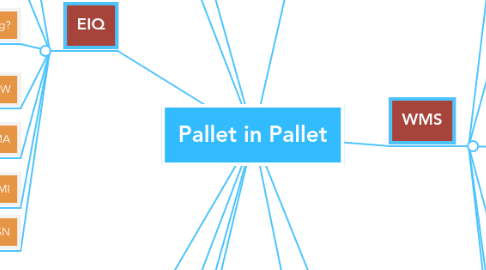
1. Other Executable
1.1. Work Center Pallet Builder
1.2. Scan Line
2. Requires Re-work of Serial # Tracking
2.1. Currently if you query a pallet label you only see serial that are attached one level deep
2.1.1. Need to add either a drill down/jump to option or include multi level serial information
3. EIQ
3.1. Any transaction that can consume serial numbers
3.1.1. Any qty adjustment where 'backflush materials" can consume a pallet or child label.
3.1.2. RT Floor Disposistions
3.2. Ensure that you can void consumption of a pallet and have the serials + QTY reassociated correctly
3.2.1. Void packing slip> locate by item
3.3. Production reporting?
3.3.1. When reporting good parts is the system back flushing the pallet label correctly and updating all levels correctly
3.3.1.1. PRS
3.3.1.2. PRW
3.4. PRW
3.4.1. Hard allocating SIC pallet/components
3.5. RMA
3.5.1. Does RMA/Returning a pallet in pallet process correctly?
3.6. VMI
3.7. Pending ASN
4. Mixed Lot Palets
4.1. When adding Mixed Lot pallet in pallet labels into inventory ensure that locations are being generated for unique lot numbers and that all serials are added to locations with the correct LOT #
5. Scanning Pallet In Pallet labels for Physical Inventory
6. Do we need to surface an error limiting access to this option based on the "Pallet 2 Pallet" WMS profile setting?
6.1. What is the intended function of the "Pallet 2 Pallet" WMS profile setting?
7. Costing/ AR Invoice?
8. Shop Data
8.1. Floor Disposistions
8.1.1. RT Scan To Inventory
8.1.1.1. Create a Pallet in Pallet scenario and Dispo into location
8.1.1.1.1. Test with mixed Lots
8.1.2. Enter Rejects
8.2. Move
8.2.1. Pick Item by SN
8.2.2. Direct Move by SN
8.2.3. Batch Transfer SN
8.2.4. Direct Move
8.3. Ship
8.3.1. Scanning to PT
8.4. Transactions
8.4.1. Add by SN
8.4.2. Scrap by SN
8.4.3. Adjust by SN
8.4.4. Repack by SN
8.5. VMI
8.6. Pending ASN
8.7. Shop Data
9. WMS
9.1. Floor Disposistions
9.1.1. RT Scan To Inventory
9.1.1.1. Create a Pallet in Pallet scenario and Dispo into location
9.1.1.1.1. Test with mixed Lots
9.1.2. Enter Rejects
9.2. Move Transactions
9.2.1. Pick Item by SN
9.2.2. Direct Move by SN
9.2.3. Batch Transfer SN
9.2.4. Direct Move
9.3. Ship
9.3.1. Scanning to PT
9.4. Transactions
9.4.1. Add by SN
9.4.2. Scrap by SN
9.4.3. Adjust by SN
9.4.4. Repack by SN
9.5. VMI
9.6. Pending ASN
10. Reject reporting?
10.1. reject components
10.1.1. depending on back flush parameters> reject pallet serial
11. IQRF
11.1. Floor Disposistions
11.1.1. RT Scan To Inventory
11.1.1.1. Create a Pallet in Pallet scenario and Dispo into location
11.1.1.1.1. Test with mixed Lots
11.1.2. Enter Rejects
11.2. Move Transactions
11.2.1. Pick Item by SN
11.2.2. Direct Move by SN
11.2.3. Batch Transfer SN
11.2.4. Direct Move
11.3. Ship
11.3.1. Scanning to PT
11.4. Transactions
11.4.1. Add by SN
11.4.2. Scrap by SN
11.4.3. Adjust by SN
11.4.4. Repack by SN