


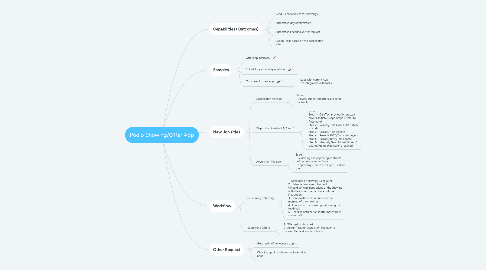
1. Capabilities (Outcomes)
1.1. Send Calendar Invite for showings
1.2. Automated day confirmation
1.3. Automated Feedback/Offer request
1.4. Assign Tasks based on the desposition roles
2. Samples
2.1. Offer app interface
2.2. Scheduling a showing interface
2.3. Our current offers app
2.3.1. Issues with current App - No integration with tasks
3. New Job titles
3.1. Desposition Manager
3.1.1. Tasks - Review submitted offers and send contracts
3.2. Disposition Assistant 1, 2 and 3
3.2.1. Tasks Step 1 Call/Text previous interested buyers, Initiate Despo Steps (Prefer to Automate) Step 2 Reireply Text CASH BUYERS in zipcode Step 3 Reireply Text Agents Step 4 Reireply RVM/Text cash buyers Step 5 Reireply RVM/Text agents Step 6 Manually Search Cash Buyers/ Listing Agents that weren't reached
3.3. Acquisition Manager
3.3.1. Tasks - Reviewing and approving contracts before being sent to Deals - Approval que can the the que used for the
4. Workflow
4.1. Scheduling a showing
4.1.1. 1- Scheduling a showing using a link 2 -Calendar Invite sent to client (Should contain instructions of the showing with the invite - we can write out the instruction) 3- Confirmation text request for the morning of the showing 4- 1 hour after the showing text asking for feedback 5- Deadline notification if offer hasn't been summitted
4.2. Submitting Offers
4.2.1. 1- Offer gets submitted 2- Assign Task for Disposition Manager to review offer and send contracts