


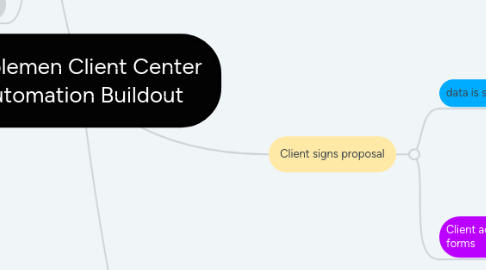
1. Color Guide
1.1. Integromat
1.2. Wordpress core
1.3. Fluent CRM
1.4. Uncanny Automator
1.5. Calendly
1.6. WP Fusion
1.7. Client action
1.8. Conditional statement
2. Client signs proposal
2.1. data is sent to UA via webhook
2.1.1. Create new user
2.1.2. Set user meta
2.1.3. Add Proposal Signed tag
2.1.3.1. Send user data to Integromat via webook
2.1.3.1.1. Create Wave customer with WP user data
2.1.4. Send magic login link to FCRM webhook
2.2. Client account is created through fluent forms
2.2.1. Client is redirected to calendly embed
2.2.1.1. Client schedules onboarding meeting with calendly embed
2.2.1.1.1. Zoom meeting created
2.2.1.1.2. Calendar invites sent
2.2.1.1.3. Integromat listening for onboarding calendar invite
3. Client clicks Request Contract in Client Center
3.1. If client has Platform Builds tag
3.1.1. Add Platform Contract Requested tag
3.1.1.1. Send user data to Integromat via webhook
3.1.1.1.1. Create eSignatures.io contract from platform-specific template
3.2. If client has Website tag
3.2.1. Add Website Contract Request tag
3.2.1.1. Send user data to Integromat via webhook
3.2.1.1.1. Create eSignatures.io contract from website-specific template
3.3. Client signs contract
3.3.1. eSignature webhook is sent to integromat
3.3.1.1. Listens for signed status
3.3.1.1.1. Data is sent to UA via webhook
3.3.2. Send client and project details webhook to integromat
3.3.2.1. Create Wave Product for deposit total
3.3.2.1.1. Get customer ID by email
3.3.2.2. Remove Contract Complete tag
3.3.2.3. Add Deposit Invoice Sent via Wave tag