


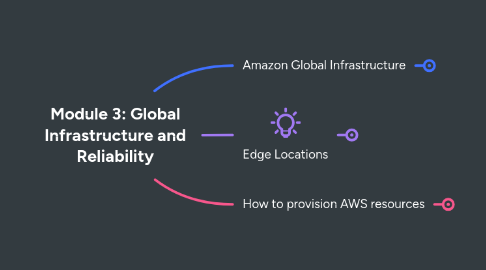
1. Amazon Global Infrastructure
1.1. Region
1.1.1. Regions provide multiple, physically separated, and isolated Availability Zones which are connected with low latency, high throughput, and highly redundant networking.
1.1.2. An AWS Region consists of multiple Availability Zones.
1.1.2.1. Regions
1.1.3. Region Selection
1.1.3.1. Compliance with data governance and legal requirements
1.1.3.2. Proximity to Clients
1.1.3.3. Availability of Services
1.1.3.4. Pricing
1.2. Availability Zones
1.2.1. It consists of one or more discrete data centers, each with redundant power, networking, and connectivity, housed in separate facilities.
1.2.2. An Availability Zone is a single data center or a group of data centers within a Region.
1.2.3. Availability Zones offer highly availability, fault tolerance, and scalability.
1.2.4. At a MINIMUM there are always two Availability Zones per AWS Region
1.3. Edge Networks
2. Edge Locations
2.1. An edge location is a site that Amazon CloudFront uses to store CACHED COPIES of your content closer to your customers for faster delivery.
2.2. Key Words: Distribution
2.2.1. A DISTRIBUTION is made up of Edge Locations that you want to serve content from.
2.2.2. And details about how that content will be tracked and managed
3. How to provision AWS resources
3.1. Interact with AWS services
3.1.1. AWS Management Console (UI)
3.1.1.1. The AWS Management Console is a web-based interface for accessing and managing AWS services.
3.1.2. AWS Command Line (CLI)
3.1.2.1. AWS CLI enables you to control multiple AWS services directly from the command line within one tool.
3.1.3. Software Development Toolkit (SDK)
3.1.3.1. SDKs enable you to use AWS services with your existing applications.
3.2. AWS Elastic Beanstalk
3.2.1. Platform As A Service
3.2.1.1. tl;dr - Think Pivotal Cloud Foundry
3.2.2. With AWS Elastic Beanstalk, you provide code and configuration settings, and Elastic Beanstalk deploys the resources necessary to perform the following tasks:
3.2.3. Adjust capacity
3.2.3.1. Load balancing
3.2.3.1.1. Automatic scaling
3.3. AWS CloudFormation
3.3.1. Infrastructure As Code
3.3.1.1. tl;dr - Think HashiCorp Terraform
3.3.2. This means that you can build an environment by writing lines of code instead of using the AWS Management Console to individually provision resources.