


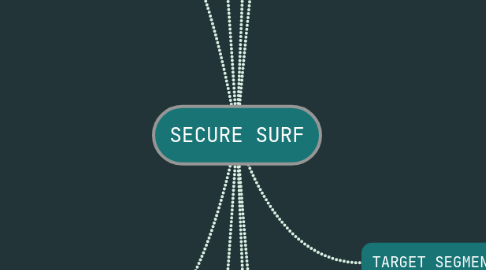
1. BUSINESS STRATEGY
1.1. FREEMIUM MODEL
1.1.1. Free core tools
1.1.2. Paid premium features
1.2. MONETIZATION
1.2.1. Pro tools
1.2.2. VPN add-on
1.3. PARTNERSHIPS
1.3.1. Browser stores
1.3.2. Security communities
1.4. B2B LICENSING
1.4.1. Corporate subscriptions
1.4.2. Bulk deployment
1.5. OPEN SOURCE COMMUNITY
1.5.1. GitHub repo
1.5.2. External contributors
2. MARKETING STRATEGY
2.1. SEO BLOG
2.1.1. Awareness articles
2.2. INSTAGRAM CAMPAIGN
2.2.1. Reels
2.2.2. Infographics
2.2.3. Educational posts
2.3. PRODUCT HANT LAUNCH
2.4. INFLUENCER REVIEWS
2.4.1. Tech YouTubers
2.4.2. Dev walkthroughs
2.5. EMAIL CAMPAIGNS
2.5.1. Onboarding series
2.5.2. Feature updates
3. DEVELOPMENT ROADMAP
3.1. PHASE 1 -MVP
3.1.1. Core extension
3.1.2. Manual scanning
3.2. PHASE 2 -BETA
3.2.1. UI/UX refinement
3.2.2. Alert system
3.3. PHASE 3 -AI FEATURES
3.3.1. Predictive engine
3.3.2. Threat scoring
3.4. PHASE 4 -MOBILE
3.4.1. Android/iOS support
3.4.2. Usage dashboard
3.5. PHASE 5 -PREMIUM TOOLS
3.5.1. Built-in VPN
3.5.2. Analytics panel
4. USER FEEDBACK & SUPPORT
4.1. BUG REPORTING
4.1.1. In-extension form
4.1.2. Screenshot upload
4.2. FEATURE REQUESTS
4.2.1. Voting system
4.2.2. Roadmap tags (Planned, Under Review)
4.3. KNOWLEDGE BASE
4.3.1. Searchable FAQs
4.3.2. Video tutorials
4.4. LIVE CHAT (Planned)
4.4.1. Bot + human support mix
4.4.2. Mobile-friendly chat
4.5. COMMUNITY FORUM
4.5.1. Discord
4.5.2. Reddit
5. PRODUCT OVERVIEW
5.1. VISION
5.1.1. Safe browsing for everyone
5.2. MISSION
5.2.1. Proactively protect users from online threats
5.3. CORE VALUES
5.3.1. Privacy-first
5.3.2. Simplicity
5.3.3. Transparency
5.4. USER PROMISE
5.4.1. "Browse CONFIDENTLY, We’ve got your back."
5.5. COMPETATIVE EDGE
5.5.1. Faster link scanning
5.5.2. Cleaner UI
5.5.3. No tracking
5.6. CORE PHILOSOPY
5.6.1. User-first
5.6.2. Privacy by design
6. FEATURES
6.1. REAL-TIME LINK SCANNER
6.1.1. Instant scanning
6.1.2. Malicious URL blocking
6.2. MALWARE DETECTION
6.2.1. Signature-based
6.2.2. Behavioral analysis
6.3. PHISHING SHIELD
6.3.1. Fake form detection
6.3.2. Domain validation
6.4. SAFE PREVIEW
6.4.1. Hover preview
6.4.2. Risk level indicator
6.5. AUTO ALERTS
6.5.1. Popup alerts
6.5.2. Sound/vibration options
6.6. AD & TRACKER BLOCKER
6.6.1. Blocks intrusive ads
6.6.2. Cross-site tracking protection
6.7. BROWSER BEHAVIOUR MONITOR
6.7.1. Detects malicious scripts
6.7.2. Blocking suggestions
6.8. DOWNLOAD SCANNER
6.8.1. File type warnings
6.8.2. Malware file alerts
7. TARGET SEGMENT
7.1. STUDENTS
7.1.1. Safe research
7.1.2. Avoid distractions
7.2. PARENTS
7.2.1. Child-safe profiles
7.2.2. Activity control
7.3. PROFESSIONALS
7.3.1. Email protection
7.3.2. Work session security
7.4. GENERAL USERS
7.4.1. Daily browsing safety
7.5. DEVELOPERS & SECURITY ENTHUSIASTS
7.5.1. GitHub integration
7.5.2. Open-Source customization
7.6. STARTUPS & SMEs
7.6.1. Admin dashboard
7.6.2. Team-based control
8. USE CASES
8.1. SOCIAL MEDIA SAFETY
8.1.1. DM phishing protection
8.2. ONLINE SHOPPING
8.2.1. Scam site detection
8.3. EMAIL LINKS
8.3.1. Scan attachments
8.3.2. Risk preview
8.4. UNKNOWN SITE BROWSING
8.4.1. AI risk assessment
8.5. REMOTE WORK
8.5.1. Slack/Zoom protection
8.5.2. File filters
8.6. EDUCATION SECTOR
8.6.1. LMS compatibility
8.6.2. Classroom-safe browsing
9. TECHNOLOGY
9.1. FRONTENED
9.1.1. HTML
9.1.2. CSS
9.1.3. JavaScript
9.2. BROWSER APIs
9.2.1. Chrome API
9.2.2. Firefox API
9.3. SECURITY APIs
9.3.1. VirusTotal
9.3.2. Google Safe Browsing
9.4. OPTIONAL BACKEND
9.4.1. Firebase
9.4.2. Node.js + Express
9.5. AI MODULE
9.5.1. NLP phishing detection
9.5.2. Learning-based behavior monitoring
9.6. DATA ENCRYPTION
9.6.1. Local-only storage
9.6.2. AES-256 security