

1. Create/setup scenario in AIQUA Dashboard
1.1. Campaign creative case
1.1.1. user-centric personalization
1.1.2. site-level popularity
1.2. Website/app case
1.2.1. Recommendation model choice
1.2.1.1. Homepage
1.2.1.1.1. user-centric personalization
1.2.1.1.2. site-level popularity
1.2.1.2. Product category/Product/Cart/Checkout complete/
1.2.1.2.1. user-centric personalization
1.2.1.2.2. product discovery
1.2.1.2.3. site-level popularity
2. Scenario filter rules setup
2.1. No filter rules
2.2. Define filter rules (a.k.a. override = true)
2.3. Apply API filter rules first (a.k.a. override = false)
3. (UI) Data type verification
3.1. Mobile SDK Integration
4. Scenario filter rules setup (Category only)
5. API call parameters checkup (scenario ID, product ID, user ID, etc...) Done via Unit Test
5.1. API parameters correct
5.1.1. AIQUA Dashboard && API filter rules matrix
5.1.1.1. Dashboard override = **true** AND (API sets filter rules OR API sets no filter rules)
5.1.1.1.1. API Call
5.1.1.2. Dashboard override = **false** AND (API sets filter rules OR API sets no filter rules)
5.1.1.3. No filter rules AND (API sets filter rules OR API sets no filter rules)
5.1.2. API parameters correct but invalid response: Error Handling
6. E2E Request/Response Validation
6.1. tag (only category key)
6.1.1. hierarchy breakdown
6.1.1.1. {"key": "category", "op": "in/not/in/contains/eq", "val": "3C>Mobile>Nokia"}
6.1.1.1.1. check response filters
6.1.1.2. Check error handle for incorrect type
6.2. string
6.2.1. {"key": "", "op": "in/not/in/contains/eq/starts with", "val": "Jeans/Blue Jeans"}
6.2.1.1. check response filters
6.3. int
6.3.1. >, >=, =, <, <=, !=
6.3.1.1. {"key": "", "op": ">, >=, =, <, <=, !=", "val": "100/200"}
6.3.1.1.1. check response filters
6.3.1.2. Check error handle for incorrect type
6.3.2. between
6.3.2.1. {"key": "", "op": ">, >=, =, <, <=, !=", "val": "100,200"}
6.3.2.1.1. check response filters
6.3.2.2. Check error handle for incorrect type or range
6.4. float
6.4.1. >, >=, =, <, <=, !=
6.4.1.1. {"key": "", "op": ">, >=, =, <, <=, !=", "val": "100.50/200.99"}
6.4.1.1.1. check response filters and payload
6.4.1.2. Check error handle for incorrect type
6.4.2. between
6.4.2.1. {"key": "", "op": ">, >=, =, <, <=, !=", "val": "100.50,200.99"}
6.4.2.1.1. check response filters
6.4.2.2. Check error handle for incorrect type or range
6.5. boolean
6.5.1. {"key": "custom_label_${[0-9]}", "op": "true/false"}
6.5.1.1. check response filters
6.5.2. Check error handle for incorrect type or range
7. Mobile SDK Integration
7.1. Android SDK
7.1.1. Campaign Creative/ Dynamic Content
7.1.1.1. Regular Campaign
7.1.1.2. Trigger Campaign
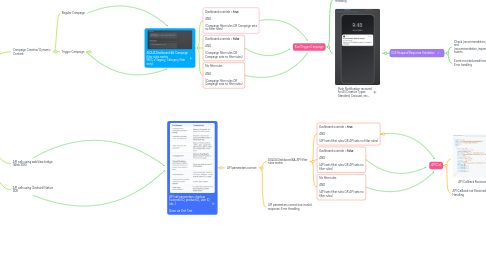
7.1.1.2.1. AIQUA Dashboard && Campaign filter rules matrix (REC v1 legacy, Category filter only)
7.1.2. API calls using webView bridge (Web SDK)
7.1.3. API calls using (Android) Native SDK
7.2. iOS SDK
7.2.1. API calls using webView bridge (Web SDK)
7.2.2. API calls using (iOS) Native SDK
7.3. Flutter SDK
7.3.1. API calls using webView bridge (Web SDK)
7.3.2. API calls using (Flutter) Native SDK
7.4. React Native SDK
7.4.1. API calls using webView bridge (Web SDK)
7.4.2. API calls using (RN) Native SDK
8. Run/Trigger Campaign
8.1. Notification not received: Error Handling
8.2. Push Notification received for All Creative Types: Standard, Carousel, etc...
8.2.1. E2E Request/Response Validation
8.2.1.1. Check [recommendation_clicked] and [recommendation_impression] events
8.2.1.2. Events not delivered/received: Error handling