


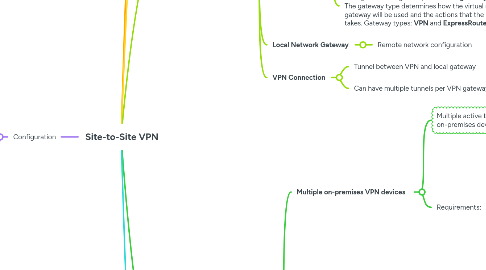
1. Configuration
1.1. Create a VPN gateway
1.1.1. After you create a **VPN gateway,** you can create an IPsec/IKE VPN tunnel connection between that VPN gateway and another VPN gateway **(VNet-to-VNet),** or create a cross-premises IPsec/IKE VPN tunnel connection between the VPN gateway and an on-premises VPN device **(Site-to-Site).** You can also create a **Point-to-Site** VPN connection (VPN over OpenVPN, IKEv2, or SSTP), which lets you connect to your virtual network from a remote location, such as from a conference or from home.
1.2. Create a local network gateway
1.3. Create a connection
1.4. Create and configure an IPsec/IKE policy
2. S2S
3. A Site-to-Site VPN gateway connection is used to connect your on-premises network to an Azure virtual network over an IPsec/IKE (IKEv1 or IKEv2) VPN tunnel. This type of connection requires a VPN device located on-premises that has an externally facing public IP address assigned to it.
4. Dual Redundant
5. SKU determines the maximum number of tunnels, connections, network throughput, and whether BGP and zone-redundancy are supported.
6. Active-Active
7. Multiple on-premises VPN devices
8. Gateway SKUs
8.1. GEN1
8.1.1. Max throughput 1.25Gbps
8.2. GEN2
8.2.1. Offers at least 1.25 Gbps of throughput
8.3. BGP is supported for every SKU except **Basic**
8.4. Max number of connections per VPN gateway is limited to 30. If you need to configure more than 30 separate connections, you must use **Virtual WAN**.
9. VPN Types
9.1. Policy-Based
9.1.1. **Static routing**
9.1.2. IKEv1 only
9.1.3. Connect to single site
9.1.4. Most backwards compatible
9.1.5. Basic SKU only
9.1.6. No Point-to-Site VPN
9.2. Route-Based
9.2.1. **Dynamic routing**
9.2.2. IKEv2
9.2.3. Support Point-to-Site VPN
9.2.4. Connect to multiple sites
10. VPN Components
10.1. Gateway Subnet
10.1.1. Dedicated subnet, /27
10.2. VPN Gateway
10.2.1. 2 Managed VMs that manage VNet VPN connection
10.2.2. VPN Gateway can be configured in **active-standby** mode using one public IP or in **active-active** mode using two public IPs.
10.2.2.1. In **active-standby** mode, one IPsec tunnel is **active** and the other tunnel is in **standby.** Traffic flows through the active tunnel, and if some issue happens with this tunnel, the traffic switches over to the standby tunnel.
10.2.2.2. In **active-active** mode (recommended) both the IPsec tunnels are simultaneously active, with data flowing through both tunnels at the same time. An additional advantage of active-active mode is that customers experience higher throughputs.
10.2.3. Each virtual network can only have **one VPN gateway**, all connections through the gateway share the available bandwidth.
10.2.4. We can create **more than one VPN connection** from your VPN gateway, typically connecting to multiple on-premises sites.
10.2.5. When you create a **VPN gateway,** gateway VMs are deployed to the **gateway subnet.**
10.2.6. When you configure a **virtual network gateway,** you configure a setting that specifies the **gateway type.** The gateway type determines how the virtual network gateway will be used and the actions that the gateway takes. Gateway types: **VPN** and **ExpressRoute**
10.2.6.1. A virtual network can have two virtual network gateways; one **VPN gateway** and one **ExpressRoute gateway.**
10.3. Local Network Gateway
10.3.1. Remote network configuration
10.4. VPN Connection
10.4.1. Tunnel between VPN and local gateway
10.4.2. Can have multiple tunnels per VPN gateway
11. HA configuration options
11.1. Multiple on-premises VPN devices
11.1.1. Multiple active tunnels from the same **Azure VPN gateway** to the on-premises devices in the same location. **Active-standby** mode.
11.1.2. Requirements:
11.1.2.1. Create multiple S2S VPN connections from on-prem devices to Azure.
11.1.2.1.1. Create one **local network gateway** for each VPN device.
11.1.2.1.2. Create one **connection** from the Azure VPN gateway to each local network gateway.
11.1.2.2. **Local network gateways** must have unique public IPs.
11.1.2.3. BGP is required to advertise prefixes. Each **local network gateway** must have a unique BGP peer IP.
11.1.2.4. Must use ECMP.
11.2. Active-Active VPN gateways
11.2.1. An **Azure VPN gateway** in an **active-active** configuration, where both instances of the gateway VMs will establish S2S VPN tunnels to the on-premises VPN device
11.2.2. In active-active, the traffic from your Azure VNet to your on-premises network will be routed through both tunnels simultaneously
11.2.3. Planned or unplanned maintenance event?
11.2.3.1. The IPsec tunnel from that instance to your on-premises VPN device will be disconnected.
11.2.3.2. Corresponding routes on your VPN devices should be removed or withdrawn automatically so that the traffic will be switched over to the other active IPsec tunnel.
11.2.3.3. On the Azure side, the switch over will happen automatically from the affected instance to the active instance.
11.2.4. Requirements:
11.2.4.1. Create an **Azure VPN gateway** in **active-active.**
11.2.4.1.1. Each **Azure gateway** instance will have a unique public IP address.
11.2.4.1.2. Each will establish an IPsec/IKE S2S VPN tunnel to your on-premises VPN device specified in your **local network gateway** and **connection.**
11.2.4.2. Configure your on-premises VPN device to accept or establish two S2S VPN tunnels to those two Azure VPN gateway public IP addresses.
11.3. Dual-redundancy: active-active VPN gateways for both Azure and on-premises networks
11.3.1. A full mesh connectivity of 4 IPsec tunnels by combining the active-active gateways on both your network and Azure.
11.3.2. All gateways and tunnels are active from the Azure side, so the traffic will be spread among all 4 tunnels simultaneously.
11.3.3. Requirements:
11.3.3.1. Setup the **Azure VPN gateway** in **active-active.**
11.3.3.2. Create two **local network gateways** and two **connections** for the two on-premises VPN devices.
11.3.3.3. BGP is required.
12. VPN Log Types
12.1. GatewayDiagnosticLog
12.1.1. Configuration changes
12.1.2. Maintenance events
12.2. TunnelDiagnosticLog
12.2.1. Tunnel state change
12.2.2. Connects/disconnects
12.3. RouteDiagnosticLog
12.3.1. Route changes (static, BGP)
12.4. IKEDiagnosticLog
12.4.1. Tshoot IPsec tunnel handshake
12.5. P2SDiagnosticLog
12.5.1. Point-to-Site VPN activity