

Photoshop: Image Resolution
Alix Scarlatosにより
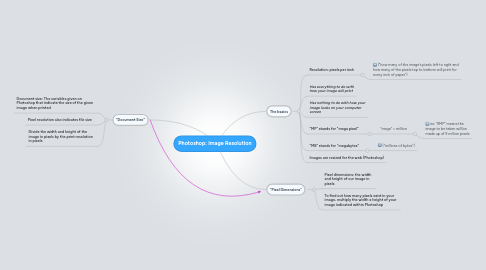
1. "Document Size"
1.1. Document size: The variables given on Photoshop that indicate the size of the given image when printed
1.2. Pixel resolution also indicates file size
1.3. Divide the width and height of the image in pixels by the print resolution in pixels
2. The basics
2.1. Resolution: pixels per inch
2.1.1. ("how many of the image’s pixels left to right and how many of the pixels top to bottom will print for every inch of paper")
2.2. Has everything to do with how your image will print
2.3. Has nothing to do with how your image looks on your computer screen
2.4. "MP" stands for "mega pixel"
2.4.1. "mega" = million
2.4.1.1. ex: "9MP" means the image to be taken will be made up of 9 million pixels
2.5. "MB" stands for "megabytes"
2.5.1. ("millions of bytes")