


1. Learning Cycle 1: Computer Simulations
1.1. Facts
1.1.1. Animations consist of a sequence of images that are presented at a fast rate, which creates the illusion of movement.
1.1.1.1. Optical illusions are images or pictures that use color, light, patterns, and movement to create images that can be deceptive or misleading to the eyes.
1.1.1.1.1. Inputs are places where information enters a system
1.2. Concepts
1.2.1. Computer Simulations: Help designers visualize how parts of a design work together.
1.2.1.1. Visual Perception
1.3. Principles/Rules
1.3.1. Sequences of images presented at a slow rate are perceived as individual images, and images presented at a fast rate are perceived as movement.
1.4. Procedures
1.4.1. Creating a computer simulation
1.4.1.1. 1. Create an account in *Snap! * (educational block programming language)
1.4.1.1.1. 2. Familiarize yourself with the *Snap!* coding environment (code blocks, palettes, scripting area, etc.).
2. Learning Cycle 2: Prototyping Physical Animations
2.1. Facts
2.1.1. Horizontal orientation - Parallel to the plane of the horizon; ninety degrees to the vertical plane.
2.1.1.1. Vertical orientation - Ninety degrees to the horizontal plane.
2.1.1.1.1. Parallel - Having a constant distance between two objects over the length of each object.
2.2. Concepts
2.2.1. Physical animation machines consist of three main elements: 1. A sequence of printed images. 2. A window or viewing system that allows us to see the images. 3. A mechanism that controls the rate at which the images are presented.
2.3. Principles/Rules
2.3.1. Check the dimensions of a design before fabricating it to ensure the design will be fabricated properly.
2.3.1.1. If the fabricate design does not properly fit together, resize the design and continue iterating on it.
2.4. Procedures
3. 1. Create an account in Onshape (computer-aided design program).
3.1. 2. Use the provided template to create an animation strip with the images used for the computer simulation.
3.1.1. 3. Print and cut out the strip using scissors.
3.1.1.1. 4. Use Onshape to create a new sketch of the platform of the animation machine viewing system.
3.1.1.1.1. 5. Use the Rectangle, Sketch Fillet, Line, and Circle tools to create the platform.
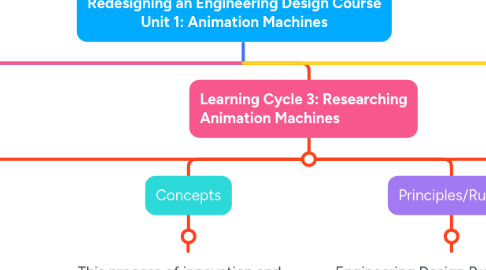
4. Learning Cycle 3: Researching Animation Machines
4.1. Facts
4.1.1. Emulation - The use of or technique of copying or imitating an existing product or process.
4.1.1.1. Innovation - A new method, idea, or product.
4.1.1.1.1. Kinetoscope - An early motion-picture device that pulled a sequence of pictures on a strip of paper over a light source and a rapidly rotating shutter that creates an illusion of motion.
4.2. Concepts
4.2.1. This process of innovation and invention can be characterized in the following way: 1. Advances evolved slowly over periods that spanned decades or centuries. 2. Each advance was inspired by and built upon the foundation of prior inventions.
4.3. Principles/Rules
4.3.1. Engineering Design Process (Rules 1-7): 1. Define the problem. 2. Brainstorm possible solutions. 3. Research ideas/explore possibilities. 4. Specify constraints and identify criteria. 5. Consider alternative solutions. 6. Select an approach. 7. Develop a written design proposal.
4.4. Procedures
4.4.1. 1. Research animation machines throughout history and evaluate the strengths and weaknesses of both.
4.4.1.1. 2. Model an animation machine by assembling a praxinoscope to understand the essential elements of the machine.
4.4.1.1.1. 3. Design an animation disk for the praxinoscope using an online template and the images from the computer simulation created earlier.
5. Learning Cycle 4: Design an Animation Machine
5.1. Facts
5.1.1. Iterative - Repetition of a process.
5.1.1.1. Models - Can be conceptual, mathematical, or physical. Conceptual - Technical writing, graphs, sketches, technical drawings. Mathematical - Statistical, computer simulations Physical - 3D prototypes, mock-ups
5.1.1.1.1. Prototype - A first, typical or preliminary model of something.
5.2. Concepts
5.2.1. The Engineering Design Process is a systematic, iterative problem-solving method that produces solutions to meet human needs and wants.
5.3. Principles/Rules
5.3.1. Engineering Design Process (Rules 8-10): 8. Make a model or prototype. 9. Test and evaluate. 10. Refine the design.
5.4. Procedures
5.4.1. 1. Decide what type of model you want to make to represent the chosen reconstruction of an animation machine (conceptual, mathematical, physical).
5.4.1.1. 2. Choose a method to represent the model (paper sketch, digital sketch, physical prototype).
5.4.1.1.1. 3. Make the prototype using inexpensive materials.
6. Learning Cycle 5: Reconstructing a Historical Animation Machine
6.1. Facts
6.1.1. Open-source: A design, code, software, or product that is designed to be publicly accessible— anyone can see, modify, and distribute the design as they see fit.
6.2. Concepts
6.2.1. Communicating and documenting the results of a design outcome can inform wider audiences about a solution to a problem, allowing others to replicate a design or solution.
6.3. Principles/Rules
6.3.1. Engineering Design Process (Rules 11-12): 11. Create the solution. 12. Communicate the results.
6.3.1.1. A final product should clearly reflect refinements made to the design over time.
6.4. Procedures
6.4.1. 1. Gather the tools and required materials to create the final design of the animation machine.
6.4.1.1. 2. Fabricate and assemble the final animation machine using the planned software and fabrication technologies outlined in the design proposal.
6.4.1.1.1. 3. Document each step in the process of fabrication so others can replicate the design if desired.