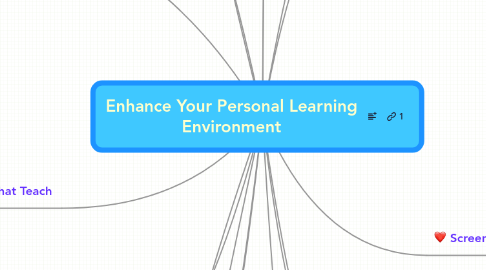
Tools to make your work more productive and effective
This is like a portal or personalized web entry, like igoogle. Also has some social networking built in
Free tool created by the people who create Camtasia. Very easy to use
Formerly Breeze, this allows you to synchronize notes and audio to PPT presentations. You do need a Breeze server to stream content
Far more robust than Jing, this tool is like Captivate and can create screen capture with synchronized audio.
Part of the Camtasia suite, this product is great for capturing screen shots for presentations, content, blogs etc.
Similar to Jing- great video clips. Can pause while in production with no loss. The pro version lets you 'rewind'
Online mapping or brainstorming ideas. These collaborative tools are available for free use. Can be used by colleagues, students, classes or individuals
Used to create this collaborative collection of conference information
Warning, this tool does not autosave work. It also does not show when 2 people are collaborating simultaneous. Work CAN be lost!!
This concept mapping tool is great for on the fly tool work as no account is necessary. To copy, freeze the map, arrange it aesthetically and then download the graphic.
Gliffy allows people to collaboratively create flow charts. Easy to use, very nice graphics
An online place where many people can write and leave 'post-it' type notes on a wall. Great for collaborations and brainstorming sessions
Free tools that include a Quiz Video, Quiz Image, Glossary Builder, Concept tutor plus, Audio Annotator, and Case Scenario Builder. These tools are easy to use. You can see examples at their website and download the tool for use.
Create fun cartoons with your own content. Easy to create and place into a course or webpage
Upload voice, images even video easily and quickly
A non-linear fun tool for creating a presentation. Kids would enjoy using this tool
Download videos to your desktop. Saves in flv files so that you can reuse in presentations
Online interactive timeline creation
Create media rich posters
Organize your ideas and your information-- more than tagging, more like a web or network of information
Lectora is an Electronic learning (elearning) development tool, also known as authoring software, developed by Trivantis Corporation. Lectora is used to create online training courses,...
Faculty like this product; easier to learn than lectora but not as powerful. Has some nice games for learning
This allows you to create flashcards for memory and it also reminds you of when to refresh your memory to help you retain the information
Used to link information that can be scanned by smart phones and other smart devices. Link to follow
Film Production NotesFinal Fantasy: The Spirits Within emerges from its successful interactive game roots to deliver an exciting new breed of motion picture adventure. A fresh, provocative take on the sci-fi genre, the film blends spiritual underpinnings and the universal concerns of man versus nature with the energy of the digital gaming medium and the scope of the motion picture environment.Final Fantasy game creator Hironobu Sakaguchi’s vision to take the latest in computer graphic technology and the best artists in the world to create a brand new form of entertainment now comes to the big screen—a visual feast of concept, motion, design and imagination with all-new, hyperReal characters embarking on an all-new adventure. “I have always wanted to create a new form of entertainment that fuses the technical wizardry of interactive games with the sensational visual effects of motion pictures,” says Sakaguchi. “Final Fantasy: The Spirits Within takes us one step closer to that...
Create a animated character, develop a script and have it will speak. Fun way to have audio added to text
Create an avatar and add your voice. Fun way to create announcements or a guide to a classroom. Facial features move with your mouse.
Find, share and improve upon lesson plans and other course content
The National Repository of Online Courses for higher education, high school and advanced placement coursework
Share online content, flashcards, bookmarks, tutorials and videos with other educators
Excellent way to share good presentations and to find PPT presentations with and without audio
Great repository of interactive activities. You can even receive email updates from them when an item of interest is added to their repository. These can be linked to from within your online course.
Repository for k-20 of different types of activities, lectures, lessons etc. Some more useful than others.
Her talk involved making courses more interactive and interesting for students using Web 2.0 tools. She has more materials available at: http://www.csusm.edu/khayden
Interesting talk about how the 2.0 tools really are about individualism and customization even though we are linking to others, we are creating very presonal spaces
Lively presentation on today's workforce and the differences between groups.
Fast and easy foto editing. Great for people who don't have the time or resources for photoshop or fireworks and for on-the-fly foto editing
Extremely easy foto editing. Requires no login registration for use.
Not technically a graphic editor, this website will allow you to create an avitar for yourself to be used on facebook, or on other social networking places where you might not want to leave a photo image.
You can upload any text to tagcrowd and it will create a "cloud" representation of the information. For example, upload your resume and see the tags that come from your document. Interesting graphical representation of you
Beautiful word clouds or tag clouds
Create a flow chart online, free! Disadvantage- no private charts permitted
create great crossword puzzles on the fly; PC download only
Let's you upload an image and find out where it came from, or who is using it
More robust free editor- more like fireworks! However, must download to your computer, PC only
Easy to upload photo, shrink its size and download or email to self
Easy to use-- excellent foto editing features no log-in required, lots of fun features
Find your color palette, create beautiful patterns and designs.
Like wordle- makes great word clouds that are flash-like and different shapes. Fun!
You can create an online poll which can be added to blogs or websites. Zoho is a lot like google- it has its own writer and presentation tool. Lots there to explore
You can use twitter for a quick poll or answer to a question - just ask people to put in a unique tag, then use search.twitter.com to compile the answers to your question.
Very similar to Surveymonkey; free for limited use, fee for more features, more surveys and more responses
On-the-fly polls where participants can Text, Twitter, go to the website to vote. Results can be viewed in real time
This is a great tool to poll participants to see if they can attend a meeting. It's free, easy to use, no registration required, and just like that you find out if people can meet or now. I love it!
Creating online voice conversations.
Make your own music stations, rate the songs played to determine whether they'll return; put in composers or artists or songs
For creating audio files and podcasts
Compendium of free sounds that you can use
Appears to be a great way for a class to share annotations about websites
Great tool to replace bookmarks or favorites. Can travel anywhere and have your bookmarks, can share with others, can search for good sites by tags. Excellent tool
Like Delicious, but you can annotate a website (and it saves your annotations) and you can post directly to blogs. Easier if you are really doing research
Allows you to upload large files and to specifiy how many days the recipient has to download. This is free.
Allows you to upload large files and share with others for free. You specify how long you want the file to be available to the recipient. Also synchronizings with your computer so you can backup files on your computer.
Great way to stay connected between devices-phone/ipad/laptop/desktop Can even search images
Utterli
Yammer
Nice presentation on the importance of critical thinking skills
Zillions of Web 2.0 tools, examples, and annotations, link to site Excellent collection and maintained. Good sort feature so you can find what you need quickly.
Top links bookmarked in delicious
Tips and articles and other cool ideas and things
There are many resources for teachers and college faculty like this-- search and you'll find plenty of others.
Great compilation of tools for classroom use
Like Go2.0Web, this list changes weekly to show you the newest and most interesting technologies. Easy categories to find just what you need.
Find, share and improve upon lesson plans and other course content
The National Repository of Online Courses for higher education, high school and advanced placement coursework
Share online content, flashcards, bookmarks, tutorials and videos with other educators
Excellent way to share good presentations and to find PPT presentations with and without audio
Creative commons side of Flickr
Example Anatomy and Physiology, but many book manufacturers now have online interactive activities.
Fantastic repository of online activities that can be used in classes
MIT shares lectures, notes and other course materials for free with the public
Free courseware open for an entire course
Yale opens up content and audio lectures online
PbWorks, formerly PeanutButterWiki or PBwiki is a commercial wiki farm started by three graduates of Stanford University: David Weekly, Ramit Sethi, and Nathan Schmidt.
Free encyclopedia, edited by anyone/everyone