Unlock the full potential of your projects.
Try MeisterTask for free.
Heb je nog geen account?
Meld je Gratis aan
Browse
Aanbevolen kaarten
Rubrieken
Project management
Zakelijke doelen
Personeelszaken
Brainstormen en analyseren
Marketing & Inhoud
Onderwijs en notities
Entertainment
Leven
Technologie
Ontwerp
Samenvattingen
Andere
Talen
English
Deutsch
Français
Español
Português
Nederlands
Dansk
Русский
日本語
Italiano
简体中文
한국어
Andere
Toon volledige map
Kopieer en bewerk map
Kopieer
Paul's Mind Map: How to use Mindmeister
Zakelijke doelen
PS
Paul Schwan
Volg
Laten we beginnen.
Het is Gratis
Login met Google
of
registreren
met je e-mailadres
Vergelijkbare mind mappen
Overzicht van map
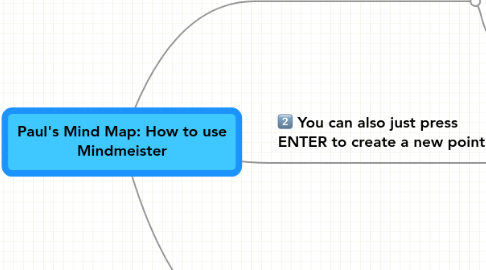
Paul's Mind Map: How to use Mindmeister
Door
Paul Schwan
1. Double-click to make a "point"
1.1. It couldn't be easier
1.2. Press ENTER to create the second sub-point
1.3. Drag-and-drop a main point to another main point to make it into a sub-point
2. You can also just press ENTER to create a new point
3. Finally, to make subpoints....
3.1. Press TAB to create a sub-point
3.2. Then, press ENTER to make the next sub-point
Begin. Het is gratis!
Verbind met Google
of
Registreren