

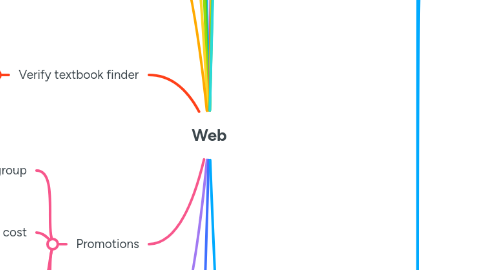
1. Campaigns
1.1. Current Promotions - >Click on the a promotion which displaying under "current promotions"
1.1.1. It navigate to the promotion apply product page (EX: free shipping, Buy one get one free. ..etc)
1.1.1.1. Buy any product under that promotion category
1.1.1.1.1. User will automatically get applied promotion. Ex: If it is free shipping shipping cost will be 0 .
2. Book club
2.1. Become BBC
2.1.1. Automated
3. My Orders
3.1. Order status
3.1.1. Automated
3.2. Print order
3.2.1. Automated
3.3. If order status is Waiting for Payment/ In progress
3.3.1. Update Delivery Address
3.3.1.1. Automated
3.3.2. Print consolidate Tax invoice
3.3.2.1. Automated
3.3.3. Contact us about this orders
3.3.3.1. Automated
4. My review
4.1. Automated
5. My Vouchers
5.1. Can add My gift Vouchers
5.1.1. Buy to yourself
5.1.1.1. Not in Automation scope
5.1.2. Shared to a friend
5.1.2.1. Not in Automation scope
5.2. Appeared already added My Active Vouchers / Gift Certificate
5.2.1. Automated
6. My whish list
6.1. Create whish list
6.1.1. Automated
6.2. Edit whish list name
6.2.1. Automated
6.3. Shared whish list
6.3.1. Automated
6.4. List Settings - Notification
6.4.1. Notify me of price drops
6.4.1.1. Not in Automation scope
6.4.2. Notify me if an out of stock item is back in stock
6.4.2.1. Not in Automation scope
6.4.3. Remove items from my list after I checkout
6.4.3.1. Not in Automation scope
6.5. Remove whish list item
6.5.1. Automated
7. Digital Library
7.1. My e Textbook Library
7.1.1. Already purchased VS book
7.1.1.1. Automated
7.2. My eBooks & Audiobooks Library
7.2.1. Already purchased eBooks & Audiobooks Library
7.2.1.1. Automated
7.3. Kobo subscription
7.3.1. Automated
8. Account Settings
8.1. Update details
8.1.1. Automated
8.2. Change password
8.2.1. Automated
8.3. Manage subcription
8.3.1. KOBO subscription
8.3.1.1. Automated
8.4. Manage credit cards
8.4.1. Automated
8.5. News letter preferences
8.5.1. Automated
9. Verify textbook finder
9.1. Browse Textbooks By Course
9.1.1. Institute Name
9.1.1.1. Automated
9.1.2. Semester
9.1.2.1. Automated
9.1.3. Course
10. Promotions
10.1. Specific user group
10.1.1. Promotion will automatically applied
10.1.1.1. Not in automation scope
10.2. Based on total cost
10.2.1. Promotion automatically applied if the total amount grater than or equal to promotion define price.
10.2.1.1. Not in autoamtion scope
10.3. Based on products
10.3.1. To be automate
10.4. Based on shipping address
10.4.1. To be automate
11. Blog Site
12. Submit Order
12.1. Self Checkout Process
12.2. Increase items in the shopping cart
12.3. Remove items from the cart
12.4. Shipping Method
12.4.1. Free Pick Up $0.00
12.4.1.1. To be automate
12.4.2. Standard Post
12.4.2.1. Automated
12.4.3. Express Post
12.4.3.1. Automated
12.5. Payment Methods
12.5.1. Card Payments
12.5.1.1. Visa
12.5.1.1.1. Automated
12.5.1.2. MasterCard
12.5.1.2.1. Automated
12.5.1.3. American Express
12.5.1.3.1. Automated
12.5.2. PayPal
12.5.2.1. Pay now
12.5.2.1.1. Automated
12.5.2.2. Pay in 4
12.5.2.2.1. Not in automation scope
12.5.3. Cheque/Money Order
12.5.3.1. Automated
12.5.4. Bank Transfers
12.5.4.1. Automated
12.5.5. After Pay
12.5.5.1. Pay Now
12.5.5.1.1. Automated
12.5.5.2. pay in 4
12.5.5.2.1. Not in automation scope
12.6. Add Promotions codes
12.6.1. To be automate
12.7. Add Gift card
12.7.1. To be automate
12.8. Add Gift wrapping
12.8.1. Not in Automation scope
12.9. Vital Source Products
12.9.1. Not in the Automation scope
12.10. Bundle products
12.10.1. To be automate
12.11. Address
12.11.1. Shipping Address
12.11.1.1. Same as Billing Address
12.11.1.1.1. Automated
12.11.1.2. New Address
12.11.1.2.1. Australian Address
12.11.1.2.2. New Zealand Address
12.11.1.3. Existing Address
12.11.1.3.1. Australian Address
12.11.1.3.2. New Zealand Address
12.11.2. Billing Address
12.11.2.1. same as Shipping Address
12.11.2.1.1. Automated
12.11.2.2. Any other address (All Countries)
12.11.2.2.1. Automated
13. Guest user registration
13.1. Click on sing in /join
13.1.1. Enter email
13.1.1.1. Appeared registration from and entered detail and click submit
13.1.1.1.1. Navigate to my booktopia page
14. View Product details page(Book, E book, DVD, Magazine , stationary)
14.1. Automated
15. Sing In
15.1. Enter email and click continue
15.1.1. Enter password and click submit
15.1.1.1. Navigate to my booktopia page
15.1.1.1.1. Automated
16. My booktopia
16.1. Change password
16.1.1. Automated
16.2. Contact booktopia
16.2.1. Automated
16.3. Edit Account Details
16.3.1. Automated
16.4. Qantas Points - Member
16.4.1. Automated
16.5. Recent Orders
16.5.1. Automated
16.6. My Reviews
16.6.1. Automated
16.7. Books You may like
16.7.1. User have to view more than 5 books
16.7.1.1. Not in Automation scope
17. Search
17.1. Book/any product as a guest user
17.1.1. Click on add to whist list
17.1.1.1. Navigated to login page
17.1.1.1.1. Automated
17.1.2. Add card to product and click on proceeds to check out button
17.1.2.1. Click check out btn
17.1.2.1.1. Navigated to login page
17.2. Book/any product as a registered user
17.2.1. Click on add to whish list
17.2.1.1. Add to default list
17.2.1.1.1. Click on continue shopping/view whist list item
17.2.1.2. Create custom list
17.2.1.2.1. Click on continue shopping/view whist list item
18. Bundles
18.1. Search ISBN
18.1.1. Product have bundle icon
18.1.1.1. Click on buy now button
18.1.1.1.1. Appeared bundle products, under other products you may be interested in section
19. 3rd party pluggings
19.1. Lux page
19.1.1. Automated
19.2. Good reading catalogue
19.2.1. Automated
19.3. Power Review
19.3.1. Automated
19.4. Qantas points
19.4.1. Automated
19.5. Citrus ads
19.5.1. Automated
19.6. Aus Post plug in
19.6.1. Automated
19.7. FreshDesk Chat
19.7.1. Automated
20. Help Center
20.1. Automated
21. Badges
21.1. Not in Automation scope
22. Home Page- Header
22.1. Registered/Sing In user
22.1.1. Help Center
22.1.1.1. Automated
22.1.2. Phone Number
22.1.2.1. Depend on the Country. If user located in NZ it appeared NZ phone number . id user located in Australia appeared Aus number
22.1.2.1.1. Not in Automation scope
22.1.3. Track my orders
22.1.3.1. Navigate to track my orders page
22.1.3.1.1. Automated
22.1.4. Notification
22.1.4.1. Current promotion
22.1.4.1.1. Not in Automation scope
22.1.4.2. Current Capmpaing
22.1.4.2.1. Not in Automation scope
22.1.4.3. Wishlist Item price drop
22.1.4.3.1. Not in Automation scope
22.1.4.4. WhishList Stock availability
22.1.4.4.1. Not in Automation scope
22.1.5. My Wishlist
22.1.5.1. Automated
22.1.6. Sing Out
22.1.6.1. Automated
22.2. Non register user
22.2.1. Help Center
22.2.1.1. Automated
22.2.2. Phone Numbers
22.2.2.1. Depend on the Country. If user located in NZ it appeared NZ phone number . id user located in Australia appeared Aus number
22.2.2.1.1. Not in Automation scope
22.2.3. Track my orders
22.2.3.1. Automated
22.2.4. Notification
22.2.4.1. Appeared promotion
22.2.4.1.1. Not in Automation scope
22.2.5. My Wish list
22.2.5.1. Navigate to log in page
22.2.5.1.1. Automated
22.2.6. Sing In
22.2.6.1. Automated
22.2.7. Join now
22.2.7.1. Automated
22.3. Category type
22.3.1. BOOKS
22.3.1.1. Fiction
22.3.1.1.1. Not in Automation scope
22.3.1.2. Non Finction
22.3.1.3. Children
22.3.1.4. Australin Strories
22.3.1.5. Education
22.3.1.6. Text Book Finder
22.3.1.7. Academic
22.3.1.8. Bargain
22.3.1.9. Gift certificate
22.3.2. EBOOKS
22.3.2.1. Fiction
22.3.2.2. Non Fiction
22.3.2.3. Text books
22.3.2.4. Children
22.3.2.5. EReaders
22.3.2.6. Kobo Plus
22.3.3. AUDIO BOOKS
22.3.3.1. Fiction
22.3.3.2. Non Fiction
22.3.3.3. Children
22.3.3.4. Audio CDS
22.3.3.5. Audio CD bargains
22.3.4. GAMES & PUZZLES
22.3.4.1. Board Games
22.3.4.2. Role Playing Games
22.3.4.3. Puzzles for adults
22.3.4.4. Puzzles for kids
22.3.4.5. Family Card game
22.3.4.6. Figurines & Collectables
22.3.4.7. Dungeons & Dragons
22.3.4.8. Bingo
22.3.4.9. Activity
22.3.5. MAGAZINES
22.3.5.1. Art and Entertainment
22.3.5.2. LIFESTYLE
22.3.5.3. HOBBIES
22.3.5.4. KIDS & TEENS
22.3.5.5. WORLD TODAY
22.3.5.6. SPORTS & OUTDOOR
22.3.5.7. INTERNATIONAL
22.3.6. STATIONERY
22.3.6.1. BROWSE STATIONERY
22.3.6.2. CALENDARS
22.3.6.3. DIARIES
22.3.6.4. NOTEBOOKS
22.3.6.5. JOURNALS
22.3.6.6. STATIONERY BARGAINS
22.3.7. GIFT IDEARS
22.3.7.1. EVERYTHING LAVISH
22.3.7.2. FICTION
22.3.7.3. NON-FICTION
22.3.7.4. JUST FOR KIDS
22.3.7.5. GIFT CERTIFICATES
22.3.8. BLOG
22.3.8.1. Blog Home
22.3.8.1.1. Automated
22.3.8.2. Top stories
22.3.8.2.1. Automated
22.3.8.3. Pop culture
22.3.8.3.1. Automated
22.3.8.4. Crime
22.3.8.4.1. Automated
22.3.8.5. True stories
22.3.8.5.1. Automated
22.3.8.6. Romance
22.3.8.6.1. Automated
22.3.8.7. Sport
22.3.8.7.1. Automated
22.3.8.8. Kids & Teens
22.3.8.8.1. Automated
22.3.8.9. Podcasts
22.3.8.9.1. Automated