
Progamming with Scilab

Deyan Viruet, Emmanuel Villarreal, Carolina Wood y Franky Feng

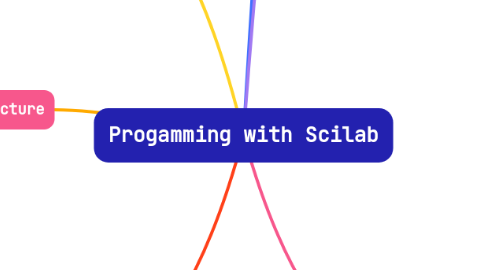
1. Execution of the program
1.1. 1. Open Scilab from the start menu (Windows), the applications folder (macOS) or the terminal (Linux).
1.2. 2. Create a new script or project file to start working.
1.3. 3. Run the program by clicking the run button or using keyboard shortcuts.
2. Syntax/Basic Structure
2.1. - Scilab syntax follows a style similar to MATLAB.
2.2. - Starts with comments using % and ends with ; to finalize instructions.
2.3. - Variables can be declared and assigned values directly, for example: a = 5; b = "Hello";.
3. Conditional Sentences
3.1. If – Else
3.1.1. Used to make decisions based on conditions.
3.1.1.1. - The basic structure is: if condition then instructions; else instructions; end
3.2. While
3.2.1. Used to repeat a block of code while a condition is met.
3.2.1.1. - The basic structure is: while condition do instructions; end
4. Installation of the program
4.1. 1. Download Scilab from the official website or software repository.
4.2. 2. Follow the installation instructions for the specific operating system (Windows, macOS, Linux).
4.3. 3. Verify the installation by opening Scilab and making sure it works correctly.
5. Types of Variables
5.1. a. Whole
5.1.1. Integers are defined without a decimal part, for example: a = 5;.
5.2. b. Floating
5.2.1. Floats have a decimal part, for example: b = 3.14;.
5.3. c. String
5.3.1. Text strings are defined in quotes, for example: c = "Text";.
6. Operators
6.1. a. Arithmetic
6.1.1. Addition (+)
6.1.1.1. a = 5; b = 3; result = a + b; // result = 5 + 3 = 8 disp(result);
6.1.2. Substraction (-)
6.1.2.1. a = 8; b = 3; result = a - b; // result = 8 - 3 = 5 disp(result);
6.1.3. Multiplication (*)
6.1.3.1. a = 4; b = 6; result = a * b; // result = 4 * 6 = 24 disp(result);
6.1.4. Division (/)
6.1.4.1. a = 20; b = 5; result = a / b; // result = 20 / 5 = 4 disp(result);
6.1.5. Module (%)
6.1.5.1. // Define two numbers a = 17; b = 5; // Perform modulo operation result = a % b; // Display the result disp(result); // Output will be 2
6.2. b. Relational
6.2.1. Equality (==)
6.2.1.1. a = 5; b = 5; if a == b then disp("a is equal to b"); else disp("a is not equal to b"); end
6.2.2. Inequality (<>))
6.2.2.1. a = 5; b = 3; if a <> b then disp("a is not equal to b"); else disp("a is equal to b"); end
6.2.3. Greater than (>)
6.2.3.1. a = 7; b = 5; if a > b then disp("a is greater than b"); else disp("a is not greater than b"); end
6.2.4. Less than (<)
6.2.4.1. a = 3; b = 5; if a < b then disp("a is less than b"); else disp("a is not less than b"); end
6.3. c. Logical
6.3.1. AND (&&)
6.3.1.1. a = 5; b = 3; c = 7; if (a > b) & (c > b) then disp("Both conditions are true"); else disp("At least one condition is false"); end
6.3.2. OR (I I)
6.3.2.1. x = 10; y = 3; z = 7; if (x < y) | (z > y) then disp("At least one condition is true"); else disp("Both conditions are false"); end
6.3.3. NOT (!)
6.3.3.1. p = 5; q = 3; if ~(p == q) then disp("p is not equal to q"); else disp("p is equal to q"); end
6.4. d. Assignment
6.4.1. The = operator is used to assign values to variables.
6.4.1.1. // Basic assignment operator (=) x = 10; // Increment operator (+=) x += 5; // Equivalent to x = x + 5; // Decrement operator (-=) x -= 3; // Equivalent to x = x - 3; disp(x); // Output will be 12 (10 + 5 - 3)