


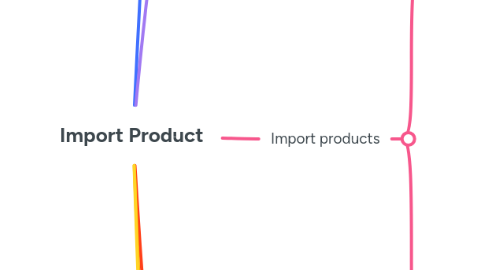
1. Read file import with structure
1.1. Product sheet
1.1.1. Category
1.1.2. Product Group
1.1.3. Name
1.1.4. Item Id
1.1.5. Size
1.1.6. Is Primary Product
1.1.7. Is Primary In Group
1.1.8. Bundles
1.1.9. ExternalId
1.1.10. Action
1.1.10.1. A
1.1.10.2. O
1.1.10.3. D
1.2. State sheet
1.2.1. Category
1.2.2. ItemId
1.2.3. Quantity
1.2.4. State Code
2. Validate Product sheet
2.1. Must less than 1000 rows
3. Import products
3.1. Loop all row and validate
3.1.1. Action must be A, D, O
3.1.2. Item ID must be not empty
3.1.3. Item Id must exist when action is O or D
3.1.4. Item Id must unique in all rows
3.1.5. Product Group must required
3.1.6. External Id must required
3.1.7. Validate category and package field
3.1.7.1. Category field must be exists if action is O or if action is A and item id not exist
3.1.7.2. If has category flow 1 but package field is empty => required package field
3.1.7.3. If product exists and category is flow 2 or 4 => not have product mapping
3.2. Filter all valid row and start import
3.2.1. Insert missing package for product in A and O
3.2.2. Delete product in D action
3.2.2.1. Mark product in IsDelete
3.2.2.2. Delete all relationship in table ProductCategory
3.2.2.3. Delete all relationship in table ProductState
3.2.3. Insert or update product in case A or O
3.2.3.1. Check ProductBundleMapping to insert product map with package
3.2.3.2. Check category mapping between product and category
4. Import product to state
4.1. Validate state code is exists
4.2. Loop all row and validate
4.2.1. Calculate list product state from Excel file
4.2.1.1. Update category name if category empty
4.2.1.2. Validate item
4.2.1.2.1. Item id required and exist in DB
4.2.1.2.2. Category must required and exists in DB
4.2.1.2.3. Quantity must be >= 0
4.2.1.2.4. Category must be associate with Item Id
4.2.2. Import to DB
4.2.2.1. If quantity = 0 => remove ProductState
4.2.2.2. Add product state if not exists in DB
4.2.2.3. Update quantity if exists