


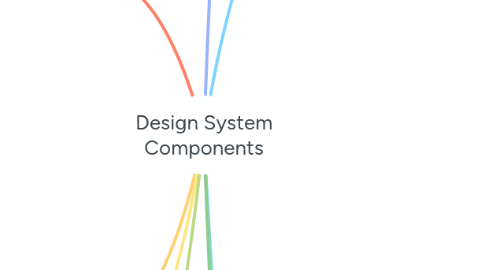
1. Data Display
1.1. Tables
1.1.1. Header states
1.1.2. Row states (hover/selected)
1.1.3. Sorting indicators
1.1.4. Pagination states
1.2. Cards
1.2.1. Default
1.2.2. Hover
1.2.3. Selected
1.2.4. Disabled
1.3. Accordions
1.3.1. Collapsed
1.3.2. Expanded
1.4. Chips/Tags
1.4.1. Default
1.4.2. Selected
1.4.3. Removable
1.4.4. Disabled
2. Overlays
2.1. Modals
2.1.1. Open/Closed
2.1.2. Backdrop states
2.1.3. Size variations
2.2. Dialogs
2.2.1. Alert
2.2.2. Confirmation
2.2.3. Form
2.3. Popovers
2.3.1. Open/Closed
2.3.2. Position variations
3. Responsive Utilites
3.1. Breakpoints
3.1.1. Mobile
3.1.2. Tablet
3.1.3. Desktop
3.2. Visibility
3.2.1. Hidden/Visible states
3.2.2. Responsive hiding
3.3. Layout
3.3.1. Grid variations
3.3.2. Flex configurations
4. Accessibility
4.1. Focus states
4.1.1. Keyboard navigation
4.1.2. Visible focus
4.2. Contrast ratios
4.2.1. Text/background
4.2.2. Interactive states
5. Foundations
5.1. Color
5.1.1. Primary
5.1.2. Secondary
5.1.3. Neutral
5.1.4. Success/Error/Warning/Info
5.1.5. Text
5.1.6. Background
5.2. Typography
5.2.1. Headings (H1 to H6)
5.2.2. Body Text
5.2.3. Captions
5.2.4. Labels
5.2.5. Links
5.3. Spacing
5.3.1. Grid System
5.3.2. Padding/Margin Scales
5.3.3. Containers
5.4. Icons
5.4.1. Standard Size
5.4.2. Filled/Outlined States
5.4.3. Color Variations
5.5. Shadows
5.5.1. Elevation Level
5.5.2. Interactive States
5.6. Borders
5.6.1. Radius Scales
5.6.2. Widths
5.6.3. Styles
6. Interactive Components
6.1. Buttons
6.1.1. Types
6.1.1.1. Primary
6.1.1.2. Secondary
6.1.1.3. Tertiary
6.1.1.4. Icon
6.1.1.5. Floating Action
6.1.2. States
6.1.2.1. Default
6.1.2.2. Hover
6.1.2.3. Active
6.1.2.4. Focus
6.1.2.5. Disabled
6.1.2.6. Loading
6.2. Form Elements
6.2.1. Input Fields
6.2.1.1. States
6.2.1.1.1. Default
6.2.1.1.2. Focus
6.2.1.1.3. Filled
6.2.1.1.4. Error
6.2.1.1.5. Disabled
6.2.1.1.6. Read-only
6.2.2. Checkboxes
6.2.2.1. States
6.2.2.1.1. Unchecked
6.2.2.1.2. Checked
6.2.2.1.3. Indeterminated
6.2.2.1.4. Disabled
6.2.3. Radio Buttons
6.2.3.1. Group states
6.2.3.2. Individual states
6.2.3.2.1. Unselected state
6.2.3.2.2. Selected state
6.2.3.2.3. Disabled state
6.2.4. Select Menus
6.2.4.1. Closed/Open states
6.2.4.2. Error state
6.2.4.3. Disabled state
6.2.5. Toggles/Switches
6.2.5.1. On/Off states
6.2.5.2. Disabled state
6.2.6. Sliders
6.2.6.1. Active
6.2.6.2. Disabled
6.2.6.3. Dragging state
7. Navigation
7.1. Tabs
7.1.1. Active
7.1.2. Hover
7.1.3. Disabled
7.2. Breadcrumbs
7.2.1. Current page
7.2.2. Ancestor states
7.3. Pagination
7.3.1. Active page
7.3.2. Hover
7.3.3. Disabled arrows
7.4. Sidebar Menu
7.4.1. Collapsed/Expanded
7.4.2. Active item
7.4.3. Hover states
8. Feedback & Status
8.1. Alerts
8.1.1. Info
8.1.2. Success
8.1.3. Warning
8.1.4. Error
8.2. Loaders
8.2.1. Size variations
8.2.2. Color variations
8.3. Progress Indicators
8.3.1. Linear
8.3.2. Circular
8.3.3. Determinate/Indeterminate
8.4. Tooltips
8.4.1. Default
8.4.2. Visible
8.4.3. Hidden
8.5. Toasts/Notifications
8.5.1. Default
8.5.2. Dismissed
8.5.3. Timed out