Text
von Teh Siew Ling
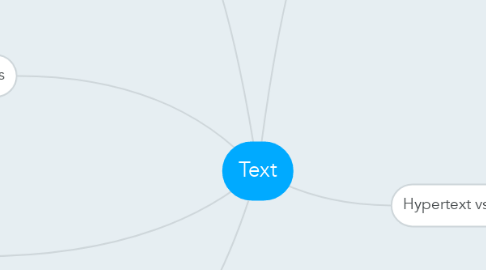
1. Text Elements used in Multimedia
1.1. Menus for navigation - user navigator through content using menu
1.2. Interactive Buttons - clickable object that executes a command when activated
1.3. Symbols and icons - used to convert meaningful messages
1.4. Fields for reading - can be printed in one or two orientations
1.5. HTML documents - standard markup language used to create web page
2. Bitmap vs. Vector
2.1. Bitmaps font - File size increase as more size added - Require a lot of memory - Non- scalable
2.2. Vectors font - File size is much smaller than bitmaps - TrueType, OpenType and PostScript are vector font formats
3. Character Sets
3.1. Extended character set ( ISO Latin-1)
3.2. Unicode
3.3. American Standard Code for Information Interchange ( ASCII )
4. Font Editing and Design Tools
4.1. Fontographer - specialized graphics editors - compatible with both Macintosh and Microsoft Windows platforms - can used to develop PostScript, TrueType, and OpeType fonts - can modify existing typefaces and incorporate PostScript artwork
5. Font and Typeface
5.1. Typeface - family of graphic characters, often with many type sizes and styles - example: Bookman Old Style
5.2. Font - collection of characters of a single size and style belonging to particular typeface family - example: Arial 18 point Bold
5.3. Font Style - Boldface - Italic - Underlining - Outlining
5.4. Font Terminology - Baseline - Cap height - x-height - Ascenders/ descenders - Kerning - Tracking
5.5. Cases - capitalized letter = uppercase - small letter = lowercase - place uppercase in the middle of a word = CamelCase
6. Hypertext vs. Hypermedia
6.1. Hypertext - a text which contains links to other texts
6.2. Hypermedia - not constrained to be text-based
6.3. Hypermedia Structure - links - nodes - anchors

