

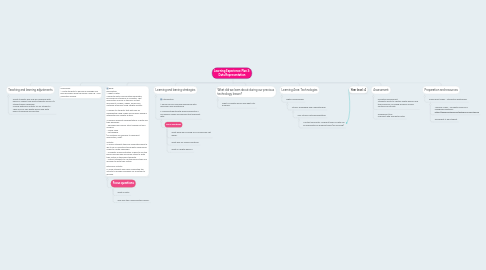
Learning Experience Plan 3: Data Representation
by Emily Kirby
1. Teaching and learning adjustments
1.1. Assist students who may be unfamiliar with devices. Support low ability students and EAL/D students were necessary. Provide extension activity for AA students – Think of your own digital device and write down its purpose and solution.
2. Conclusion: 1. Invite students to decode a message you have provided using the binary code e.g. I love computer science.
3. Body: Explanation: 1. What is data? Computer data is information generated, processed or stored by a computer. This information may be in the form of text documents, images, videos, audio clips, software programs using a digital system. 2. Explain to students that data can be represented using codes and symbols which is interpreted by a digital system. 3. Explore different representations of data and their purposes: - Aboriginal and Torres Strait Islander art and symbols. - Morse code - Pictographs (All systems use symbols to represent information, data). Activity: 4. Inform students they will understand what is like to be a computer storing data using binary codes to create messages. - Complete a demonstration of how to use the binary decoder key and binary strips to write their initials in the binary template. - Instruct students to use the binary strips and decoder to write their initials. Extension Activity: 5. Allow students who have completed the activity to encode messages for a partner to decode.
3.1. Focus questions
3.1.1. What is data?
3.1.2. Why was this coding system useful?
4. Learning and leaning strategies
4.1. Introduction: 1. Recap on prior learning experience with discussion and questioning. 2. Provide students with learning objective: ‘I can explore codes and symbols that represent data.’
4.1.1. Focus Questions
4.1.1.1. What were we focusing on in Technology last week?
4.1.1.2. What was our inquiry question?
4.1.1.3. What is a digital device?
5. What did we learn about during our previous technology lesson?
5.1. What is a digital device and what is its purpose?
6. Learning Area: Technologies
6.1. Digital Technologies
6.1.1. Strand: Knowledge and Understanding
6.1.1.1. Sub-Strand: Data representation
6.1.1.1.1. Content Descriptor: Different types of data can be represented in different ways (ACTDIK008)
7. Year level: 4
8. Assessment
8.1. Formative Assessment: Students’ ability to identify digital devices and their purposes, including problem solving solutions for society.
8.2. Assessment tool: Checklist with anecdotal notes.
9. Preparation and resources
9.1. Power point slides – interactive whiteboard.
9.1.1. YouTube Video – computer science is changing everything - https://www.youtube.com/watch?v=xJqSu1IbcHg
9.1.2. Worksheet x1 per student.