
What is online empathy mapping
An empathy map makes visible what drives your users or customers. It helps teams develop a shared understanding of their target audience. It clearly shows what a specific user group says, thinks, feels, and does.
This method comes from Design Thinking – a structured process that helps you solve problems from your users' perspective. Originally, teams conducted empathy mapping with paper and colorful sticky notes. Today, teams increasingly work with online tools that offer many advantages: You can work simultaneously on an empathy map, whether you're sitting in the office next door or on another continent. Everyone sees changes immediately, and the empathy map can be shared via link.
With this method, teams can challenge their assumptions about users, uncover knowledge gaps, and develop products that truly resonate with people.
Core elements of an empathy map
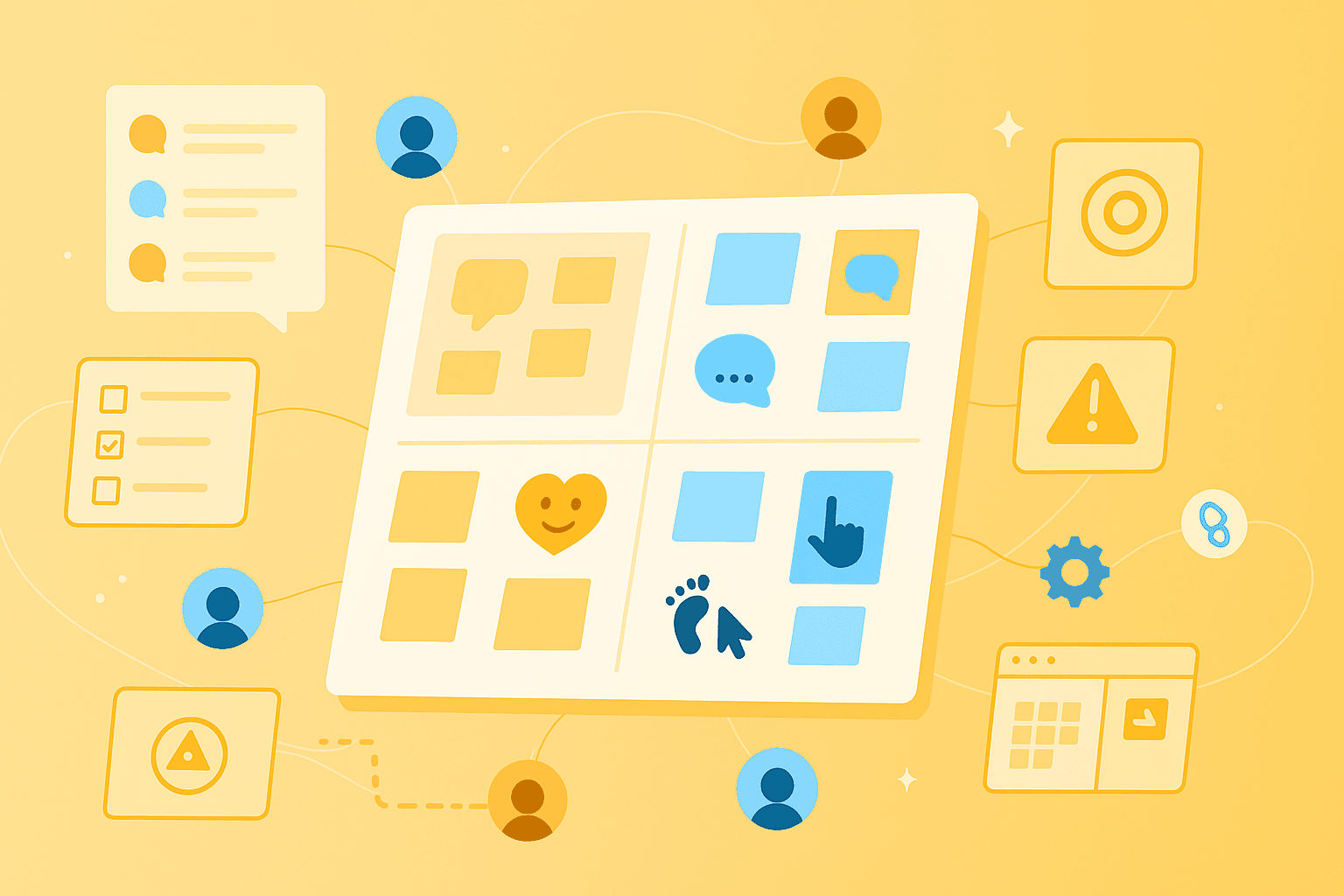
An empathy map typically divides into four quadrants that represent different aspects of the user experience – sometimes supplemented by additional areas like goals and pain points.
Says and Thinks
What your users say are their literal statements – direct quotes from interviews, surveys, or support requests. Accuracy matters here: Use exact wording instead of your own interpretations.
Typical statements might be:
"I find the navigation confusing"
"I need a faster solution for my problem"
"This is too complicated for me"
What users think often lies beneath the surface. These are their beliefs, assumptions, and inner monologues – things they might not say out loud. Here you interpret based on observations and context. Someone might think "Am I too stupid for this?" while saying: "The tool is complicated."
Feels and Does
Your users' feelings are the key to understanding their motivation. Emotions drive decisions but are rarely expressed directly. You read between the lines – pay attention to tone, body language, or recurring complaints.
Common emotional states:
Frustration: "This isn't working again!"
Uncertainty: Hesitation when making decisions
Excitement: Actively sharing positive experiences
What users do shows their actual behavior – often different from what they say. These observations come from usability tests, analytics data, or direct observation. Someone might say "I'm managing fine" but abandon the process after two minutes.
Goals and Barriers
Modern empathy maps often add two more areas: goals (what users want to achieve) and barriers (what prevents them).
Goals might be:
Save time on recurring tasks
Make better decisions
Feel competent
Barriers include:
Too many steps to reach the goal
Missing or unclear information
Technical obstacles
These additions connect your empathy map directly to concrete improvement opportunities.
Why empathy maps are valuable in design thinking
In the design thinking process, empathy maps play a central role because they transform abstract user data into tangible insights. Design thinking puts users' needs at the center and helps teams develop appropriate solutions step by step. But what makes empathy maps so valuable for your work?
They create a shared picture. When five team members talk about "our users," they often all have a different image in mind. An empathy map brings everyone to the same page and reduces misunderstandings.
They make empathy concrete. It's easy to say "We think user-centered." An empathy map forces you to truly put yourself in your users' shoes – with all their fears, hopes, and frustrations.
They make research visible. Hundreds of pages of interview transcripts? Nobody reads that. A visual mind map summarizes the most important insights at a glance and makes them accessible to everyone.
They show what's missing. An empty quadrant in your map? That's not a mistake, but a valuable clue. Here you still know too little about your users.
Steps to creating an empathy map
An empathy map works best when created as a team – different perspectives lead to richer insights. Online tools like MindMeister make collaboration easy, especially when your team works distributed.
1. Define users and goal
Before you start, clarify two things: Who are you creating the empathy map for? And why?
Be specific about the target group. "All our customers" is too broad. Better: "New users in their first week" or "Power users with more than 100 transactions." Also define your goal clearly: Do you want to understand why users drop off? Or how you can improve the onboarding process?
An example: Instead of an empathy map for "online shop customers," you create one for "first-time buyers aged 25-35 who enter through mobile shopping."
2. Gather data
Good empathy maps are based on real data, not assumptions. The more diverse your sources, the more complete the picture.
Proven data sources:
User interviews: The richest source for quotes and insights
Support tickets: Show recurring problems and frustrations
Usability tests: Reveal what users do (not just say)
Surveys: Deliver quantifiable patterns
Social media comments: Unfiltered opinions and emotions
Collect especially direct quotes and observable behavior. The more qualitative data you have, the more precise your empathy map will be.
3. Enter results into quadrants
Now it gets practical. Go through your data and assign insights to the appropriate quadrants.
A proven approach: First let all team members individually create notes on digital sticky notes. This prevents dominant voices from setting the direction. Then cluster similar insights together.
With online tools like MindMeister, everyone works simultaneously on the same empathy map. Use colors to mark data sources – yellow for interviews, blue for support tickets, green for observations.
4. Identify patterns and insights
The filled empathy map is just the beginning. Now you look for patterns that you didn't notice before.
Ask yourself these questions:
Where do "Says" and "Does" contradict each other?
Which emotions appear repeatedly?
Which barriers do multiple users mention?
What surprises you?
These patterns are gold. They show where your users really need support. Document the most important insights for your next product decisions.
5. Define actions and next steps
Derive concrete measures.
Ask yourself: Which quick wins can you implement immediately? Which larger changes need more time? Link your empathy map with other tools – create user personas based on your insights or draw customer journey maps for critical processes.
Treat the empathy map as a living document. New user feedback? Current research results? Update the mind map. Share it with all stakeholders and use it as a reference in meetings.
Typical use cases and examples
Empathy maps find application in various areas – everywhere people are at the center.
Empathy mapping exercise in UX context
In UX design, empathy maps help close the gap between what designers think and what users experience.
A practical example: A SaaS company redesigns its onboarding. The empathy map shows:
Says: "I don't know where to start"
Thinks: "Am I in the right place? Is this tool even made for me?"
Feels: Overwhelmed, fear of doing something wrong
Does: Clicks around wildly, abandons after three minutes
These insights lead to a completely new onboarding: An interactive guide leads step by step through the most important features. The abandonment rate drops by 40%.
Empathy maps in marketing or sales
Marketing teams use empathy maps to truly understand their target audiences – beyond demographic data.
An e-commerce example: The conversion rate stagnates. The empathy map reveals:
Says: "I'm not sure if the quality is right"
Thinks: "It would be cheaper on Amazon"
Feels: Distrust, fear of wrong purchase
Does: Obsessively reads reviews, leaves the site without buying
The solution: Prominent customer reviews, money-back guarantee, and transparent price comparisons. The conversion rate increases noticeably.
Common mistakes in empathy mapping and how to avoid them
Even with the best method, mistakes can happen. These three stumbling blocks are most common for teams.
Missing research and subjective assumptions
The biggest mistake? Creating an empathy map based on gut feeling. "I know our customers" is no substitute for real data. Teams often fall prey to confirmation bias – they only select information that confirms their opinion.
How to do it better:
Demand evidence: Every entry needs a source
Diversity helps: Different team members bring different perspectives
Stay critical: "How do we know this?" is your most important question
Too general focus points
"Our customers" are not a homogeneous mass. An empathy map for everyone leads to trivial generalities. The more specific your target group, the more valuable your insights.
Concrete improvements:
Segment: Create separate empathy maps for different user groups
Get specific: "Working parents who shop mobile in the evening" instead of "Mobile users"
No regular updates
An empathy map from two years ago? Probably outdated. User needs change – your empathy map should too.
How to keep your empathy map current:
Schedule reviews: Monthly, quarterly, or after each sprint
Incorporate new data: Every user feedback is an opportunity for improvement
Work digitally: Tools like MindMeister make updates easy and traceable
Practical tips for your empathy map
The right tools make the difference between a tedious exercise and a productive workshop.
How to use an empathy map template
A good template provides structure without constraining. Look for three things when selecting:
Clarity: Everyone immediately understands what goes where
Adaptability: You can add or adjust areas
Collaboration capability: Multiple people can work simultaneously
Start with a simple four-quadrant template. Add areas for goals and barriers as needed. Less is often more – an overloaded map confuses more than it helps.
Recommendations for online tools
The days of pinboards and post-its are over – at least for distributed teams. Online tools offer decisive advantages for modern empathy mapping.
What digital tools do better:
Real-time collaboration: Your team in Munich, Berlin, and Hamburg works simultaneously
Easy sharing: One link is enough, all stakeholders see the map
Version control: Who changed what when? Everything traceable
MindMeister has proven itself as a visual collaboration tool. The intuitive interface makes it easy to structure and connect ideas. Teams can collaborate in real time – perfect for remote workshops. With notes and comments, you add important context directly in the mind map.
Impulses for the next step
You now have the tools for successful empathy mapping. The method helps you gain real insights into your users' world – not assumptions, but founded knowledge.
The first step is the easiest: Choose a user group, gather existing data, and invite your team to a workshop. In two hours, you can gain insights that will shape your product decisions for months.
Understand users faster with empathy maps